

BuddyPress Notifications & Email Delivery
Every contact-message submission can fire a BuddyPress in-site notification, an email, or both. Both run on the recipient’s behalf — they are notified, the sender just sees a “Message sent” confirmation.
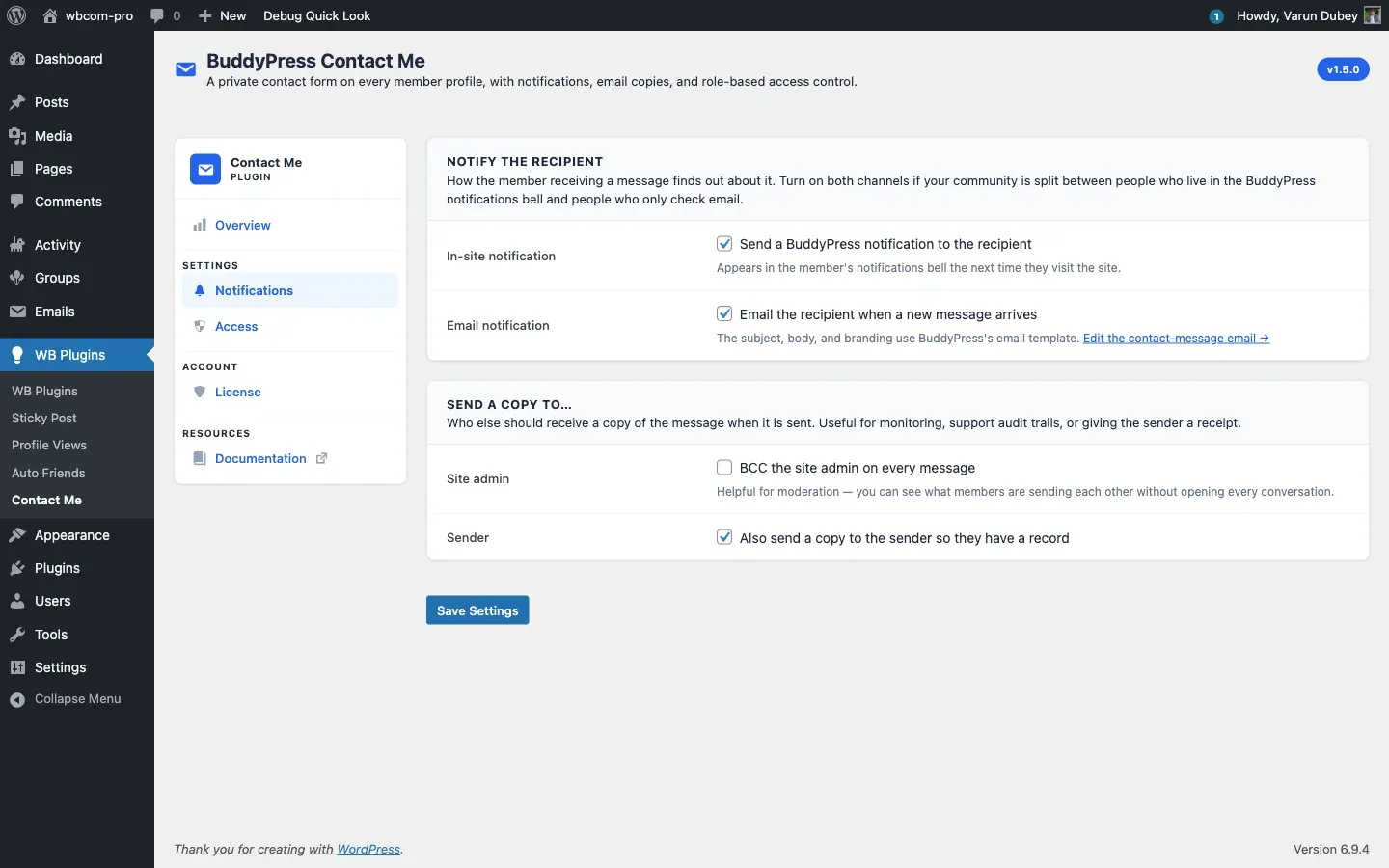
In-site notifications
Section titled “In-site notifications”Powered by the BuddyPress Notifications component. When enabled:
- A new entry appears in the recipient’s notification bell.
- The entry text reads “{Sender display name} sent you a contact message.” and links to
/contact/inbox/{message-id}/. - Opening the message clears the notification automatically — see Single message view.
If the BuddyPress Notifications component is disabled site-wide, this channel silently no-ops; nothing breaks.
The plugin registers itself as a notifications component named bcm_user_notifications with action slug bcm_user_notifications_action so it shows up alongside core BP notifications and respects the user’s per-component email preferences if you use a plugin like BP Notifications Manager.
Email notifications
Section titled “Email notifications”Powered by bp_send_email() and a dedicated email post of type bcm-contact-message installed automatically on activation. Because it goes through the BuddyPress email pipeline:
- The email uses the same header, body card, footer, and unsubscribe link as every other BuddyPress email on the site — no theme work required.
- Site admins can edit the subject and body from Dashboard → Emails and find the entry titled “A member received a contact message”. Once an admin edits it, future plugin upgrades never overwrite their changes.
- The available tokens are
{{sender.name}},{{recipient.name}},{{contact.subject}},{{contact.message}}, and{{{inbox.url}}}(triple-braces because it embeds a URL). BP-native tokens like{{{site.name}}}and{{unsubscribe}}are also available.
See the Email pipeline developer doc for the exact token list and post structure.
Send-a-copy options
Section titled “Send-a-copy options”Two extra recipient toggles on the Notifications tab:
- Site admin copy — BCC every message to every user with the
administratorrole. Useful for community moderation. - Sender copy — send the sender a copy of what they submitted. Useful as a “we got your message” receipt and reduces support tickets like “did my message go through?”.
Per-recipient delivery
Section titled “Per-recipient delivery”Each recipient gets their own email by default — BCC-style multi-recipient delivery is not used, so recipients never see each other’s email addresses. Guest recipients (admin copy or sender copy where the sender was a guest) are constructed with the saved guest name to prevent the BP email pipeline from emitting PHP undefined-property warnings on PHP 8.2+.
Output buffering safety
Section titled “Output buffering safety”Because bp_send_email() runs inside the REST submit callback, the plugin output-buffers the call so that any third-party hook emitting a stray notice or whitespace cannot break the JSON response. Leaked output is captured and logged via error_log() when WP_DEBUG is on, never printed to the response stream.