

Company Profile
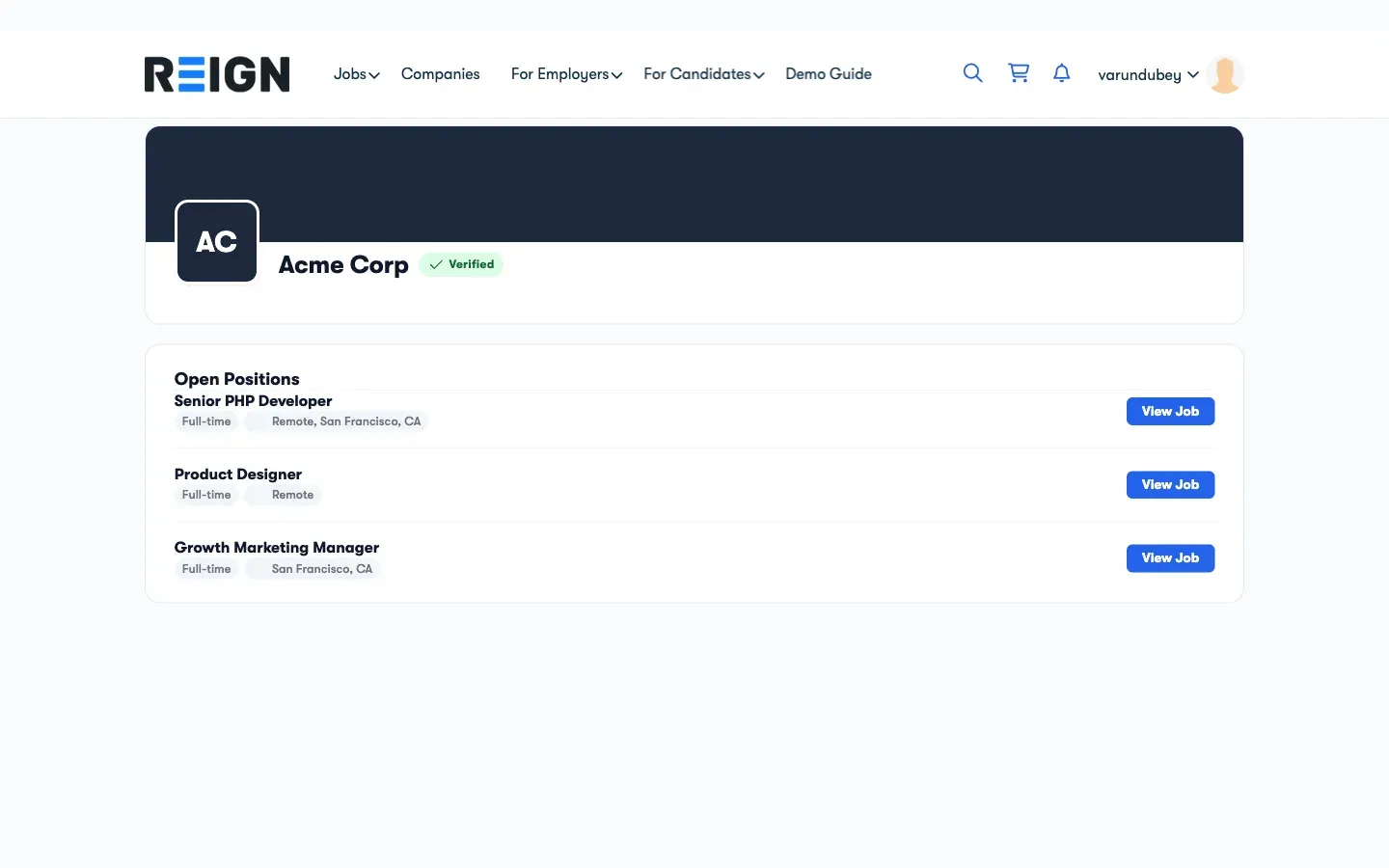
Every employer gets a public Company Profile page that candidates can browse. It shows your company information and all your active job listings in one place.
What the Company Profile Shows
Section titled “What the Company Profile Shows”- Company name, logo, and tagline
- Industry, company size, and company type
- HQ location and founded year
- Website and social links (LinkedIn, X/Twitter)
- “About the Company” description
- All currently active job listings from this company
Candidates can click through to any individual job listing directly from your company page.
Setting Up Your Profile
Section titled “Setting Up Your Profile”Edit your company profile from the Employer Dashboard:
- Open the Employer Dashboard
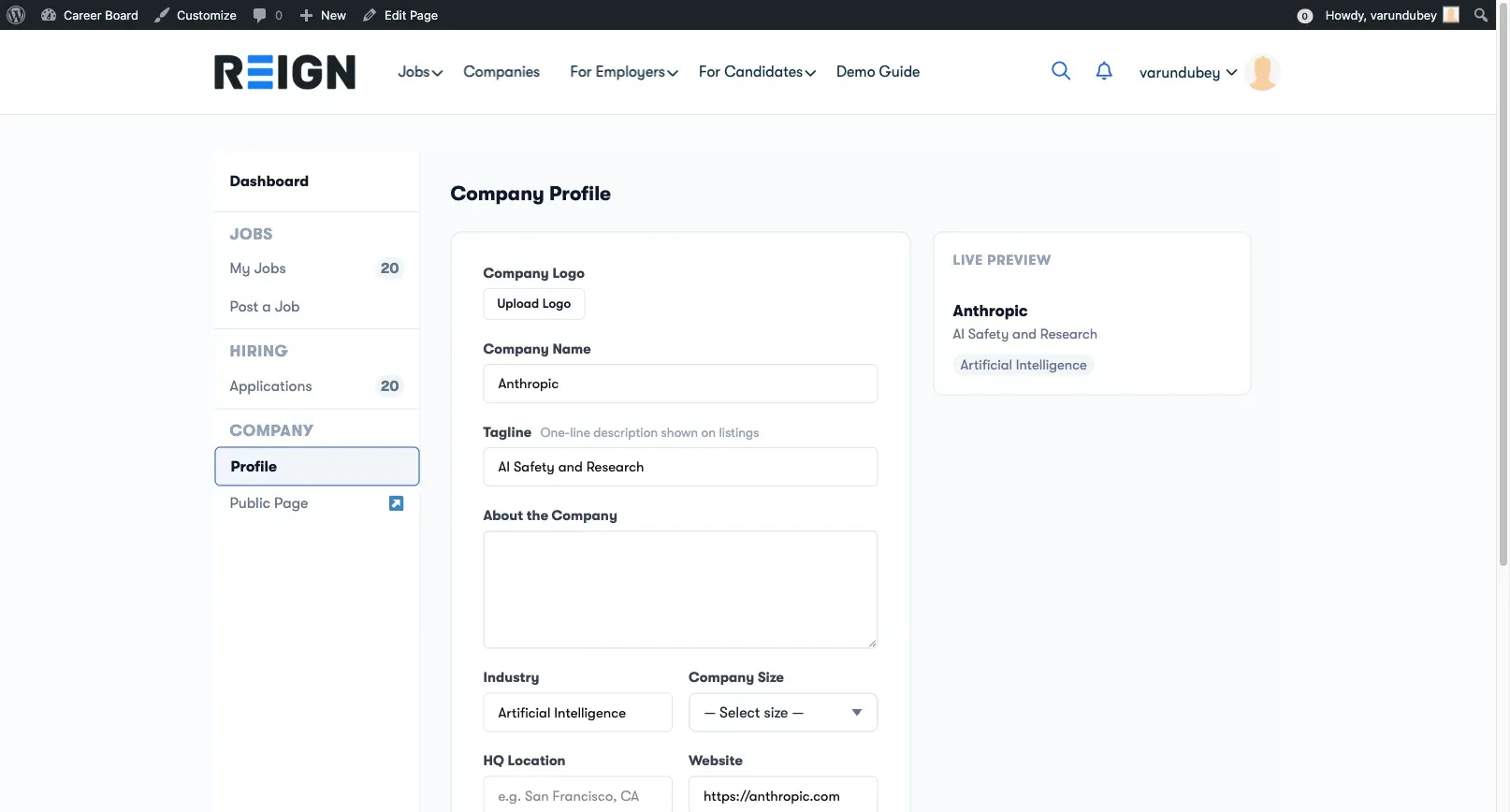
- Click Profile in the sidebar (under the COMPANY section)
- Fill in your company details. A Live Preview pane shows how the page will look as you type.
- Click Save Profile. You will see “Profile saved successfully.”
To view the published page, use the Public Page link in the sidebar, which opens your company profile in a new tab.
Profile Fields
Section titled “Profile Fields”| Field | Required | Notes |
|---|---|---|
| Company Name | Yes | Displayed as the page title |
| Company Logo | No | JPEG, PNG, GIF, or WebP. Upload becomes available after the profile is first saved. |
| Tagline | No | One-line description shown on listings and company cards |
| About the Company | No | Multi-paragraph rich-text description |
| Industry | No | Shown as a tag on company cards |
| Company Size | No | 1-10, 11-50, 51-200, 201-500, 501-1,000, 1,001-5,000, or 5,000+ employees |
| Company Type | No | Public, Privately Held, Self-Employed/Freelance, Non-profit, Government, Educational, or Partnership |
| HQ Location | No | e.g. San Francisco, CA |
| Founded Year | No | Numeric year |
| Website | No | Shown as a clickable link |
| No | Company LinkedIn URL | |
| X (Twitter) | No | Company X/Twitter URL |
Only Company Name is required. You can save with just the name and fill in the rest later.
Company Profile URL
Section titled “Company Profile URL”Your company profile URL is automatically generated from your company name:
yourdomain.com/company/your-company-name/
Who Sees the Company Profile
Section titled “Who Sees the Company Profile”The Company Profile page is public - any visitor can see it, even without an account. The Company Archive page (if enabled) lets visitors browse all companies on your board.
Tip: A complete company profile with a logo and description significantly increases candidate trust and application rates.