

Comment Settings
Comment Settings
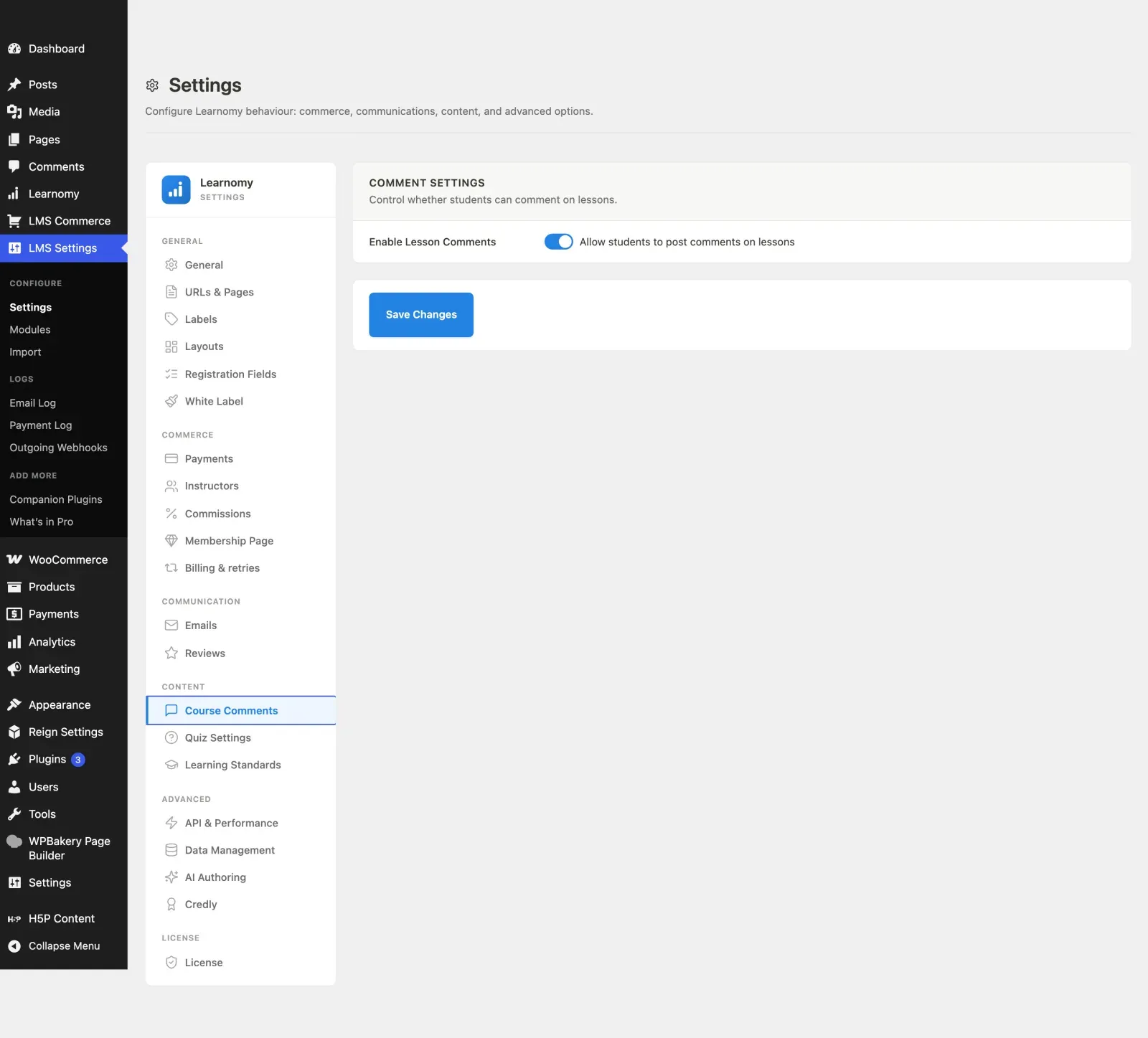
Section titled “Comment Settings”The Course Comments section controls whether students can post comments on lessons across your site. It is a single site-wide toggle that individual courses and lessons can override.
What you can do
Section titled “What you can do”- Turn lesson comments on or off site-wide with one toggle.
- Let students discuss a lesson directly under it when comments are enabled.
- Keep the site-wide setting as the default while a course or lesson overrides it where needed.
How to use it
Section titled “How to use it”Step 1 – open Course Comments
Section titled “Step 1 – open Course Comments”Go to LMS Settings and click Course Comments in the sidebar.
Step 2 – toggle lesson comments
Section titled “Step 2 – toggle lesson comments”In the Comment Settings card, switch Allow students to post comments on lessons on or off. This is the site-wide default.
Step 3 – save
Section titled “Step 3 – save”Click Save Changes. When on, a comment thread appears under each lesson in the player unless a specific course or lesson overrides it.
Settings and options
Section titled “Settings and options”| Field | Option key | Notes |
|---|---|---|
| Enable Lesson Comments | enable_lesson_comments |
Site-wide toggle stored in learnomy_settings. |
Course-level comments (separate from lesson comments) are planned for a future release, so that toggle is intentionally not shown here yet.
For developers
Section titled “For developers”\Learnomy\Models\Lesson::get_effective_comments_enabled( int $lesson_id )– resolves the final on/off decision for a lesson by combining the site-wideenable_lesson_commentssetting with any per-course or per-lesson override. Use this rather than reading the raw option, so overrides are honoured.