

General Settings
General Settings
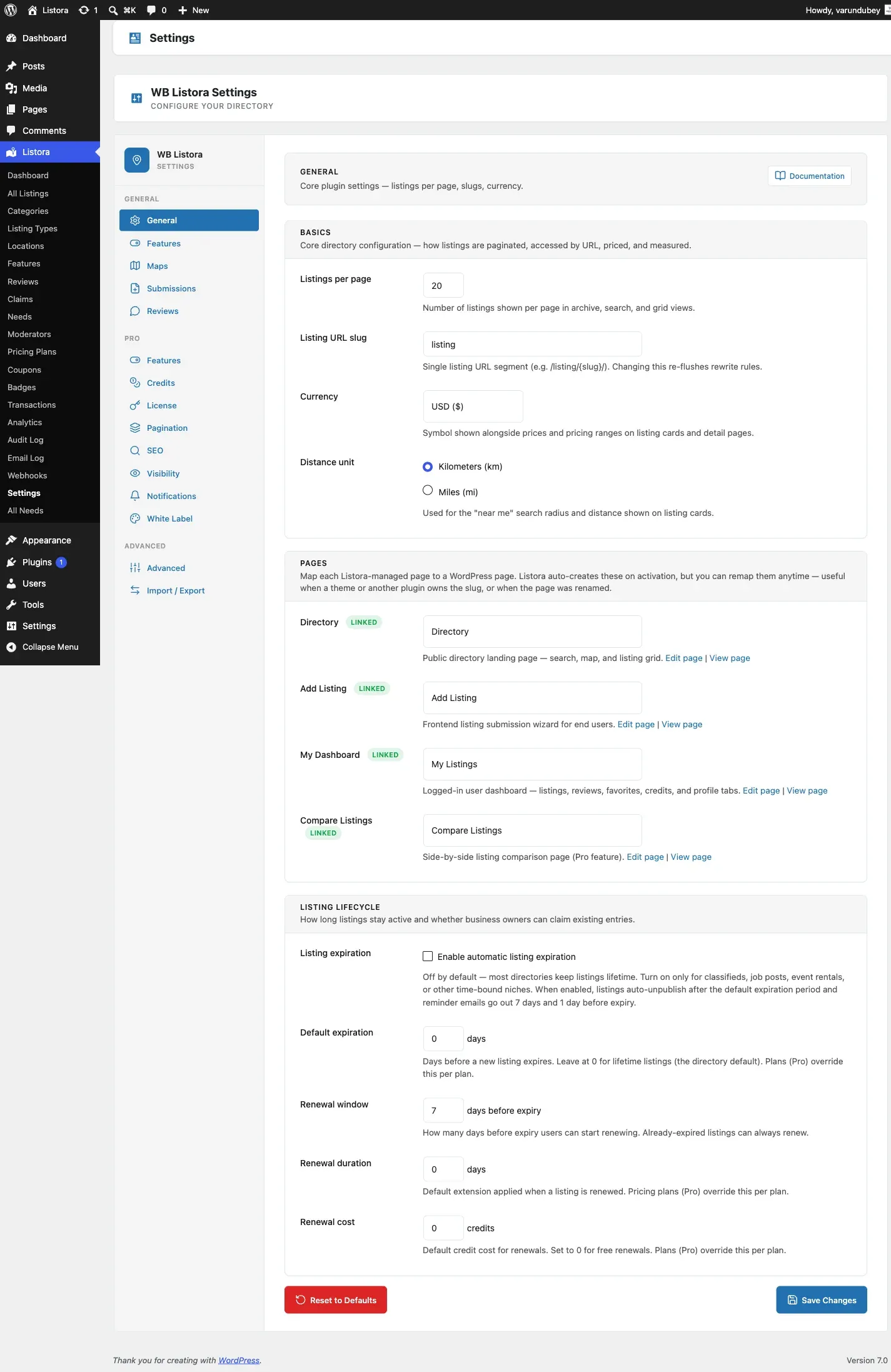
Section titled “General Settings”Access general settings at Listora > Settings > General.
Directory Name
Section titled “Directory Name”The name displayed in the admin sidebar and default page titles.
Listings Per Page
Section titled “Listings Per Page”Number of listings shown per page in grid views. Default: 20.
Distance Unit
Section titled “Distance Unit”Choose between Kilometers (km) and Miles (mi) for location-based searches.
Currency
Section titled “Currency”Set the default currency for pricing fields (USD, EUR, GBP, etc.).
Date Format
Section titled “Date Format”Choose how dates are displayed in listings (follows WordPress date format settings).
Terms of Service
Section titled “Terms of Service”Point Listora at the terms page your site already has. There are two fields and you fill in one:
- Terms of service - a page picker listing your existing pages. No page is created for you, and you do not need to look up an ID.
- Terms URL - for sites whose terms live somewhere else entirely, on another domain or a hosted legal service.
Whatever you set here is the terms link everywhere: the submission form’s acceptance checkbox, and any connected mobile app. Mapping it once is the whole point of the field.
Before 1.6.0 this was configured in two unconnected places - here and again as a Terms Page ID control on the submission block - so setting one left the other surface with no link, and setting both meant doing the same job twice in two formats. The block control is gone. Existing blocks that carry the old attribute are still honoured, so nothing breaks on upgrade, but the setting above wins and is where new configuration belongs.
Acceptance is enforced on the server. A submission that arrives without it is rejected whether it came from the form, the API or an app.
Currency display
Section titled “Currency display”Alongside the currency itself, Listora publishes the symbol, its position and the decimal precision to connected apps, so a native client formats prices the way the website does rather than guessing.
Zero-decimal currencies (JPY, KRW) and abbreviated ones render correctly. To override the symbol, suffix position or precision for a currency Listora formats differently than you want, use the currency formatting filter - see Hooks Reference.
Re-run Setup Wizard
Section titled “Re-run Setup Wizard”Click this link to re-run the setup wizard if you need to reconfigure your directory.
Related
Section titled “Related”- Installation & Activation
- Setup Wizard
- Submission Settings - the form that uses the terms link
- Map Settings - tile source, also published to connected apps