

REST: Feed, Posts, Reactions, and Comments
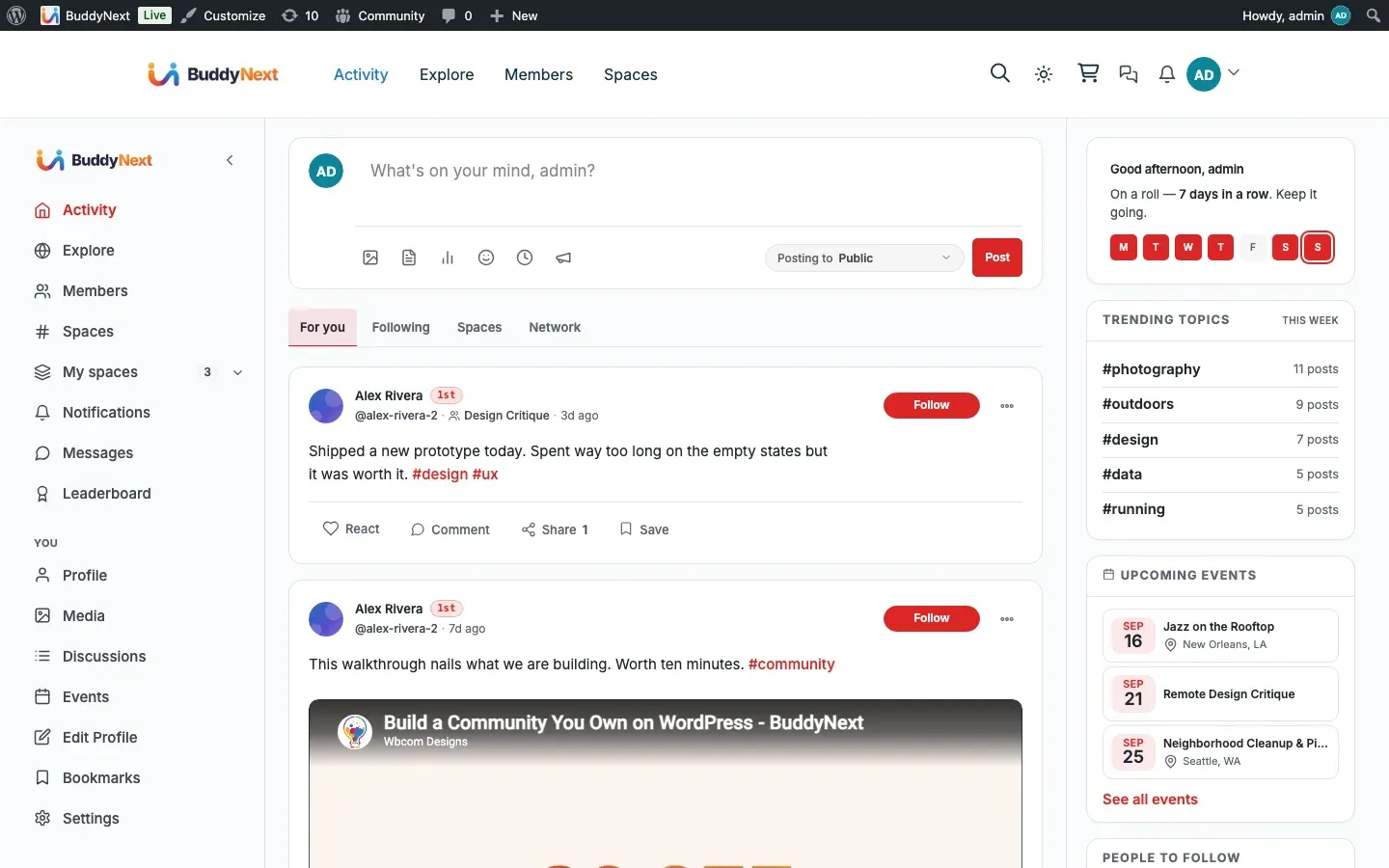
Reference for the feed, post-lifecycle, poll, share, bookmark, content-warning, reaction, and comment routes under the buddynext/v1 namespace. These are the surfaces an app or custom client uses to read timelines and create or act on content.
Contract
Section titled “Contract”All routes in this page live under the buddynext/v1 namespace and follow the conventions described in the BuddyNext REST Contract page (envelope, authentication, nonce, and cursor pagination). Read that page first; this page documents only the routes and their request/response shapes.
In short:
- Authentication is the standard WordPress REST cookie +
X-WP-Nonceheader for first-party clients, or an application password for external clients. - Write routes require an authenticated user (
require_auth); the controller returns a401 rest_not_logged_inwhen the caller is a guest. - Feed reads use cursor pagination via
?cursor=and?per_page=(max 50). List reads on comments and shares use?page=and?per_page=. - Several feed routes are additionally gated by an owner setting (
buddynext_public_explore): when a guest hits explore while that option is off, the route returns401 rest_explore_members_only. - Reactions and Comments writes are gated by their feature switch (Platform > Features). When the feature is off the toggle/create routes return
403.
Note: The
Authcolumn below reflects the route’spermission_callback. A value ofauthmeans an authenticated user is required;publicmeans the route is readable by guests;adminmeansmanage_options;moderatorcurrently resolves tomanage_options. Capability checks inside a handler (for example the role-mappedbuddynext-feed/create-postcheck on post creation) are noted under the relevant route.
Feed routes
Section titled “Feed routes”The feed controller serves the home, explore, profile, and space timelines, plus the lightweight count endpoints the client polls for the “new posts” pill.
| Method | Path | Auth | Purpose |
|---|---|---|---|
| GET | /feed/home |
auth | Home timeline for the current user. Accepts ?filter= (one of the home filters, default for-you). |
| GET | /feed/counts |
auth | Per-tab unread/seen counts for the home feed. |
| GET | /feed/new-count |
auth | Number of new posts since ?after_id=, for the “new posts” pill. Accepts ?filter=. |
| GET | /feed/viewer-state |
auth | Batch the viewer’s reaction/bookmark/vote state for a set of posts. Requires ?post_ids= (comma-separated IDs; the batch is capped at 100). |
| GET | /feed/explore |
public* | Community-wide explore deck. Guests allowed only when buddynext_public_explore is on. |
| GET | /feed/home/page |
auth | Next page of the home feed (cursor pagination). Accepts ?filter=. |
| GET | /feed/explore/page |
public* | Next page of the explore feed (cursor pagination). |
| GET | /users/(?P<id>[\d]+)/feed |
public | A member’s profile timeline. Private posts are filtered server-side by the viewer’s relationship. |
| GET | /spaces/(?P<id>[\d]+)/feed |
public | A space’s timeline. Secret spaces are gated to members server-side. |
| GET | /feed/announcements |
auth | The active announcements the viewer should see: the site-wide announcement plus one per space the viewer belongs to, each respecting the viewer’s dismissals and expiry. |
| POST | /feed/announcements/(?P<id>[\d]+)/dismiss |
auth | Dismiss a pinned announcement for the current user only. |
| POST | /feed/announcements/(?P<id>[\d]+)/end |
auth | End an announcement for everyone. The handler requires manage_options (admin action). |
* The explore routes use the require_public_explore gate: logged-in members always pass; guests pass only when buddynext_public_explore (default on) is enabled, otherwise they receive 401 rest_explore_members_only.
Post routes
Section titled “Post routes”Post create/read/update/delete plus pin and the link-preview helper.
| Method | Path | Auth | Purpose |
|---|---|---|---|
| POST | /posts |
auth | Create a post. Role-mapped: a feed post needs buddynext-feed/create-post; a space post needs buddynext-spaces/post (with space_id context); scheduling additionally needs buddynext-feed/schedule-post. |
| GET | /posts/(?P<id>[\d]+) |
public | Read a single post (visibility enforced server-side). |
| PUT | /posts/(?P<id>[\d]+) |
auth | Update a post (owner only, enforced in the handler). Body: any of content, privacy, content_warning, content_warning_type, scheduled_at. Passing scheduled_at is a reschedule and additionally requires buddynext-feed/schedule-post - see below. |
| DELETE | /posts/(?P<id>[\d]+) |
auth | Delete a post (owner only, enforced in the handler). |
| POST | /posts/(?P<id>[\d]+)/pin |
auth | Pin a post (owner action). |
| DELETE | /posts/(?P<id>[\d]+)/pin |
auth | Unpin a post (owner action). |
| GET | /me/pending-posts |
auth | The current member’s own posts held for approval. Accepts ?per_page= (1-100). |
| GET | /link-preview |
auth | Resolve link-preview metadata for a ?url=. Gated by the buddynext_enable_link_preview setting. |
Scheduling and rescheduling
Section titled “Scheduling and rescheduling”scheduled_at is accepted on both POST /posts (schedule at creation) and PUT /posts/{id} (reschedule an existing scheduled post). Both require the buddynext-feed/schedule-post capability, on top of the normal create/edit gate - otherwise PUT would be a back door into scheduling for anyone who can edit.
- Format: UTC,
Y-m-d H:i:s. The columnbn_posts.scheduled_atis stored in UTC and the API speaks UTC. The UI is what speaks site time: the composer and the edit control render adatetime-localin the site’s timezone (WP’s Settings -> General zone), name the zone in their label, and convert to UTC before they call the API. Clients doing their own conversion should use the site offset the feed state exposes rather than the browser’s, or an author in IST picks12:50and the card answers7:20 am- the same instant, two numbers, which reads as a bug. - A
POST /postscarrying a futurescheduled_atis saved withstatus = 'scheduled'(not live), and the response omits the renderedhtmlcard. - A reschedule only applies to a post whose status is still
scheduled.PostService::update()refuses anything else with409 not_scheduled, so the edit form cannot drag an already-published post back out of the feed. - A past or unparseable time is refused with
400 schedule_in_past/400 invalid_schedule. - A successful reschedule re-arms the publisher cron (
buddynext_publish_scheduled). This matters when a post is moved earlier: without the re-arm the cron would still be sitting on the old, later time and the post would miss its slot.
The related service seams - PostService::set_schedule(), clear_schedule(), publish_scheduled_now() - own the status / scheduled_at write so a scheduled-posts UI does not have to touch the table directly. They are PHP-level; Free exposes no separate REST route for them.
Poll routes
Section titled “Poll routes”| Method | Path | Auth | Purpose |
|---|---|---|---|
| POST | /posts/(?P<id>[\d]+)/vote |
auth | Cast (or change) the current user’s vote on a poll post. |
| GET | /posts/(?P<id>[\d]+)/poll |
public | Poll options and their vote counts. |
| GET | /posts/(?P<id>[\d]+)/my-vote |
auth | The current user’s vote on this poll, if any. |
Share routes
Section titled “Share routes”| Method | Path | Auth | Purpose |
|---|---|---|---|
| POST | /posts/(?P<id>[\d]+)/share |
auth | Repost a post, with optional content quote text. |
| DELETE | /posts/(?P<id>[\d]+)/share |
auth | Remove the current user’s repost of a post. |
| GET | /me/shares |
auth | The current user’s share history. Accepts ?page= and ?per_page= (1-100). |
Bookmark routes
Section titled “Bookmark routes”| Method | Path | Auth | Purpose |
|---|---|---|---|
| POST | /posts/(?P<id>[\d]+)/bookmark |
auth | Bookmark a post. Gated by the buddynext_allow_bookmarks setting. |
| DELETE | /posts/(?P<id>[\d]+)/bookmark |
auth | Remove a bookmark. Gated by buddynext_allow_bookmarks. |
| GET | /me/bookmarks |
auth | The current user’s bookmarks. Accepts ?expand=posts to hydrate full post objects (default returns IDs), plus ?per_page=. |
Content-warning routes
Section titled “Content-warning routes”The content-warning state is owned by the moderation surface, not the post controller.
| Method | Path | Auth | Purpose |
|---|---|---|---|
| GET | /posts/(?P<id>[\d]+)/content-warning |
public | Read a post’s content-warning flag and type. |
| PUT | /posts/(?P<id>[\d]+)/content-warning |
admin | Set or clear a post’s content warning. Body: content_warning (bool, required) and content_warning_type (one of nsfw, spoilers, violence, language; default nsfw). |
Note: A member can also set a content warning at creation time via the
content_warningandcontent_warning_typefields onPOST /posts. The PUT route above is the admin override that toggles it after the fact.
Reaction routes
Section titled “Reaction routes”Reactions attach to any object identified by object_type + object_id (for example post + the post ID, or comment + the comment ID).
| Method | Path | Auth | Purpose |
|---|---|---|---|
| POST | /reactions/toggle |
auth | Toggle the current user’s reaction on an object. Body: object_type (required), object_id (required), emoji (default like). Returns 403 reactions_disabled when the Reactions feature is off. |
| GET | /reactions |
public | Reaction count for an object, plus the current user’s state when authenticated. Query: object_type, object_id. |
| GET | /reactions/list |
public | The list of reactors (user, emoji, hydrated name + avatar). Query: object_type, object_id, optional limit (1-100, default 100). |
| GET | /reactions/types |
public | The owner-enabled reaction set - each with label, emoji char, colour, and icon URL. Returns { reactions: [...] }. Lets a native app render the exact picker the web shows (including Pro custom reactions) instead of hardcoding the six defaults. |
Comment routes
Section titled “Comment routes”Comments also attach to an object via object_type + object_id and support one level of threading via parent_id.
| Method | Path | Auth | Purpose |
|---|---|---|---|
| POST | /comments |
auth | Create a comment. Body: object_type (required), object_id (required), content (required), parent_id (optional, for a reply). Returns 403 when the Comments feature is off. |
| GET | /comments |
public | List comments for an object. Query: object_type, object_id, per_page (1-50, default 20), page. |
| PUT | /comments/(?P<id>[\d]+) |
auth | Update a comment (owner or admin, enforced in the handler). Body: content (required). |
| DELETE | /comments/(?P<id>[\d]+) |
auth | Delete a comment (owner or admin, enforced in the handler). |
| POST | /comments/(?P<id>[\d]+)/pin |
moderator | Pin a comment under its parent object. |
| DELETE | /comments/(?P<id>[\d]+)/pin |
moderator | Unpin a comment. |
Examples
Section titled “Examples”Create a post
Section titled “Create a post”curl -X POST 'https://example.com/wp-json/buddynext/v1/posts' \ -H 'X-WP-Nonce: <nonce>' \ -H 'Content-Type: application/json' \ --cookie 'wordpress_logged_in_...=<cookie>' \ -d '{ "type": "text", "content": "Shipping the new release this week.", "privacy": "public" }'A successful create returns 201 Created with the hydrated post object. For a live (published) post the response includes a server-rendered html card the client can prepend without a reload. Held (pending) and scheduled posts omit html (the client shows a status toast instead).
{ "id": 4821, "user_id": 12, "type": "text", "content": "Shipping the new release this week.", "privacy": "public", "space_id": 0, "status": "published", "created_at": "2026-06-20 09:14:02", "reaction_count": 0, "comment_count": 0, "share_count": 0, "html": "<article class=\"bn-post-card\" ...>...</article>"}Note: Every field on
POST /postsis optional at the schema layer;PostService::create()owns the business rules (for example,contentis required unless the post carries a poll or media). A rule violation returns a400(or the safeguard’s own status code) with aWP_Errorbody.
Toggle a reaction
Section titled “Toggle a reaction”curl -X POST 'https://example.com/wp-json/buddynext/v1/reactions/toggle' \ -H 'X-WP-Nonce: <nonce>' \ -H 'Content-Type: application/json' \ --cookie 'wordpress_logged_in_...=<cookie>' \ -d '{ "object_type": "post", "object_id": 4821, "emoji": "celebrate" }'The response reports the resulting state for that user plus the fresh total count:
{ "has_reacted": true, "emoji": "celebrate", "count": 18}Calling the same route again with the same emoji removes the reaction (has_reacted: false, emoji: null); calling it with a different emoji switches the reaction.
- Counts (
reaction_count,comment_count,share_count) are denormalized columns onbn_postsmaintained by the services; clients should trust the count returned by the toggle/create response rather than re-fetching the whole feed. object_typeis a free-form key, so reactions and comments extend to any future content type without new routes; the current surfaces arepostandcomment.- The explore and announcement routes are the REST mirror of the public
/explore/page gate; keep thebuddynext_public_exploresetting in mind when building a guest-facing client. - Free vs Pro: every route on this page is in the free plugin. Pro adds push delivery on top of the same content events but does not change these routes.