

Moderation
Moderation controls whether jobs need admin approval before they go live. It prevents spam and low-quality listings on your board.
How Moderation Works
Section titled “How Moderation Works”When Auto-Publish Jobs is turned off (the default), every job submitted by an employer goes to a Pending state and must be approved by an admin before it appears on the job board.
When Auto-Publish Jobs is turned on, submitted jobs go live immediately without review.
To toggle moderation: WP Career Board → Settings → Job Listings → Auto-Publish Jobs
Reviewing Pending Jobs
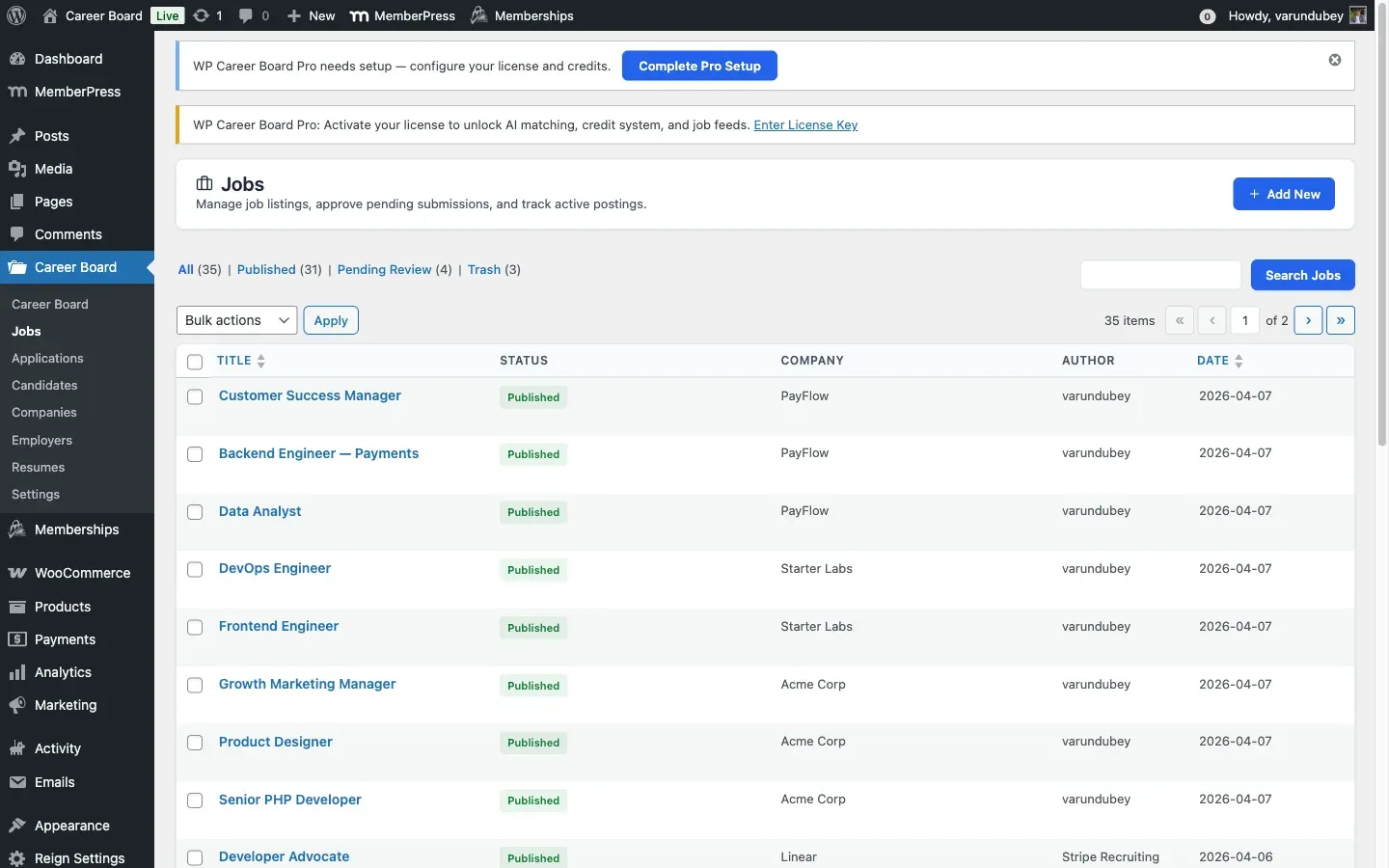
Section titled “Reviewing Pending Jobs”- Go to WP Career Board → Jobs in wp-admin
- Click the Pending filter at the top of the list
- Click any job title to open the full edit screen and review the content
Approving a Job
Section titled “Approving a Job”Quick approval (from the list):
- Hover over the job in the list
- Click Approve under the title
Full review (from the edit screen):
- Open the job in the wp-admin editor
- Review all details
- Change the status to Published in the Post Status panel
- Click Update
When a job is approved, the employer receives an email notification.
Rejecting a Job
Section titled “Rejecting a Job”- Open the job in the wp-admin editor
- Change the status to Draft or Trash
- Optionally email the employer with a reason (done manually outside the plugin)
Managing Existing Jobs
Section titled “Managing Existing Jobs”Admins have full control over all jobs from WP Career Board → Jobs:
- Edit any job (correct errors, add missing info)
- Close a job that is running too long
- Delete spam or low-quality listings
Reported Jobs (Flagged)
Section titled “Reported Jobs (Flagged)”Any logged-in user can report a published job from its single page (“Report this job”, with a reason). Reports are stored on the job and deduplicated per user, so one person reporting the same job repeatedly counts once.
Moderators and admins review reports from WP Career Board → Jobs:
- Click the Flagged view at the top of the list (it appears, with a count, only when one or more jobs have open report flags).
- The Flags column shows how many open reports each job has.
- Resolve a flagged job with the row or bulk actions (the row action
is Dismiss flag; the bulk action is Dismiss flags):
- Dismiss flag(s) - clears the open reports and leaves the job published (the report was not actionable).
- Unpublish - takes the job down and clears its reports.
Resolving flags requires the Moderate Jobs capability
(wcb_moderate_jobs), the same gate as approving and rejecting jobs.
Admin Notifications
Section titled “Admin Notifications”Admins receive a New Job Pending Review email when an employer submits a job for approval. This is the only admin-facing email notification. Notification content can be customized in Settings → Emails.