

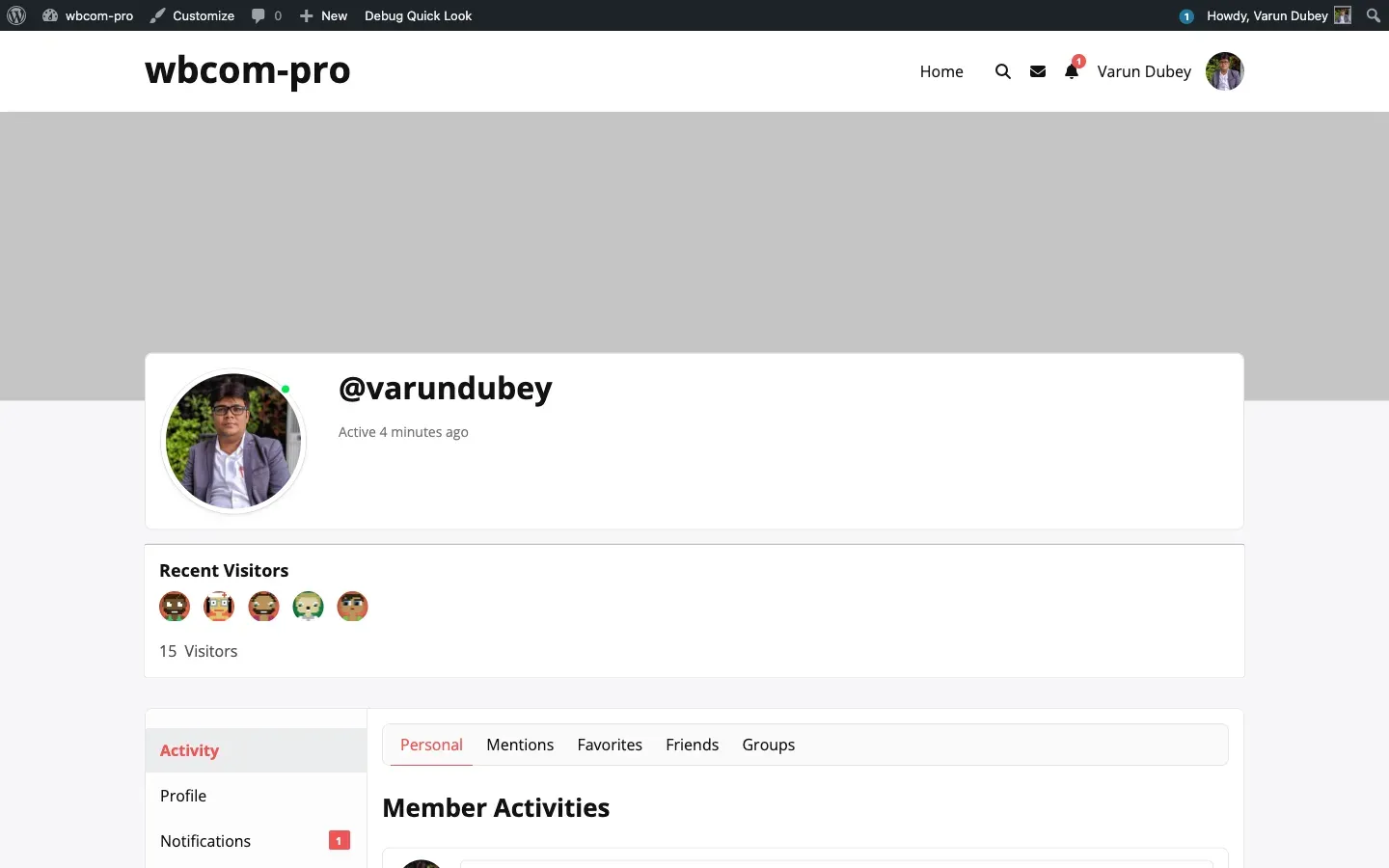
Recent Visitors strip on the profile header
When Display → Show recent visitors is on, each member sees a small avatar strip on their own profile header showing the most recent unique people who have viewed their profile. Other members visiting the same profile don’t see the strip — it’s owner-only.
What renders
Section titled “What renders”- A heading “Recent Visitors”.
- An avatar grid of up to N unique visitors (default 5, configurable via Max avatars in header strip).
- A visitor count line (“15 Visitors”) summarising the total unique viewers across the lifetime of the profile.
Avatars are clickable — they link to the visitor’s BuddyPress profile.
How the strip is positioned
Section titled “How the strip is positioned”The strip uses different hook targets depending on the active theme. You don’t need to configure this — it picks automatically:
| Theme / setting | Hook used |
|---|---|
| Any theme + Display → Render inside the BuddyPress profile header is on | bp_profile_header_meta |
| BuddyX Pro / REIGN | wbtm_after_cover_imager_container |
| Default BuddyPress (Nouveau / Legacy / others) | bp_after_member_header |
If the strip lands in the wrong position in your theme, turn on Display → Render inside the BuddyPress profile header. That forces the strip onto bp_profile_header_meta, which most themes wire close to the avatar.
On the BuddyBoss Theme, the strip is automatically suppressed on /edit and /settings URIs so it doesn’t crowd the profile-edit chrome.
Settings that control it
Section titled “Settings that control it”- Show recent visitors (
show_recent_members) — Display tab → “Recent visitors on member profiles”. - Render inside the BuddyPress profile header (
show_inside_header_meta) — same panel. - Maximum avatars to show (
max_display_in_header) — default 5. - Avatar size (px) (
default_avatar_size) — default 32.
See Display tab for the full panel.
Privacy
Section titled “Privacy”The strip exposes which members have visited the profile owner’s page. The reverse — letting other members see who viewed your profile — is never shown. If you want everyone in the community to be discoverable, leave it on. If you want to keep visitor lists private to each member, this is the default — visitors are only ever shown to the profile owner.
Custom themes
Section titled “Custom themes”If you’re on a theme that doesn’t fire any of the three hooks above, the strip won’t render. Add this to your theme template at the location you want the strip:
do_action( 'bp_after_member_header' );For deeper integration, see Theme overrides.