

Per-user tracking opt-out
New in 1.5.0
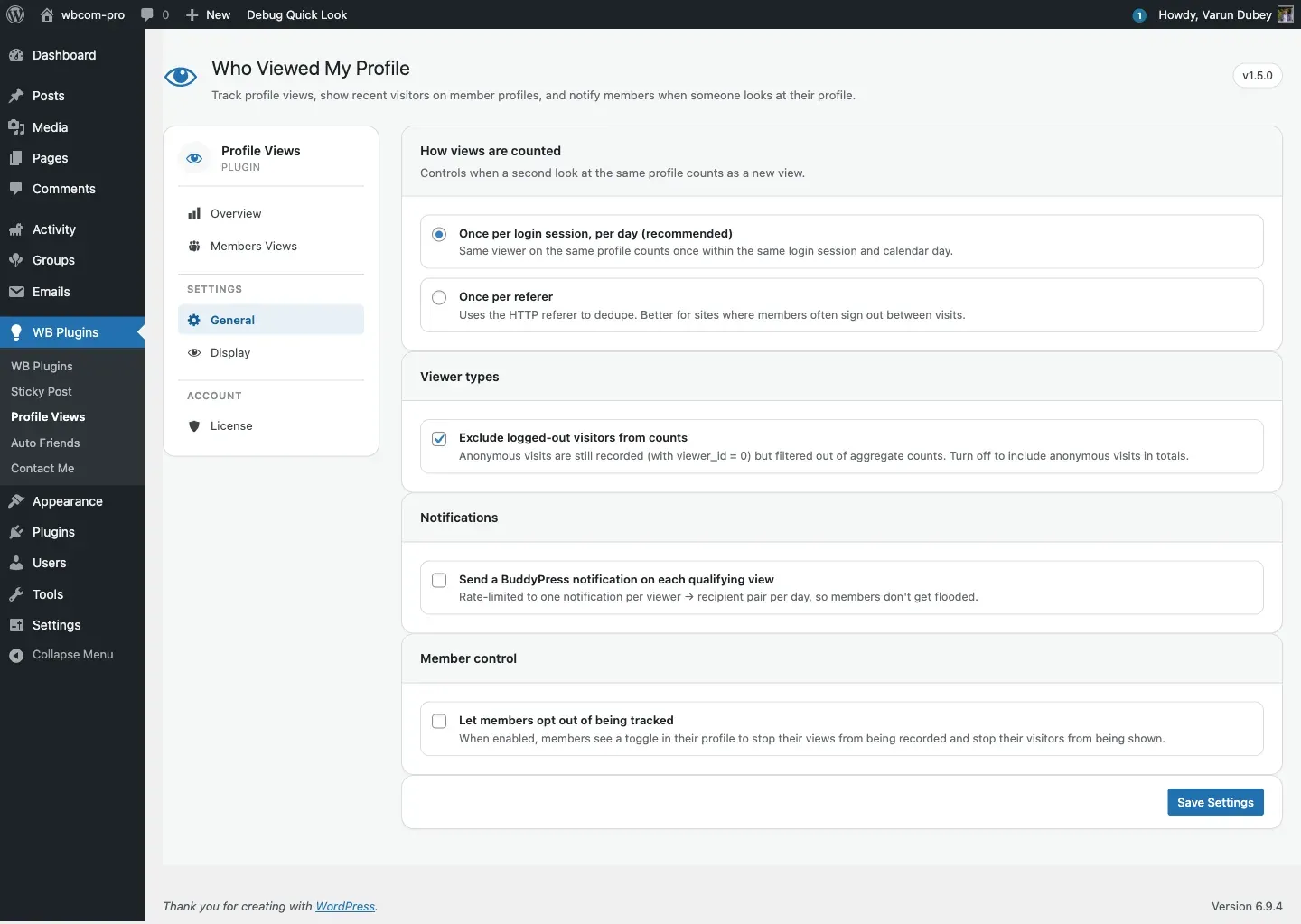
When General → Let members opt out of being tracked is on, every member sees a personal toggle that lets them stop their own visits to other profiles from being recorded. The toggle is stored as the user meta visitor_setting.
What the member sees
Section titled “What the member sees”When the admin has enabled it, members see a Record my visits to other profiles toggle on their own Views tab. Setting it to No stops the capture pipeline from recording any new rows for that member’s visits.
Switching to “No” only affects future visits — past records are not deleted. To remove historical data, an admin needs to run a database delete (see Database schema).
How it works under the hood
Section titled “How it works under the hood”- Every existing user gets a default
visitor_setting = 'yes'user meta entry seeded on the firstadmin_initafter the plugin is activated. The seeding is gated by thebp_profile_views_visitor_setting_seededoption so theget_users()loop only runs once across the whole install. (1.5.0 fixed a performance issue in pre-1.5.0 where this loop ran on every request — it now runs once.) - Users who register after the seed has already run will have an empty
visitor_setting. The capture pipeline treats an empty value as'yes'(opted in), so they are tracked normally. Their meta is written the first time they toggle the control on the Views tab. - The capture pipeline reads the visitor’s
visitor_setting. If it’s'no', no row is recorded.
Why it was a fix in 1.5.0
Section titled “Why it was a fix in 1.5.0”The toggle existed in earlier versions as an admin checkbox — but the corresponding member-side control was never rendered, so flipping the admin toggle on did nothing user-visible. 1.5.0 ships the missing UI: when admins turn allow_user_settings on, members get a real opt-out control.
Setting opt-out programmatically
Section titled “Setting opt-out programmatically”To opt a user out from code, e.g. as part of a privacy-export workflow:
update_user_meta( $user_id, 'visitor_setting', 'no' );Their next profile visit will not be recorded. Existing records are unaffected. To re-enable, set the meta back to 'yes'.
Privacy considerations
Section titled “Privacy considerations”- The opt-out only stops the opted-out member’s own visits from being recorded — it does not hide them from other people’s recent-visitor strips retroactively.
- If you want to give members a “make my visits invisible” feature plus a “delete my historical visits” button, you’ll need to add a custom hook that runs a
DELETE FROMon the table when the user changes the toggle. - The
visitor_settingmeta is exported and erased by the standard WordPress personal-data export and erasure tools.
Where to configure
Section titled “Where to configure”- Admin: WB Plugins → Profile Views → General → Member control → Let members opt out of being tracked.
- Member: My Profile → Views → Record my visits toggle.