

Advanced Tab
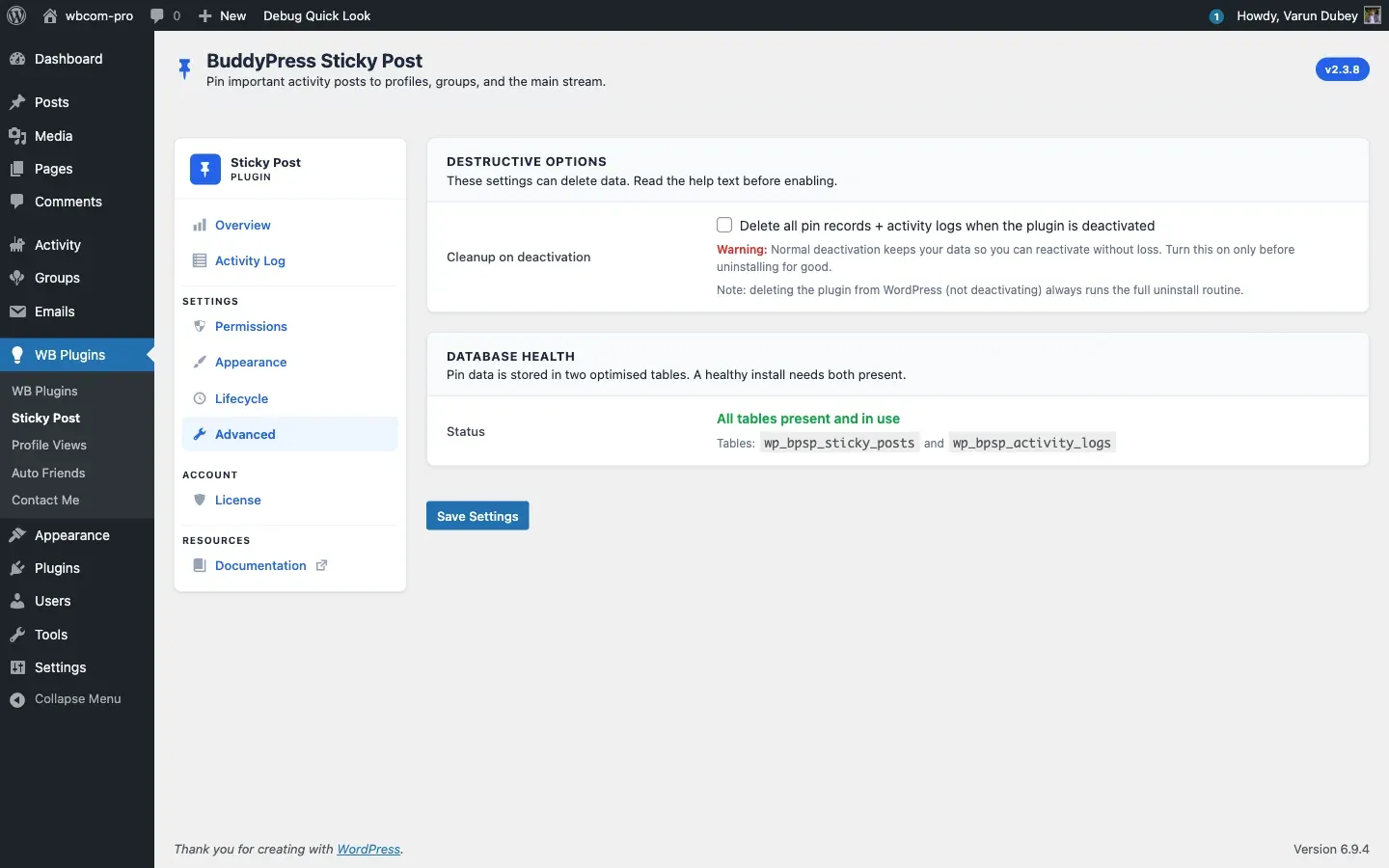
Two cards — Destructive Options and Database Health. Most sites never touch this tab. Read the help text on each toggle before flipping it.
Destructive Options
Section titled “Destructive Options”| Setting | Default | Stored as |
|---|---|---|
| Cleanup on deactivation — Delete all pin records + activity logs when the plugin is deactivated | Off | cleanup_on_deactivate |
Default OFF — and that is the right default for almost every site. Normal deactivation keeps your data so you can reactivate without loss.
Turn this ON only if you are about to uninstall the plugin for good and want a clean removal. The next deactivation event will drop both database tables ({prefix}bpsp_sticky_posts, {prefix}bpsp_activity_logs) and remove all plugin options.
The toggle is wired to the shared data-bpsp-confirm modal so unchecking-and-rechecking deliberately is required:
“This will DELETE all pin records and activity logs the next time the plugin is deactivated. This cannot be undone. Enable it only if you are sure.”
Deleting the plugin from WordPress (rather than deactivating) always runs the full uninstall routine — see
uninstall.php. The cleanup toggle only governs the deactivation hook.
Database Health
Section titled “Database Health”A read-only diagnostic. Both tables must be present for the plugin to work in its preferred (database-backed) mode.
- Status — All tables present and in use (green) — both
{prefix}bpsp_sticky_postsand{prefix}bpsp_activity_logsexist. The exact table names render below in<code>tags so you can confirm prefixes. - Status — One or more tables are missing (red) — at least one is gone. Deactivate and reactivate the plugin to recreate them; if the issue persists contact Wbcom support.
The check uses SHOW TABLES LIKE — fast and safe to run on every page load.
When you might use this tab
Section titled “When you might use this tab”- Pre-uninstall cleanup — flip Cleanup on deactivation ON, deactivate, delete the plugin folder.
- Post-migration sanity check — after restoring a database from backup, confirm both tables exist before pinning anything.
- Support diagnostics — when something feels wrong, the table-existence check rules out the most basic class of failure.
Related
Section titled “Related”- Lifecycle Tab — non-destructive lifecycle settings.
- Common Issues — what to do if Database Health is red.