

Admin Pages and Settings
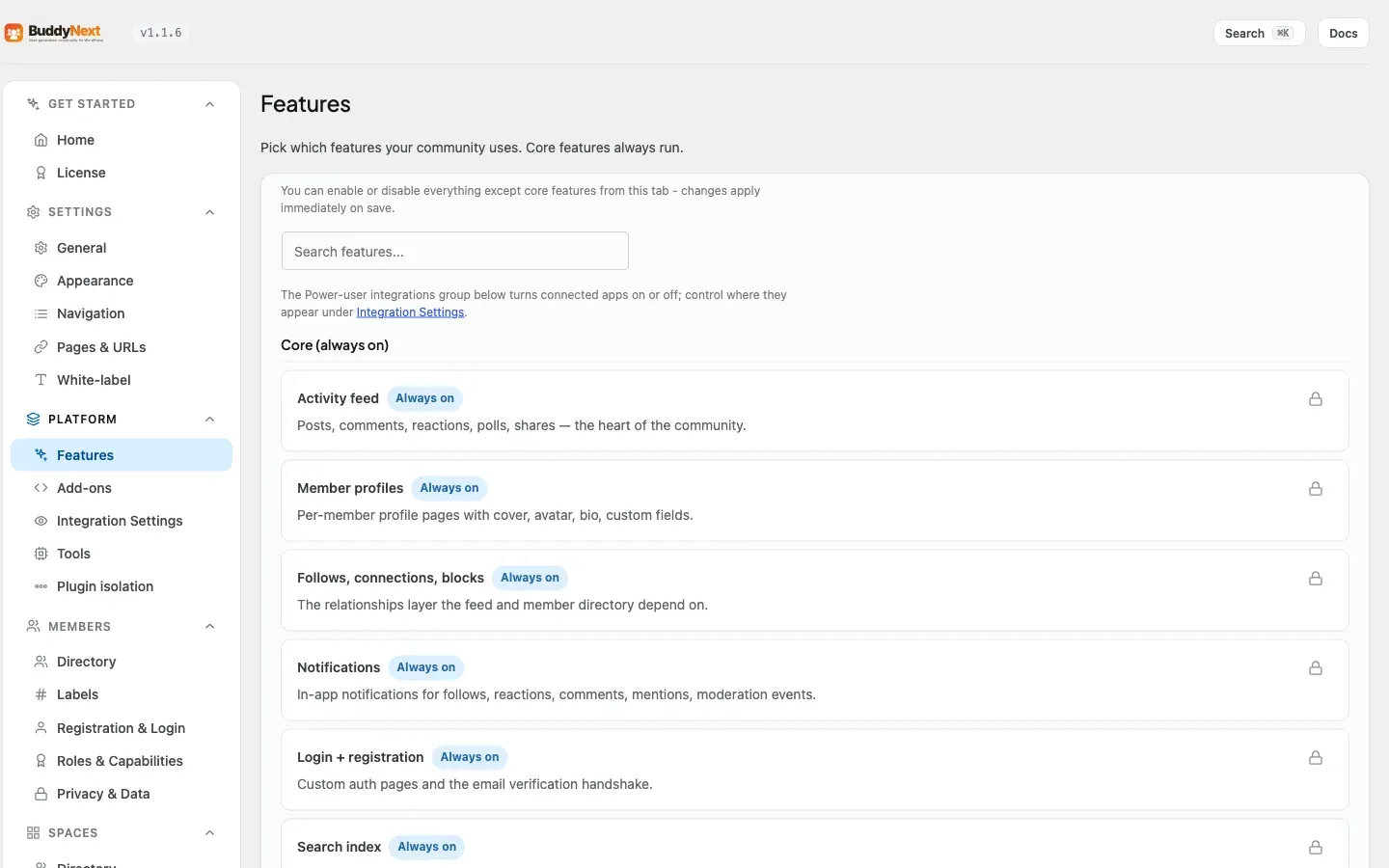
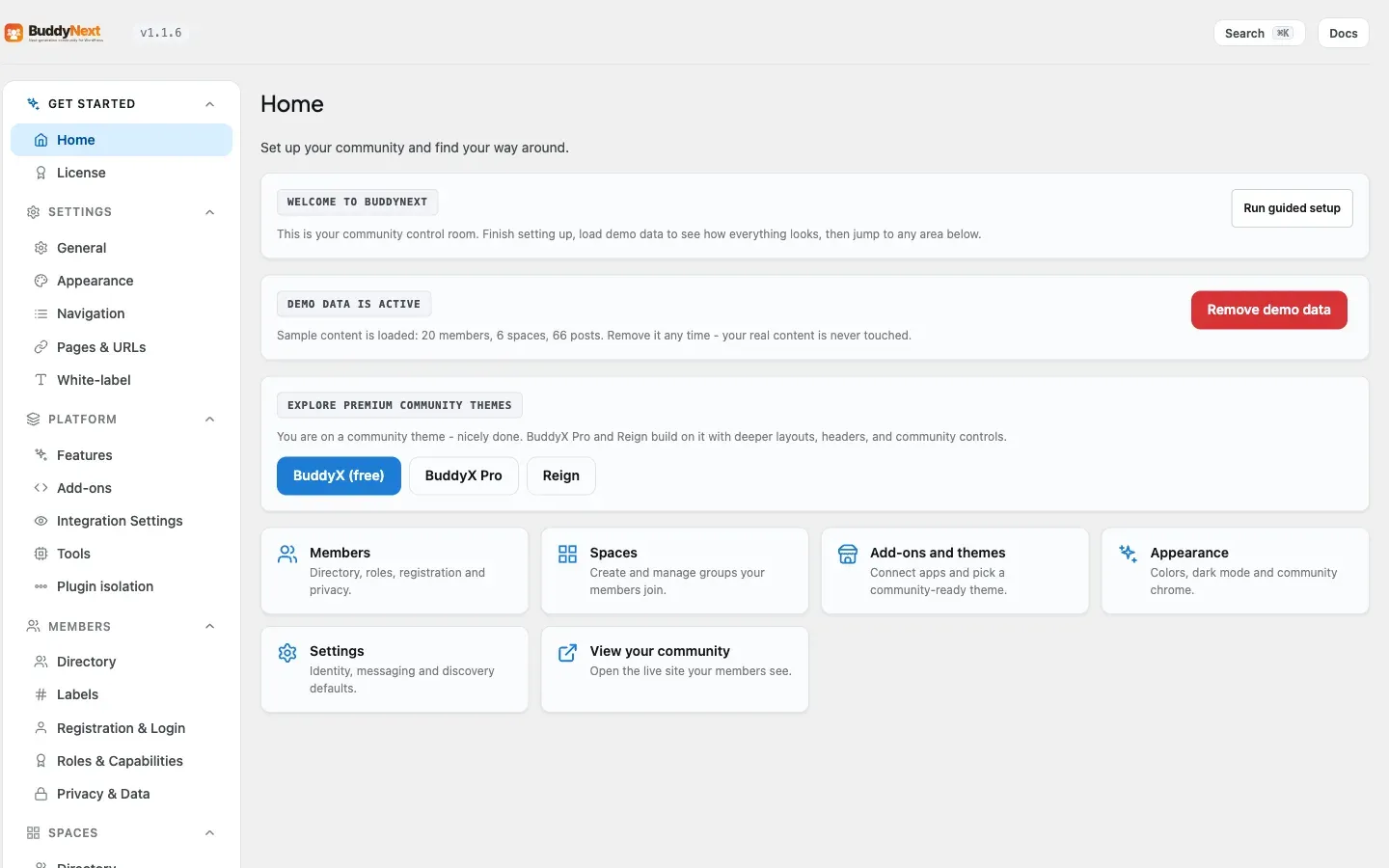
The BuddyNext admin surface and the contracts that shape it: the registered wp-admin pages (a single Hub menu with one sub-menu per populated section in free, 18 legacy pages in Pro), the AdminHub section + tab-placement system that arranges every screen into a capped information architecture, the bn_admin_hub_sections and bn_admin_hub_tab_placement filters for adding or relocating tabs from a mu-plugin, and the options-wiring model (per-tab settings groups derived from field descriptors). This page is for developers adding an admin screen, moving an existing tab, or wiring a new setting.
Overview / Contract
Section titled “Overview / Contract”All BuddyNext admin pages gate on the native manage_options capability. There is no BuddyNext-specific admin role; site administrators reach the screens, and every other user is denied. AdminHub::render_section() re-checks current_user_can( 'manage_options' ) on render and wp_die()s otherwise, and each tab can additionally declare its own cap (default manage_options).
The admin is built on three layers:
- Sections - the top-level wp-admin sub-menu entries (
?page=slugs). Declared inAdminHub::default_sections(), filterable viabn_admin_hub_sections. - Tabs - the individual screens, contributed by feature classes through
AdminHub::register_tab(). Each tab declares an originsection:slug. - Placement - a canonical map (
AdminHub::TAB_PLACEMENT) that moves each tab to its final section and sidebar position, filterable viabn_admin_hub_tab_placement. This lets a feature keep registering against its own domain while the hub arranges the final layout in one place.
A section appears in the sidebar only when at least one visible tab is registered into it. Empty sections are hidden. No section holds more than five tabs by design, so no screen overwhelms the owner.
Registered admin pages
Section titled “Registered admin pages”AdminHub::build_menu() (hooked on admin_menu priority 9) registers a single top-level menu and then one sub-menu per populated section - all on manage_options. Individual feature classes do not register their own pages; they contribute tabs (see the section / tab API below) and the Hub builds the menu. The section slugs come from AdminHub::default_sections():
| Page slug | Type | Title | Section key |
|---|---|---|---|
buddynext |
menu + first submenu | BuddyNext / Settings | settings (top) |
buddynext-platform |
submenu | Platform | platform |
buddynext-members |
submenu | Members | members |
buddynext-spaces |
submenu | Spaces | spaces |
buddynext-engagement |
submenu | Engagement | engagement |
buddynext-notifications |
submenu | Notifications | notifications |
buddynext-moderation |
submenu | Moderation | moderation |
buddynext-upgrade |
submenu | Upgrade | upgrade (free-only “Free vs Pro” tab) |
default_sections() declares 12 sections (Settings, Platform, Members, Spaces, Engagement, Notifications, Realtime & Push, Campaigns, Moderation, Moderation Tools, Monetization, Upgrade), and only sections with at least one registered tab render. The four that register no tabs in free (Realtime & Push, Campaigns, Moderation Tools, Monetization) stay hidden until Pro is active. Integrations is not its own section - it is a tab (origin settings:integrations) placed into the Platform section by the placement map.
Pro (18 pages)
Section titled “Pro (18 pages)”Pro registers 18 admin pages, each a submenu under the buddynext parent, all on manage_options. Their sidebar entries come from the AdminHub placement map; the registered page slugs are kept so legacy/bookmarked URLs still resolve, and they render inside the Hub chrome:
| Page slug | Title |
|---|---|
buddynextpro-analytics |
Analytics |
buddynextpro-broadcasts |
Broadcast Campaigns |
buddynextpro-drip-sequences |
Drip Sequences |
buddynextpro-member-labels |
Member Labels |
bnpro-membership-tiers |
Membership Plans |
bnpro-subscriptions |
Subscriptions |
bnpro-paywall-settings |
Paywall Settings |
buddynextpro-mod-rules |
Moderation Rules |
buddynextpro-bulk-mod |
Bulk Moderation |
buddynextpro-push |
Push |
buddynextpro-push-prefs |
Push Preferences |
buddynextpro-realtime |
Realtime |
buddynextpro-scheduled-posts |
Scheduled Posts |
buddynextpro-ai-feed |
AI Feed |
buddynextpro-ai-moderation |
AI Moderation |
buddynextpro-payments |
Payments |
buddynextpro-whitelabel |
White-label |
buddynextpro-custom-reactions |
Custom Reactions |
Pro tabs register against their domain origin section (for example monetization:tiers, growth:broadcasts, moderation:rules) and are routed into the matching hidden-until-active sections by the placement map. The White-label tab is placed as a visible Settings tab (origin settings:white-label).
The section / tab API
Section titled “The section / tab API”Sections
Section titled “Sections”AdminHub::default_sections() is keyed by a short section key, each entry carrying its ?page= slug, label, and Lucide icon. One section is marked top (Settings) - its slug is shared with the top-level menu, so clicking “BuddyNext” lands on it.
// AdminHub::sections() = default_sections() merged with the bn_admin_hub_sections filter.'settings' => array( 'slug' => 'buddynext', 'label' => 'Settings', 'top' => true ),'members' => array( 'slug' => 'buddynext-members', 'label' => 'Members' ),// ...Feature classes contribute a tab from their register() method (or any code that runs before admin_menu priority 9):
AdminHub::register_tab( string $section, // origin section key, e.g. 'settings' string $slug, // tab slug -> ?tab= value, e.g. 'general' string $label, // visible, already-translated label callable $render, // body render callback array $args = [] // cap, position, badge, icon, group, layout, subtitle, action);Recognised $args keys include cap (capability, default manage_options), position (lower sorts earlier), badge (a fn(): int that renders a counter pill when > 0), icon (a Lucide slug, auto-mapped from the tab slug when omitted), layout (sidebar default, or wide for list-detail editors), and subtitle / action for the standardized sub-header bar.
Placement
Section titled “Placement”AdminHub::TAB_PLACEMENT is the single source of truth for where each tab lands. It is keyed by the tab’s origin section:slug and sets the final section, the sidebar position, and optional hidden. When register_tab() runs it applies the matching rule: a hidden rule drops the tab entirely, a section rule relocates it, a position rule reorders it.
This is why a feature can register growth:broadcasts while the tab actually renders under the Campaigns section - the placement map performs the move, and AdminHub::tab_url( 'growth', 'broadcasts' ) resolves to the Campaigns page slug.
The options-wiring model
Section titled “The options-wiring model”BuddyNext wires a large set of option keys, the great majority prefixed buddynext_ (a few legacy bn_* avatar keys and the core admin_email also appear). Each is read at its consumption point and written from its admin tab. Examples: buddynext_site_name, buddynext_default_post_privacy, buddynext_space_creation_role, buddynext_banned_words, buddynext_enabled_reactions.
Settings are registered in Admin/Settings.php::register_settings(), which calls SettingsDriver::register_page( $this, 'buddynext' ). SettingsDriver walks the page’s field descriptors (Settings::settings_fields()) and issues one register_setting() per field under a per-tab group named buddynext_{tab}, so a save only touches the active tab’s options - and SettingsDriver::save_group_of( $key, 'buddynext' ) answers which group saves a given key. This descriptor-driven approach replaces the old hand-maintained SETTINGS_MAP + TAB_OPTIONS lists. The tab groups derived from the descriptors are:
buddynext_general buddynext_registration buddynext_socialbuddynext_spaces buddynext_moderation buddynext_notificationsbuddynext_email buddynext_privacy buddynext_webhooksbuddynext_featuresThree options carry custom array sanitizers and are registered with explicit standalone register_setting() calls (in addition to flowing through their tab group):
| Option key | Type | Group | Sanitizer |
|---|---|---|---|
buddynext_features |
array | buddynext_features |
sanitize_features_option |
buddynext_social_login |
array | buddynext_registration |
sanitize_social_login_option |
buddynext_enabled_reactions |
array | buddynext_social |
sanitize_enabled_reactions |
An option whose key matches no descriptor field falls back to the
buddynextgroup. Add new settings asFielddescriptors in the relevantSettings::fields_*()method so they are registered under the right group and sanitize on save.
Two Settings tabs do not use SettingsDriver at all
Section titled “Two Settings tabs do not use SettingsDriver at all”includes/Admin/NavManager.php registers two tabs in the Settings section (both in the Advanced group, both layout => 'wide') that save through admin_post handlers rather than the Settings API. Their options therefore appear in no tab group above, and the per-tab save-scope rule does not apply to them.
| Tab | Save action | What it writes |
|---|---|---|
| Navigation | admin_post_bn_save_nav -> NavManager::handle_save_nav() |
The five nav-override options below. |
| Pages & URLs | admin_post_bn_save_hub_pages -> NavManager::handle_save_hub_pages() |
The buddynext_page_* slug/page assignments. |
The Navigation tab edits five scopes, one option each (NavManager::SCOPE_OPTION_MAP, mirrored by Nav\NavOverrides::SCOPE_OPTION):
| Scope | Option | The surface it controls |
|---|---|---|
main |
buddynext_nav_overrides |
The left rail. |
profile |
buddynext_nav_overrides_profile |
Member-profile tabs. |
space |
buddynext_nav_overrides_space |
Space tabs. |
mobile |
buddynext_nav_overrides_mobile |
The mobile bottom bar. |
account |
buddynext_nav_overrides_account |
The header avatar dropdown. |
Each scope stores the owner’s hide / relabel / reorder / capability-gate choices plus any custom links, and Nav\NavOverrides applies them on that surface’s own filter at priority 20. See the Navigation API page for the full model and for how a developer-registered item interacts with these overrides.
The page assignments are kept out of the nav-override options on purpose: handle_save_nav() only writes display overrides, so PageRouter and other services can read a hub’s slug without knowing anything about the nav system.
Defaults and “Restore defaults”
Section titled “Defaults and “Restore defaults””Every owner setting declares ONE default, in the Field descriptor, and that single source drives three things: the register_setting() default, the value every get_option() reads back, and what a tab’s “Restore defaults” resets to. A gate (bin/check-option-defaults.php, run from bin/check.sh in both repos) fails the build if a driver-registered setting has no declared default and no resettable => false reason - so a new setting cannot drift in.
Declare a default
Section titled “Declare a default”new Field( array( 'key' => 'myplugin_widget_limit', 'type' => 'number', 'label' => __( 'Widgets per page', 'my-plugin' ), 'default' => 20,) );For a default that is genuinely dynamic (it follows another value), declare a default_callback instead of default - it is resolved once when the option is registered, so get_option() still inherits one value:
'default_callback' => static fn() => get_option( 'posts_per_page', 10 ),Read the option with NO inline fallback where the Settings API is active (admin), or pass the SAME declared default (a const or helper) everywhere else - never a re-typed literal. The gate flags a get_option() whose fallback drifts from the canonical one.
Mark owner data as never-reset
Section titled “Mark owner data as never-reset”“Restore defaults” is for CONFIGURATION. Owner DATA - a site name, banned-word list, sender identity, API keys, page mappings, uploaded images - is never reset and needs no default. Mark it:
new Field( array( 'key' => 'myplugin_api_key', 'type' => 'secret', 'label' => __( 'API key', 'my-plugin' ), 'resettable' => false,) );A resettable => false field satisfies the gate without a default, never appears in the Restore dialog, and is left exactly as the owner set it.
What an add-on gets for free
Section titled “What an add-on gets for free”Implement BuddyNext\Contracts\ProvidesSettings and call SettingsRegistry::register( $this ) in your page’s register(). Your fields then flow through SettingsDriver exactly like the first-party ones: register_setting() with your declared defaults, ⌘K search, and - for any tab that has resettable fields - the shared Restore defaults button, its confirm dialog listing exactly what would change, and the reset itself. React to a reset with:
add_action( 'buddynext_settings_tab_reset', function ( $tab, $keys, $user_id ) { // Clear a derived cache after the owner restores your tab, etc.}, 10, 3 );Add your tab with AdminHub::register_tab( '<section>', '<slug>', … ); register a whole dedicated section for your add-on with the bn_admin_hub_sections filter (see “Add a new top-level section” below) if you do not want to sit inside an existing one.
Examples
Section titled “Examples”Relocate or hide a tab from a mu-plugin
Section titled “Relocate or hide a tab from a mu-plugin”bn_admin_hub_tab_placement overrides the canonical placement map. Keys are the tab’s origin section:slug.
add_filter( 'bn_admin_hub_tab_placement', function ( array $map ) {    // Hide a tab entirely.    $map['settings:webhooks']['hidden'] = true;
    // Move the Social tab from Engagement to Notifications.    $map['settings:social']['section']  = 'notifications';
    // Reorder a tab within its section (lower sorts earlier).    $map['settings:reactions']['position'] = 5;
    return $map;} );
Add a new top-level section
Section titled “Add a new top-level section”bn_admin_hub_sections adds or renames a section. It appears in the sidebar only once a tab registers into it.
add_filter( 'bn_admin_hub_sections', function ( array $sections ) { $sections['marketplace'] = array( 'slug' => 'buddynext-marketplace', 'label' => __( 'Marketplace', 'my-ext' ), ); return $sections;} );Register a tab into a section
Section titled “Register a tab into a section”add_action( 'init', function () { \BuddyNext\Admin\AdminHub::register_tab( 'marketplace', // origin section key 'listings', // tab slug __( 'Listings', 'my-ext' ), 'my_ext_render_listings_tab', array( 'cap' => 'manage_options', 'position' => 10, 'icon' => 'grid', 'subtitle' => __( 'Manage marketplace listings.', 'my-ext' ), ) );} );Build the link to it with AdminHub::tab_url( 'marketplace', 'listings' ) rather than hand-assembling ?page=...&tab=..., so a future placement move never breaks the URL.
Admin CSS primitives
Section titled “Admin CSS primitives”Admin styles live in one stylesheet, assets/css/bn-admin.css, enqueued by AssetService::enqueue_admin_assets() on BuddyNext admin screens. Addon and Pro screens consume these primitives rather than shipping their own - a second copy is how two screens drift apart.
| Primitive | Class | Purpose |
|---|---|---|
| Button | .bn-btn |
The admin button, on <button> and <a> alike. Sets box-sizing: border-box itself: WP’s admin reset gives <button> border-box but leaves <a> at content-box, so without it an <a class="bn-btn"> came out 2px taller than the <button class="bn-btn"> beside it. Any Actions cell mixing a link and a form button showed it. |
| Badge | .bn-badge |
Status pill. |
| Row actions | .bn-row-actions |
The action cluster in a list table’s Actions column. |
| Row action form | .bn-row-actions__form |
Wrap a nonce-carrying <form> inside .bn-row-actions. |
.bn-row-actions exists because an Actions cell is a mix of <form>-wrapped buttons (they need the nonce plus hidden inputs) and bare <a>s. Dropped loose into the <td> they are separate inline boxes, so as soon as the column narrows they stack on their own lines flush against one another with no vertical gap. .bn-row-actions is a wrapping flex row that gives them one consistent gap in both axes; .bn-row-actions__form makes the carrier <form> an inline-flex with no margin so the gap applies to the button rather than to the wrapper.
<td> <div class="bn-row-actions"> <a class="bn-btn" data-variant="secondary" data-size="sm" href="<?php echo esc_url( $edit_url ); ?>"> <?php esc_html_e( 'Edit', 'my-addon' ); ?> </a> <form class="bn-row-actions__form" method="post"> <?php wp_nonce_field( 'my_addon_delete' ); ?> <input type="hidden" name="id" value="<?php echo (int) $row_id; ?>" /> <button class="bn-btn" data-variant="danger" data-size="sm" type="submit"> <?php esc_html_e( 'Delete', 'my-addon' ); ?> </button> </form> </div></td>Core consumers to copy from: includes/Admin/Spaces.php, includes/Admin/Members.php, includes/Admin/Members/MemberTypesManager.php.
Notes / gotchas
Section titled “Notes / gotchas”manage_optionseverywhere. Every page registrar and the Hub renderer gate onmanage_options. A tab’s owncapcan tighten this further but the section page itself always requiresmanage_options.- Register tabs before
admin_menupriority 9.AdminHub::build_menu()runs at that priority; tabs registered later will not appear in their section’s sub-menu. - Empty sections are hidden, not removed. A section with no registered tab is skipped during menu build. Pro-only sections (Campaigns, Realtime & Push, Auto-Moderation, Monetization) stay hidden in free for this reason.
- Origin section vs final section. Always register against your tab’s domain origin and let the placement map decide the final location. Resolve URLs and active-state through
AdminHub::tab_url()/is_tab_active(), which apply the same placement, so a relocated tab keeps its assets and links. - Per-tab save scope. Because options are grouped per tab, saving one tab never overwrites another tab’s options. Add new settings as
Fielddescriptors in the relevantSettings::fields_*()method;SettingsDriverregisters them underbuddynext_{tab}and runs their sanitizer on save.
Provider secrets are encrypted at rest (Pro)
Section titled “Provider secrets are encrypted at rest (Pro)”Provider credentials — the FCM service-account JSON, the Soketi secret, the Stripe and PayPal secret keys, the AI embedding key — are encrypted before they are written to the options table. A plain database export (or a plugin that dumps options) no longer reveals them.
How it works, and its honest limit:
- Encryption is transparent at the option layer: an
option_{key}filter decrypts on read and apre_update_option_{key}filter encrypts on write, so everyget_option()/update_option()caller keeps working unchanged. The stored value is prefixedbnpsec:v1:and uses AES-256-GCM. - The key is derived from your site’s wp-config salts — so it lives outside the database. That defeats the realistic threat, a leaked DB backup, but not a full server compromise where
wp-config.phpis readable too. This is defense-in-depth, not a vault. - Salt rotation. Because the default key comes from the salts, regenerating them makes the stored secrets undecryptable. The plugin fails closed — a decrypt miss returns empty, so the feature reads as “needs setup” rather than breaking with a corrupt credential — and you re-enter the key. To make secrets survive salt rotation, define a stable
BUDDYNEXT_SECRETS_KEYinwp-config.php; it is used as the encryption key instead of the salts. - Admin fields for secrets render blank with a “Saved” badge, never re-emitting the stored value into the page HTML. Leaving a field blank keeps the saved secret; entering a new value replaces it. To clear a secret entirely, use the feature’s own remove/disconnect control.
Existing plaintext secrets are migrated to the encrypted form once, automatically, on upgrade.
See also Roles and Capabilities for the manage_options-vs-community-role distinction these screens rely on.