

Shortcodes Reference
WB Polls provides shortcodes to embed polls, display creation forms, and show activity polls anywhere on your site. This reference covers every available shortcode with its attributes and usage examples.
Available Shortcodes
Section titled “Available Shortcodes”| Shortcode | Purpose | Key Attribute |
|---|---|---|
[bp_polls] |
Display a BuddyPress activity poll | activity_id (required) |
[wbpoll] |
Display standalone poll(s) | id (required) |
[wbpoll_create] |
Show a poll creation form | None required |
The Poll Dashboard and Create Poll pages are template-based, not shortcode-based. They are auto-created on plugin activation and inject content automatically.
[bp_polls] Display an Activity Poll
Section titled “[bp_polls] Display an Activity Poll”Embed a BuddyPress activity poll on any page or post.
[bp_polls activity_id="123"]Attributes
Section titled “Attributes”| Attribute | Type | Required | Description |
|---|---|---|---|
activity_id |
integer | Yes | The BuddyPress activity ID containing the poll |
What It Displays
Section titled “What It Displays”The shortcode renders the full poll from the specified activity, including the question, all answer options with voting controls, vote percentages and counts, voter avatars (if enabled), media attachments, and a submit button.
Finding the Activity ID
Section titled “Finding the Activity ID”Open the activity post in BuddyPress and check the URL. For example, in yoursite.com/activity/p/456/, the activity ID is 456.
Settings That Affect Display
Section titled “Settings That Affect Display”| Setting | Effect on Display |
|---|---|
| Hide Results Until Voted | Results hidden until user votes |
| Show Percentage | Displays “45%” alongside vote counts |
| Show Voters List | Displays voter avatars next to options |
| Limit Voters Display | Controls avatar count before “+X others” |
| Poll Background Color | Sets the color of result progress bars |
BBPress Integration
Section titled “BBPress Integration”When using the BuddyBoss platform with BBPress, a Polls button appears in the forum editor toolbar. Click it to insert the [bp_polls] shortcode directly into forum topics and replies.
[wbpoll] Display a Standalone Poll
Section titled “[wbpoll] Display a Standalone Poll”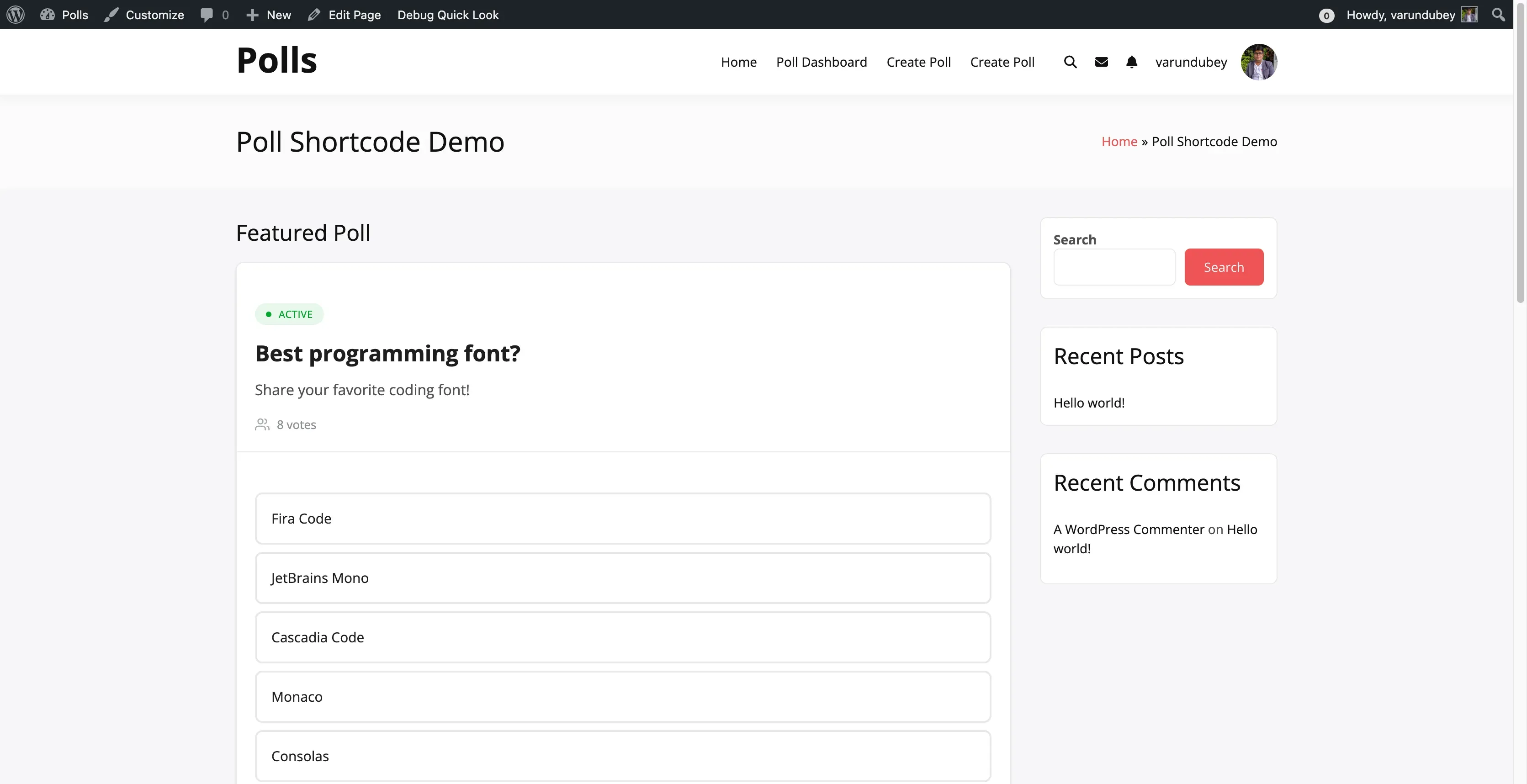
Embed one or more standalone polls on any page, post, or widget area.
Basic Usage
Section titled “Basic Usage”[wbpoll id="36"]Multiple Polls
Section titled “Multiple Polls”Display several polls together by separating IDs with commas:
[wbpoll id="36,37,38"]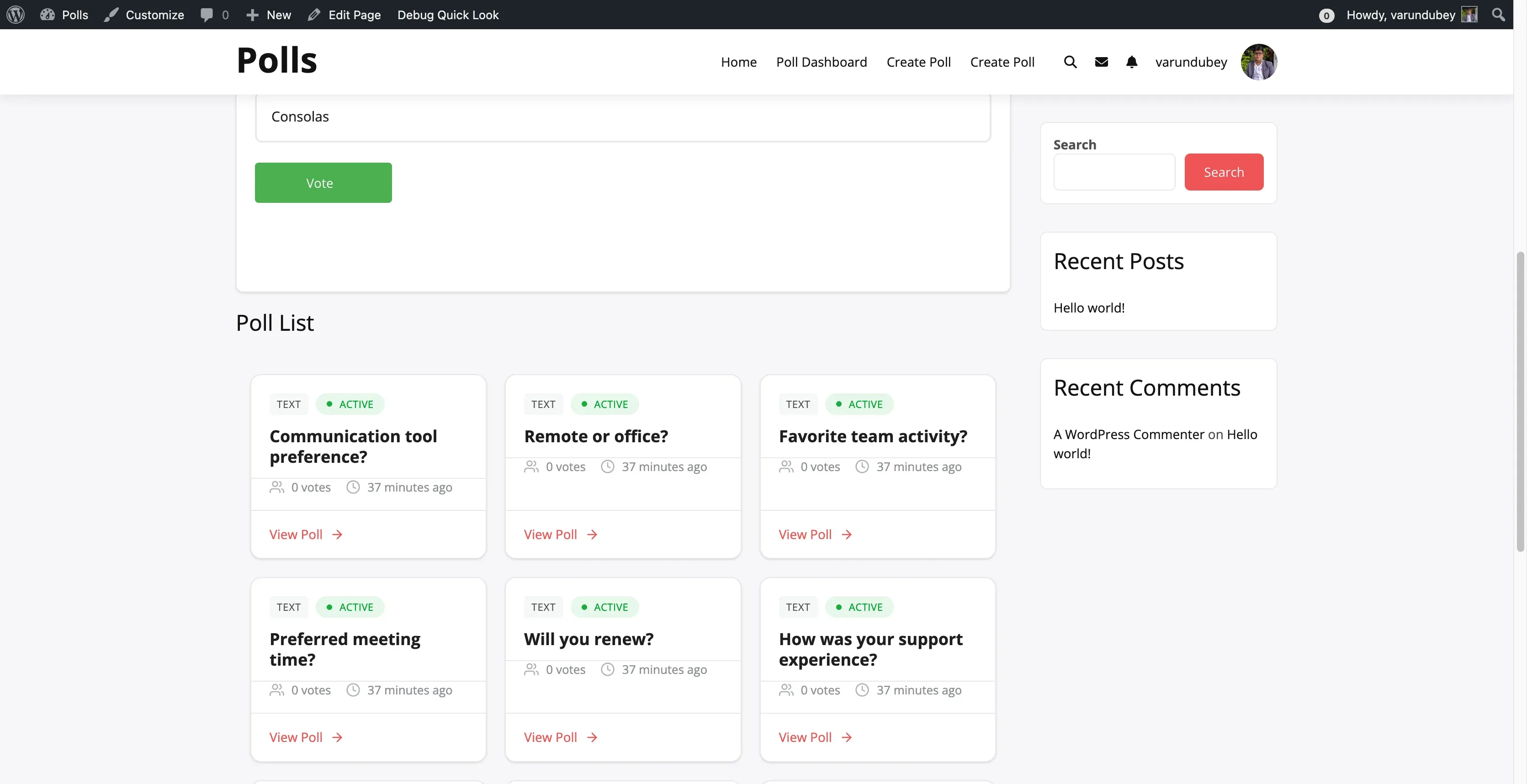
All Attributes
Section titled “All Attributes”| Attribute | Type | Default | Description |
|---|---|---|---|
id |
string | Required | Poll ID or comma-separated IDs |
description |
string | '' |
Show poll description: 1 for yes, 0 for no |
chart_type |
string | text |
Result display format: text, bar, or pie |
grid |
integer | 1 |
Layout mode: 1 for grid, 0 for list |
style |
string | modern |
Visual style: modern or classic |
Examples
Section titled “Examples”Basic poll:
[wbpoll id="36"]Show description with bar chart results:
[wbpoll id="36" description="1" chart_type="bar"]Multiple polls in list layout:
[wbpoll id="36,37,38" grid="0"]Classic visual style:
[wbpoll id="36" style="classic"]Display Styles
Section titled “Display Styles”Modern Style (default): Shows a status badge, poll title and description, vote count, answer options with a voting interface, results with progress bars, and a comments section if enabled.
Classic Style: Provides a simplified layout with a legacy voting interface and basic results display.
Finding the Poll ID
Section titled “Finding the Poll ID”From the Dashboard: Go to your Poll Dashboard and find the poll card. The shortcode including the ID is displayed on each card.
From WordPress Admin: Go to Posts > All Polls, hover over a poll, and check the ID in the URL.
Visibility Rules
Section titled “Visibility Rules”Only published polls display through the shortcode. Draft and pending polls return empty content. Expired polls show results but no voting controls.
[wbpoll_create] Poll Creation Form
Section titled “[wbpoll_create] Poll Creation Form”Add a poll creation form to any page on your site.
The main Create Poll page is auto-created on activation and does not use this shortcode. Use [wbpoll_create] when you want to add a creation form to other pages such as a custom landing page or member area.
Basic Usage
Section titled “Basic Usage”[wbpoll_create]Attributes
Section titled “Attributes”| Attribute | Type | Default | Description |
|---|---|---|---|
title |
string | “Create New Poll” | Custom heading text for the form |
redirect |
string | Dashboard URL | Where to redirect after poll creation |
Examples
Section titled “Examples”Default form:
[wbpoll_create]Custom heading:
[wbpoll_create title="Start a New Poll"]Custom redirect after creation:
[wbpoll_create redirect="https://yoursite.com/thank-you"]Both customized:
[wbpoll_create title="Share Your Opinion" redirect="/polls/success/"]What It Displays
Section titled “What It Displays”For logged-in users with permission: The form shows a poll title input, description editor, poll type selector, duration options, answer option fields with add/remove/reorder controls, advanced settings, and a submit button.
For logged-out users: A login notice with a link to the login page.
For users without permission: A permission denied message.
Form Features
Section titled “Form Features”The creation form includes dynamic answer management with add, remove, and reorder controls. Drag-to-reorder lets you sort answer fields. Media attachments are available for image, video, and audio poll types. A date picker handles poll expiration settings. Validation enforces required fields and character limits.
Where You Can Use Shortcodes
Section titled “Where You Can Use Shortcodes”| Location | Works |
|---|---|
| Posts and pages | Yes |
| Text widgets | Yes |
| Page builders (Elementor, Beaver Builder) | Yes |
| BBPress forums (with BuddyBoss) | Yes |
| Theme template files | Yes, use do_shortcode() |
Using in Theme Templates
Section titled “Using in Theme Templates”<?php echo do_shortcode( '[wbpoll id="36"]' ); ?>Using in Text Widgets
Section titled “Using in Text Widgets”- Add a Text widget to your sidebar
- Paste the shortcode
- Click Save
Common Use Cases
Section titled “Common Use Cases”Embed a Poll in a Blog Post
Section titled “Embed a Poll in a Blog Post”What do you think of the new feature?
[wbpoll id="42"]Build a Polls Landing Page
Section titled “Build a Polls Landing Page”Welcome to our community polls!
[wbpoll_create title="Create Your Poll"]
Recent Polls:
[wbpoll id="40,41,42" grid="1"]Compare Multiple Polls
Section titled “Compare Multiple Polls”[wbpoll id="10,11,12" grid="1" chart_type="bar"]Quick Reference
Section titled “Quick Reference”[bp_polls activity_id="123"][wbpoll id="36"][wbpoll id="36,37,38"][wbpoll id="36" description="1" chart_type="bar" grid="0"][wbpoll_create][wbpoll_create title="Your Poll" redirect="/thank-you/"]