

Open Badges
Open Badges
Section titled “Open Badges”Pro feature. Available in Learnomy Pro.
Turn the extension on first. Certificates Pro ships switched off, like almost every Pro extension. Go to LMS Settings > Modules, find Certificates Pro, and enable it. Until you do, its menu items and settings do not appear at all, which reads as a missing feature rather than an unflipped switch.
Every Learnomy certificate is also available as an Open Badges 3.0 credential – a portable, standards-based JSON file that a student can import into an external badge wallet such as Badgr, and that any verifier can read.
What you can do
Section titled “What you can do”- Publish each certificate as a W3C Open Badges 3.0 (
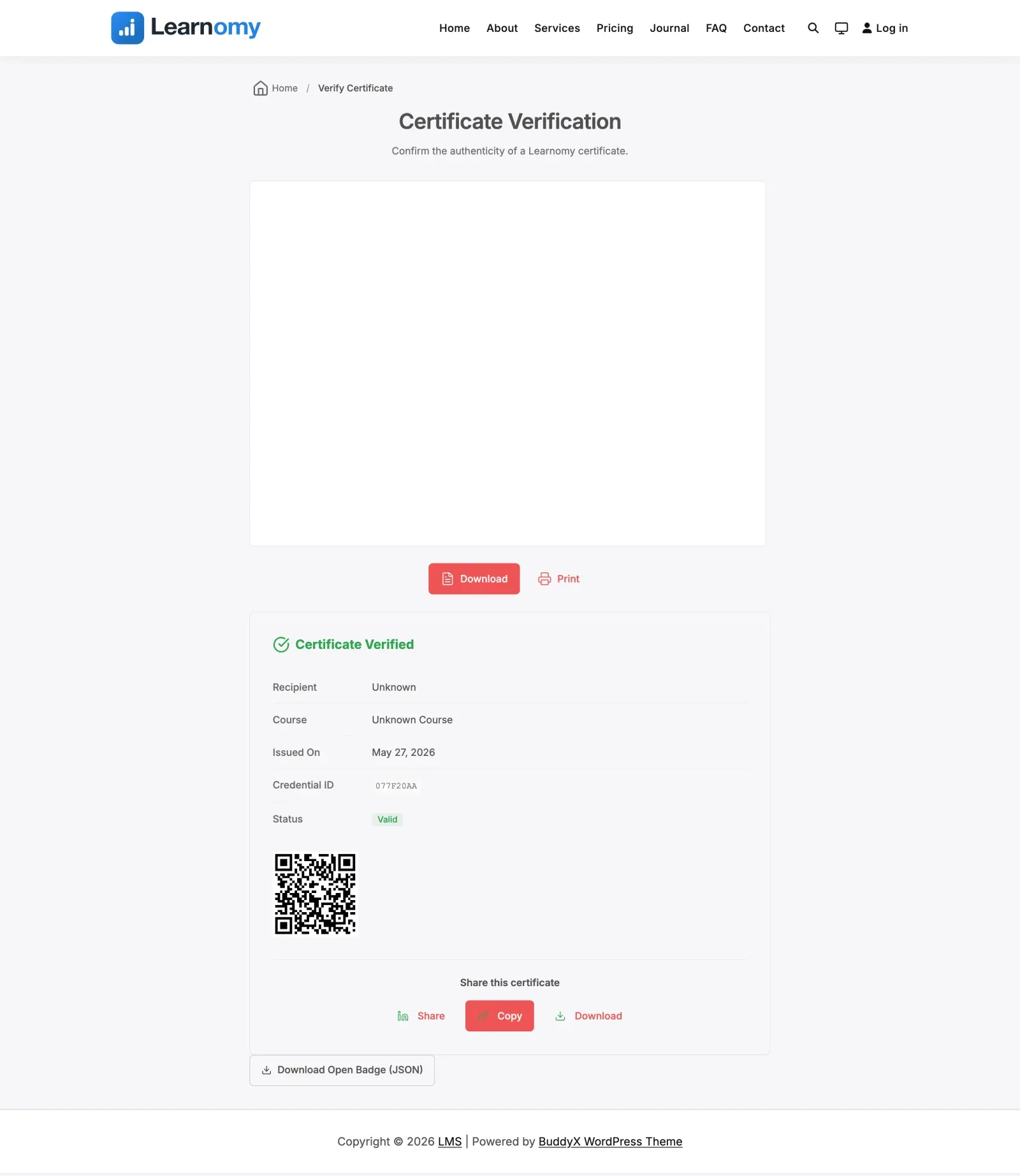
OpenBadgeCredential) assertion at a public URL, ready for import into external badge wallets. - Let a student download the machine-readable badge file straight from the certificate verification page.
- Carry the course into the badge as its achievement – the course title, description, completion criteria, and featured image become the badge’s Achievement definition.
- Carry your site’s identity into the badge as the issuer – the site name, URL, admin email, and site icon.
- Include the free plugin’s Ed25519 signature as a cryptographic proof inside the badge, so the assertion is verifiable, not just descriptive.
- Signal revocation and expiry inside the assertion, so a wallet or verifier reading the badge sees when a credential is no longer valid.
How to use it
Section titled “How to use it”Step 1 – issue a certificate
Section titled “Step 1 – issue a certificate”Open Badges assertions are generated on demand from any issued certificate. No separate export step is needed – once a student has a certificate, the badge URL exists.
Step 2 – find the badge file
Section titled “Step 2 – find the badge file”Each certificate exposes its assertion at a public URL of the form /wp-json/learnomy-pro/v1/certificates/{uuid}/badge.json. The certificate verification page also carries a Download Open Badge (JSON) button that saves this file directly.
Step 3 – import into a wallet
Section titled “Step 3 – import into a wallet”The student opens their badge wallet (for example Badgr) and imports the badge, either by pasting the assertion URL or by uploading the downloaded badge.json file. The wallet reads the achievement, issuer, and proof from the standard fields.
Step 4 – verify
Section titled “Step 4 – verify”A verifier fetching the assertion sees the credential subject (the recipient, identified by a hashed identity), the achievement (the course), the issuer (your site), the issue date, and the Ed25519 proof pointing back at the certificate’s verification page.
Settings and options
Section titled “Settings and options”- No per-certificate configuration – the assertion is built from data you already entered: the course (title, description, featured image), your site settings (name, URL, admin email, site icon), and the certificate’s own issue date and signature. Keep those accurate and the badge is accurate.
- Recipient privacy – the recipient’s email is never published in the clear. The assertion carries a hashed identity with a salt derived deterministically from the certificate UUID, so an external wallet can re-compute and confirm the identity at any time while the raw email stays private.
- Expiry – when a certificate has an expiry date, the assertion includes an
expirationDate. - Revocation – when a certificate is revoked or expires, the assertion is marked
revokedwith a reason, so a verifier reading the badge sees the credential is no longer valid even though the issuance proof remains as a historical record. - Proof – when the certificate carries the free plugin’s Ed25519 signature, the assertion includes an
Ed25519Signature2020proof whose verification method links to the public/verify/{uuid}/page.
For developers
Section titled “For developers”Class Learnomy_Pro\Extensions\Certificates_Pro\Open_Badges:
generate_assertion( object $certificate ): array– builds the full Open Badges 3.0OpenBadgeCredentialarray (contexthttps://w3id.org/openbadges/v3), including the credential subject, achievement, issuer, issue date, optional expiry, revocation overlay, and Ed25519 proof.generate_badge_class( object $course ): array– the Achievement definition for a course (id viaroute_url('course', ...), name, description, criteria narrative, issuer, and the course featured image as the badge image).generate_issuer(): array– the issuer Profile fromget_bloginfo('name'),home_url(),admin_email, and the site icon.get_assertion_url( string $uuid ): string– the public assertion URL (rest_url('learnomy-pro/v1/certificates/{uuid}/badge.json')).
REST (namespace learnomy-pro/v1):
GET /certificates/{uuid}/badge.json– public, no auth. Returns the Open Badges 3.0 assertion JSON for import into external wallets.
Verification-page wiring (Certificates_Pro\Extension): a <link rel="openbadges"> pointing at the assertion is injected into the verification page head for active certificates, and the Download Open Badge (JSON) button is rendered on the learnomy_certificate_verify_after action. The revocation overlay read by the assertion is the same lrn_cert_revoked_{id} marker used by blockchain verification.