

Analytics and Milestones
The Dashboard
Section titled “The Dashboard”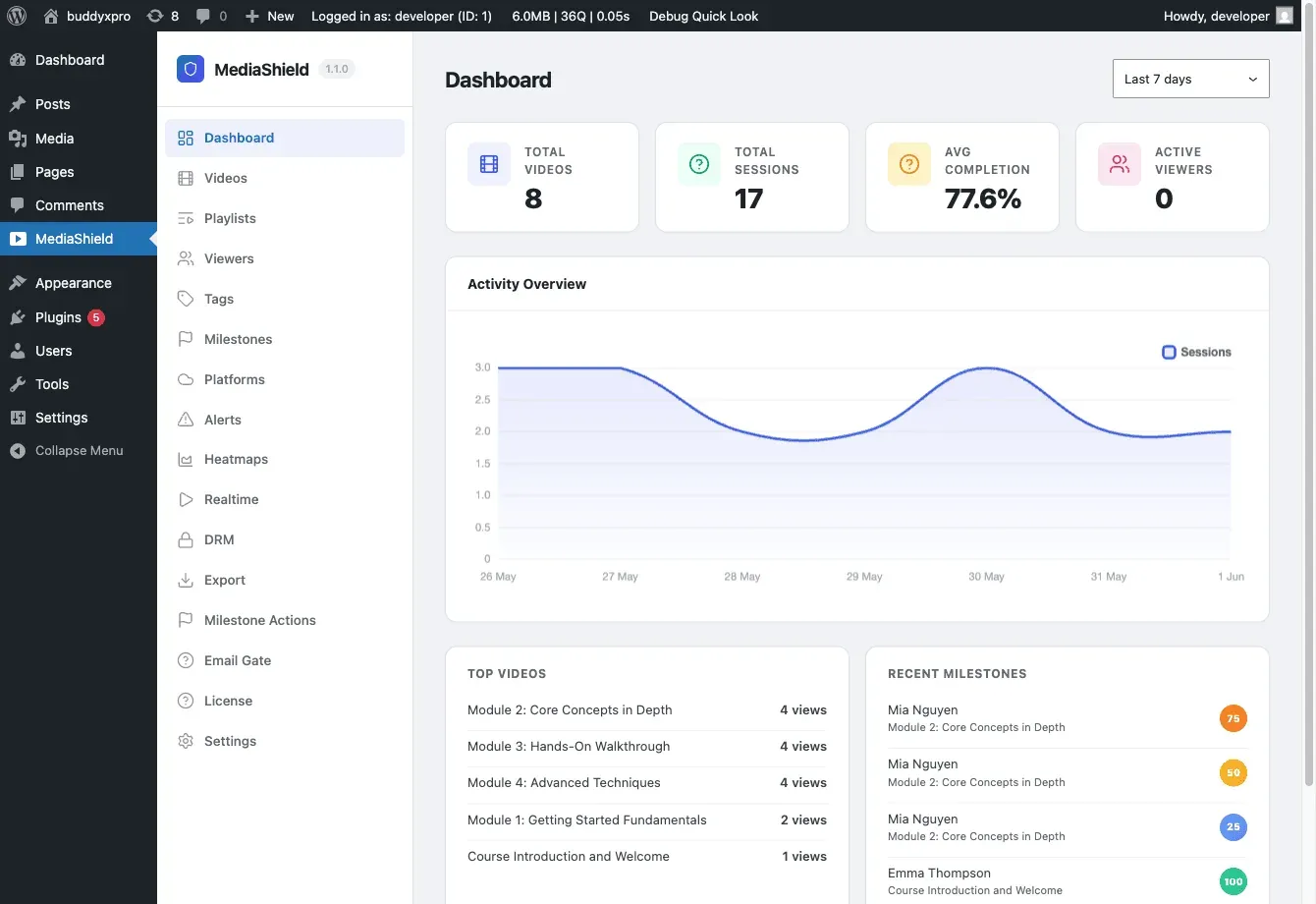
Go to MediaShield > Dashboard to see your analytics overview.
The page has a date range filter at the top (Today / 7 days / 30 days / 90 days) that rescopes all data on the page. Daily counts respect your WordPress site timezone.
Stat cards
Section titled “Stat cards”Four summary numbers at the top of the dashboard:
- Total Videos - number of videos in your library
- Total Sessions - number of watch sessions in the selected period
- Avg Completion - average completion percentage across all sessions
- Active Viewers - sessions with a heartbeat in the last 5 minutes (real-time)
Activity chart
Section titled “Activity chart”A daily bar chart of session counts over the selected period.
Top Videos
Section titled “Top Videos”Best-performing videos by session count for the active date range.
Recent Milestones
Section titled “Recent Milestones”The most recent 25%, 50%, 75%, and 100% completions across all videos. Since version 1.1.0, this card filters by the same date range as the rest of the dashboard.
Per-User Analytics
Section titled “Per-User Analytics”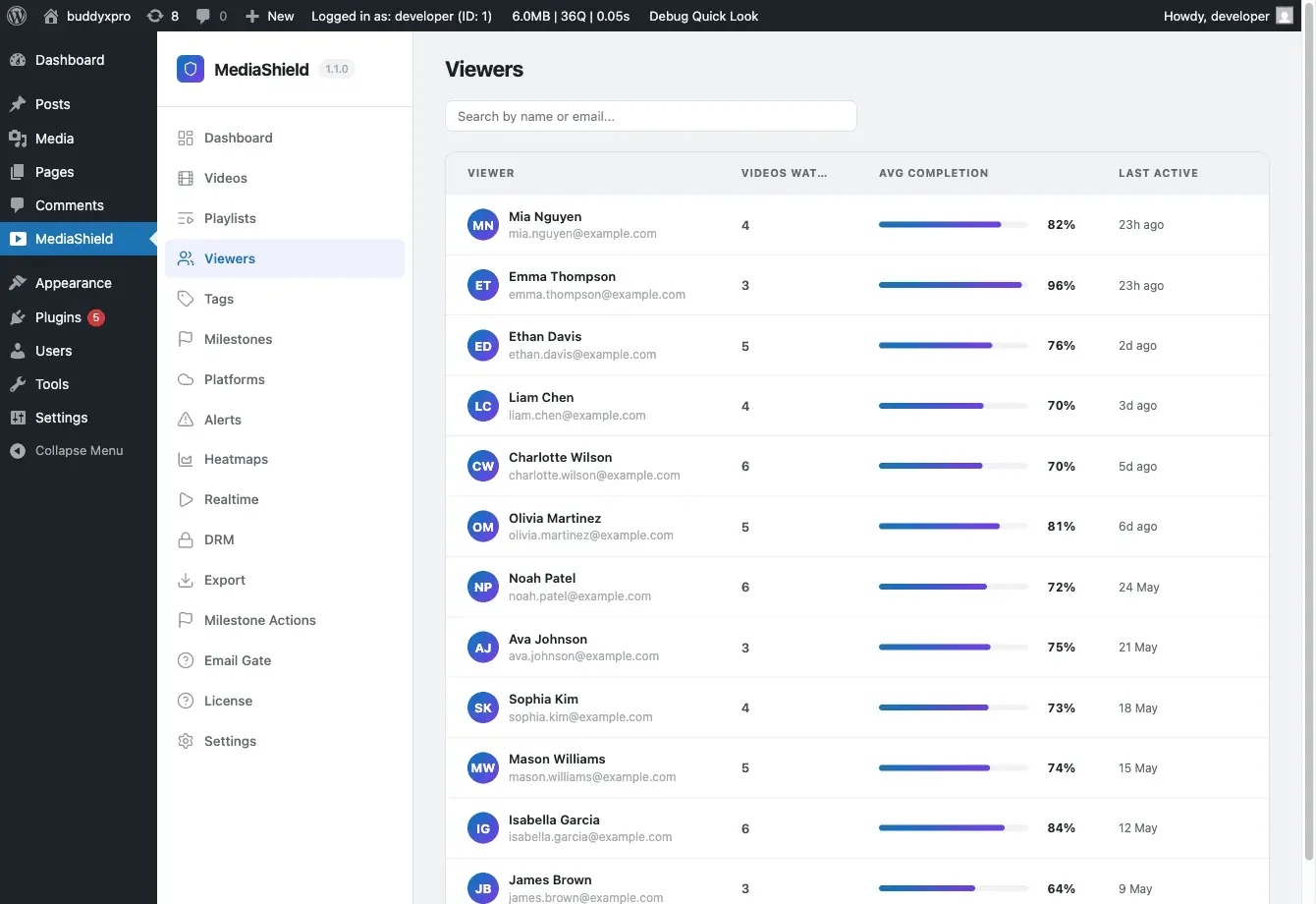
Go to MediaShield > Students to see per-user watch activity.
The Students page lists all users who have watched at least one video. Click any user to see:
- Every video they have started
- Their furthest position reached
- Completion percentage
- Milestone history (which percentages they hit and when)
- IP address and device type
This is the page to open when a learner says their progress did not register.
From the Students page you can also Revoke All Sessions for a user, immediately terminating all their active video streams.
Milestones
Section titled “Milestones”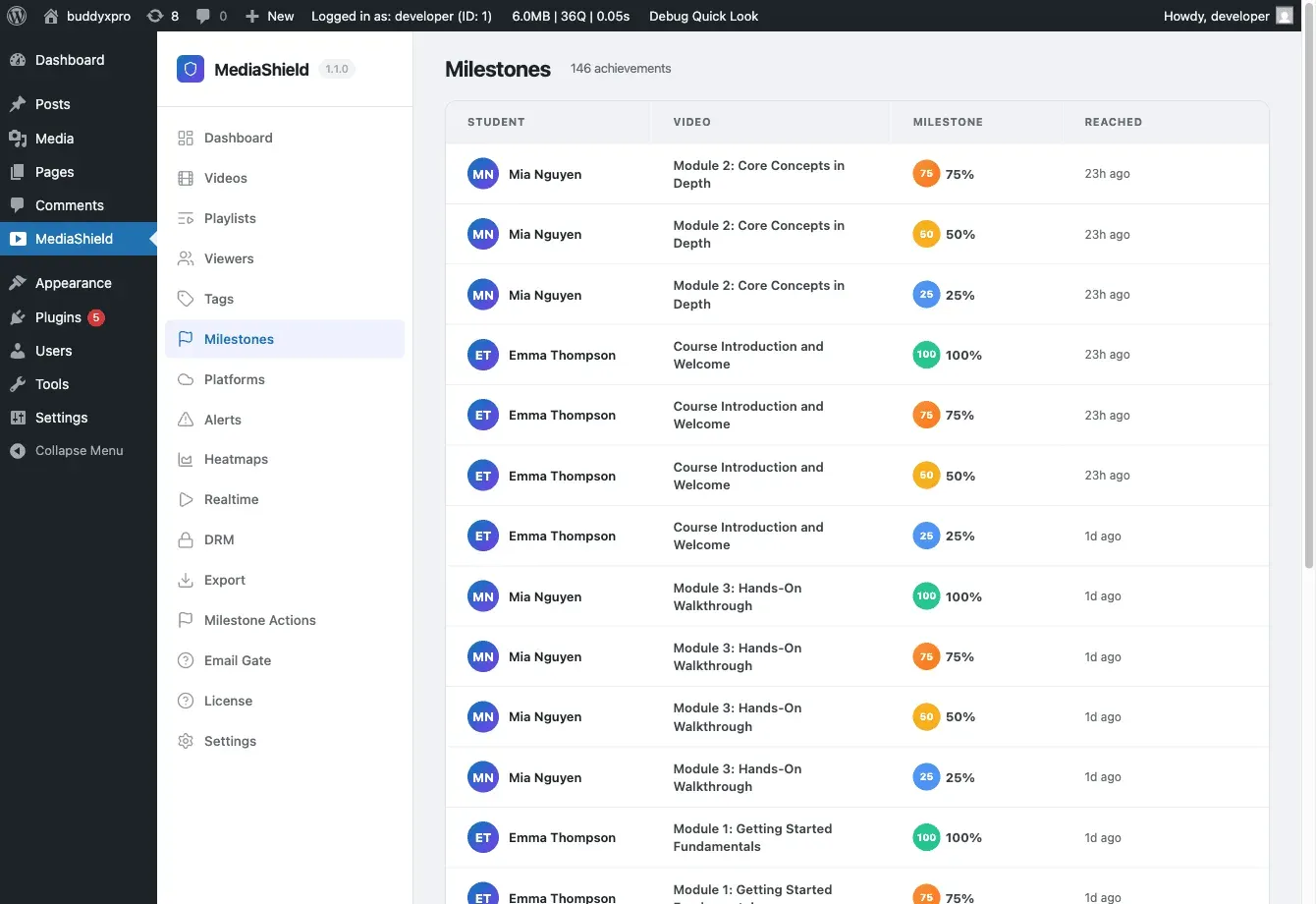
Go to MediaShield > Milestones to manage milestone configuration.
MediaShield tracks four completion points per video: 25%, 50%, 75%, and 100%. When a viewer crosses one of these thresholds, a milestone is recorded.
The Milestones page shows:
- Per-video completion counts at each threshold
- Milestone tag assignments
Milestone tags
Section titled “Milestone tags”You can assign a tag to a specific video at a specific completion percentage. When a viewer reaches that milestone, the tag is automatically recorded in the Tags library and linked to that viewer’s record.
Tags are managed under MediaShield > Tags.
Milestone hooks for custom integrations
Section titled “Milestone hooks for custom integrations”The free plugin fires PHP actions when milestones are reached, so you can wire your own logic. For example, mark a LearnDash lesson complete when a video reaches 100%:
add_action( 'mediashield_milestone_100', function( $user_id, $video_id ) { // Your LMS integration code here}, 10, 2 );The mediashield_milestone_reached action fires for all percentages and passes the percentage as a parameter. There are also percentage-specific actions: mediashield_milestone_25, mediashield_milestone_50, mediashield_milestone_75, mediashield_milestone_100.
For the full action signatures, see the Developer Guide - Hooks and Filters.
Go to MediaShield > Tags to manage the tag dictionary.
Tags serve two purposes:
- Milestone tags - automatically applied to viewer records when a milestone is reached
- Manual tags - assign tags to videos for organization
From the Tags page you can edit tag names, slugs, and descriptions, and delete tags that are no longer in use.
What to expect on a fresh install
Section titled “What to expect on a fresh install”The dashboard shows real data only. There are no demo numbers. After installing, watch a video as a logged-in user for at least 30 seconds, then refresh the dashboard to see your first session counted.