

Data Management
Data Management
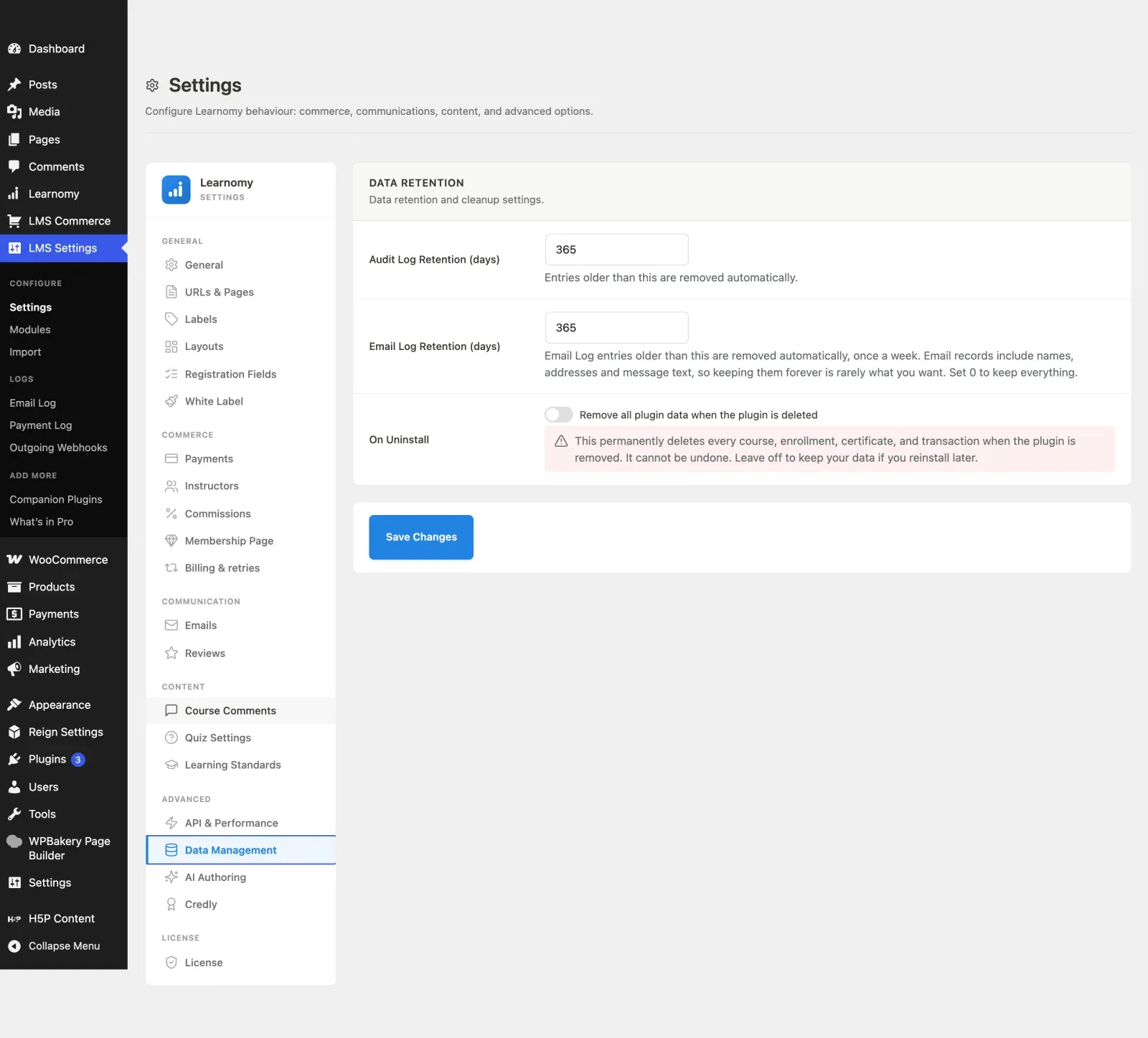
Section titled “Data Management”The Data Management section controls how long the audit log is kept and whether all plugin data is deleted when Learnomy is removed. It is a small section with big consequences, so the uninstall option is off by default.
What you can do
Section titled “What you can do”- Set how many days the audit log keeps entries before they are removed automatically.
- Choose whether removing the plugin also permanently deletes all of its data.
- Keep your student progress, transactions, and other data safe by default if you ever reinstall.
How to use it
Section titled “How to use it”Step 1 – open Data Management
Section titled “Step 1 – open Data Management”Go to LMS Settings and click Data Management in the sidebar.
Step 2 – set audit log retention
Section titled “Step 2 – set audit log retention”In the Data Retention card, set Audit Log Retention (days). Entries older than this are removed automatically. The default is 365. There is no enforced minimum, so a small number here really does prune aggressively - set 30 or more unless you have a reason not to.
Step 3 – decide the uninstall behaviour
Section titled “Step 3 – decide the uninstall behaviour”Set the On Uninstall toggle, Remove all plugin data when the plugin is deleted:
- Off (default and recommended) – deleting the plugin keeps all your data, so a reinstall picks up where you left off.
- On – deleting the plugin permanently drops every course, enrollment, certificate, and transaction. This cannot be undone. The warning note under the toggle spells this out.
Step 4 – save
Section titled “Step 4 – save”Click Save Changes.
Settings and options
Section titled “Settings and options”| Field | Option key | Notes |
|---|---|---|
| Audit Log Retention (days) | data_retention_days |
Default 365. No enforced minimum. |
| Email Log Retention (days) | email_log_retention_days |
How long sent-email records are kept. 0 keeps them indefinitely. |
| On Uninstall | delete_data_on_uninstall |
Toggle. Off by default. When on, uninstall wipes all plugin data. |
For developers
Section titled “For developers”Uninstall is handled by uninstall.php, which only performs a destructive cleanup when opted in. Two flags are honoured for backward compatibility:
learnomy_settings['delete_data_on_uninstall'] === 1– the current canonical flag set by the toggle above.learnomy_settings['uninstall_data'] === 'delete_everything'– a legacy enum from pre-2026-05-16 installs, still respected.
When neither is set (or both are falsy) the safe default is to keep all data. When opted in, uninstall.php drops every lrn_* table, deletes all learnomy_* options, user meta, and transients, removes the lrn_student and lrn_instructor roles, and cancels all scheduled learnomy_* cron and Action Scheduler jobs.