

Activity Log — Audit Every Pin & Unpin
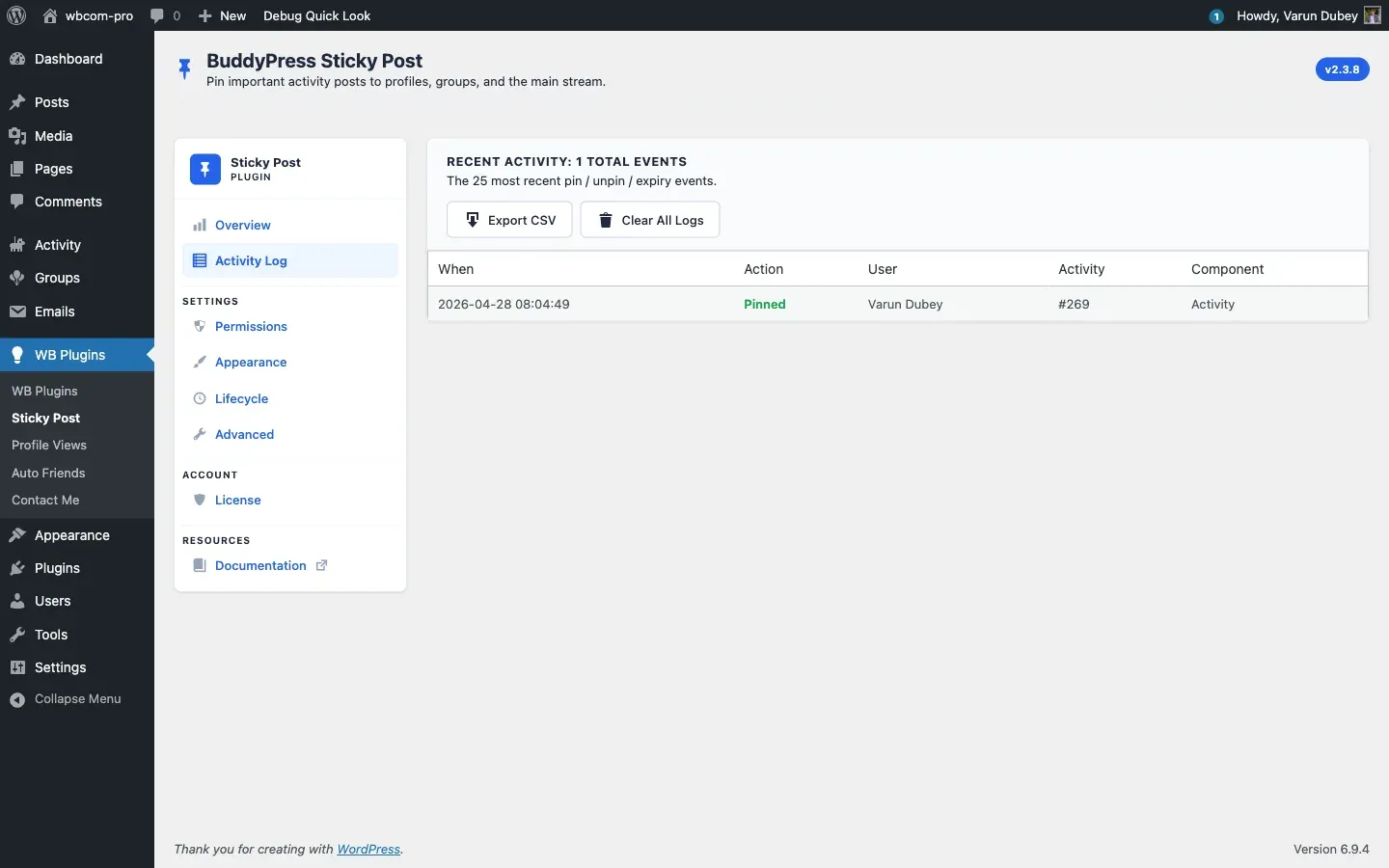
Turn on Lifecycle → Activity Log → Enable logging and every pin, unpin, and auto-expiry is recorded with a timestamp and the user who triggered it. The Activity Log tab shows the 25 most recent events; the full log is available as a CSV export.
What gets logged
Section titled “What gets logged”Every event captures:
- Timestamp — server time of the action.
- Action —
pin,unpin, orexpired(for auto-expiry). - User — display name of the actor (or System for cron-driven expiries).
- User ID, User Login — for CSV export.
- Activity ID — the pinned post.
- Component —
activity(sitewide / personal) orgroups. - Group ID — set for group pins.
Storage is automatic: if the plugin’s database tables exist (the standard install), events go into {prefix}bpsp_activity_logs; older option-based installs use the bpsp_activity_logs option. The Export CSV streams from whichever store is active so it works on every install.
Enable logging
Section titled “Enable logging”- Open Lifecycle.
- Tick Enable logging — Record pin / unpin / expiry events for audit.
- Click Save Settings.
Without this toggle the Activity Log tab stays empty (it shows an empty-state with a one-click Enable Activity Logging button that links straight back to Lifecycle).
Export CSV
Section titled “Export CSV”Click Export CSV at the top of the Activity Log tab. The browser downloads bpsp-activity-log-YYYY-MM-DD-HHMMSS.csv containing every recorded event with these columns:
Timestamp, Action, User ID, User Login, Activity ID, Component, Group IDThe export requires manage_options and is nonce-protected (bpsp_export_logs). Restored in v2.3.8 after a regression in 2.3.7.
Clear All Logs
Section titled “Clear All Logs”Click Clear All Logs to wipe the entire log table. A confirm prompt appears first; on confirm the table is truncated and the page returns with the success notice “All activity logs have been cleared.”
This also requires manage_options and the bpsp_clear_logs nonce. Use sparingly — there is no undo.
Common queries
Section titled “Common queries”The log is ready for direct SQL or wp db query:
# Pin volume per day, last 30 dayswp db query "SELECT DATE(timestamp) d, action, COUNT(*) n FROM wp_bpsp_activity_logs WHERE timestamp >= NOW() - INTERVAL 30 DAY GROUP BY d, action ORDER BY d DESC"Related
Section titled “Related”- Lifecycle Tab — toggle logging.
- Activity Log Tab — UI reference.
- Auto-Expiration — generates expired entries.