

Permissions Tab
Three cards — Who Can Pin (role grid for personal/profile pins), Group Pin Authority (radio for who can pin inside groups), and Pinning Limits (per-user / per-admin caps). Site administrators can always pin everywhere; this tab decides who else gets the button.
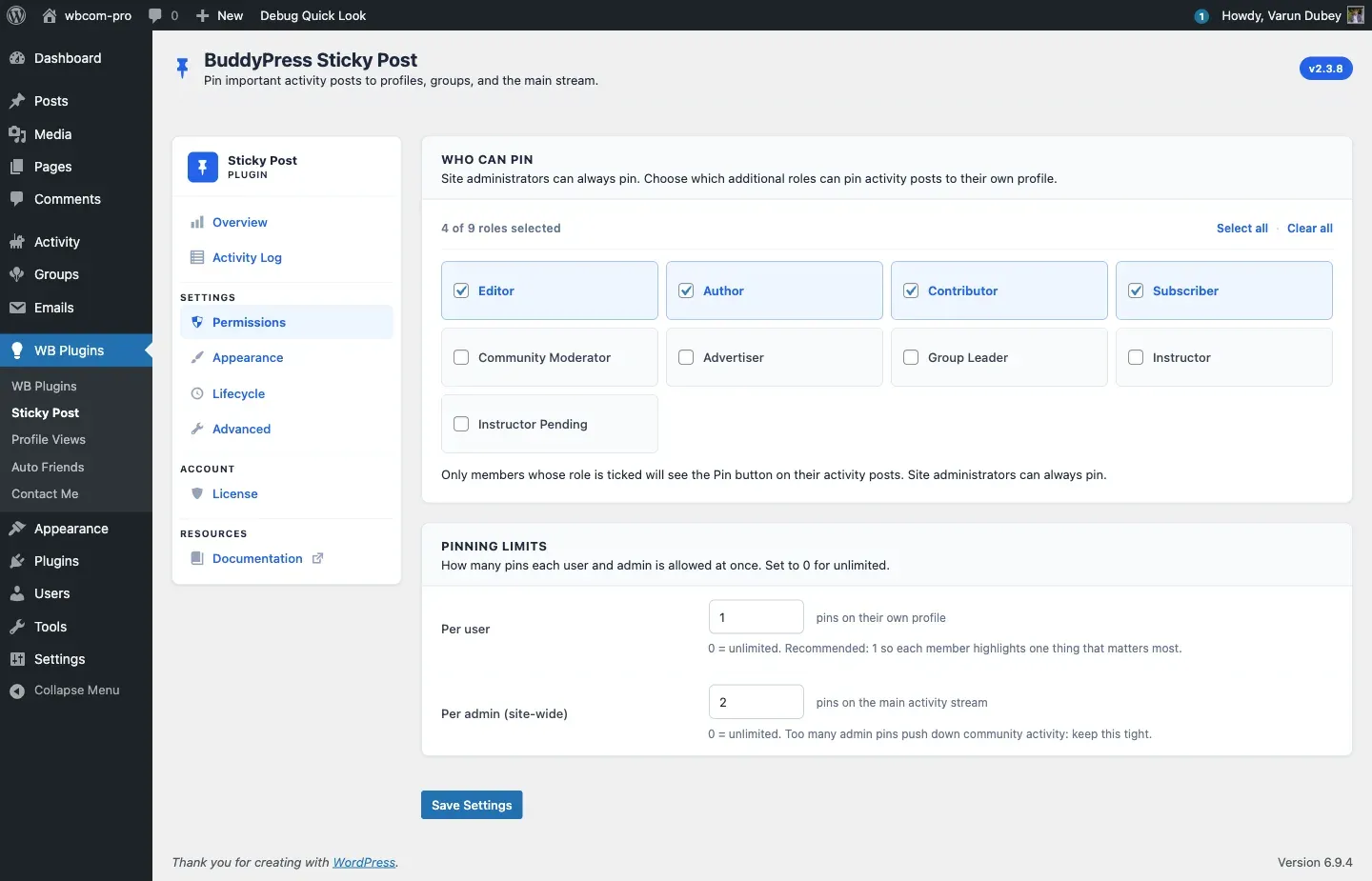
Who Can Pin
Section titled “Who Can Pin”A role grid showing every WordPress role on the site (excluding administrator, which is always allowed). Tick the roles whose members should see the Pin Post button on their own profile activity.
- Toolbar — Select all / Clear all helpers, plus a live counter (“4 of 9 roles selected”).
- Behavior — only members whose role is ticked see the Pin button on their profile activity. Site administrators ignore this list entirely.
The role list is generated from wp_roles()->get_names() so it picks up custom roles automatically.
Group Pin Authority
Section titled “Group Pin Authority”Inside BuddyPress groups, who is allowed to pin activity? Four radio choices:
| Setting | Who can pin in groups |
|---|---|
| Group creator only | Only the user who created the group |
| Group creator and admins | Creator + group admins |
| Group creator, admins, and moderators (default) | Creator + admins + mods — matches the historical 2.3.x behavior |
| Any group member | Every confirmed member of the group |
Site administrators (bp_moderate capability) always pass regardless of this setting. Stored as bpsp_general_settings.group_pin_scope (string: creator / admin / mod / all).
Existing pinned activities are never deleted when this setting changes. When you tighten the rule (e.g. switch from “Any member” to “Group admins only”), pre-existing pins by members who lose permission are preserved — and the original pinner can still remove their own pin via the Unpin button. The unpin gate is intentionally more permissive than the pin gate, so legacy pins are never stuck.
Pinning Limits
Section titled “Pinning Limits”Two number inputs control the quota system.
| Field | Default | Range | Stored as |
|---|---|---|---|
| Per user — pins on their own profile | 1 |
0–10 | bpsp_general_settings.max_user_sticky_posts |
| Per admin (site-wide) — pins on the main activity stream | 0 (unlimited) |
0–50 | bpsp_general_settings.max_admin_sticky_posts |
0 in either field means unlimited. The full mechanics — including which contexts bypass the cap — live in Pin Quotas.
How saves work
Section titled “How saves work”- The form posts to
options.phpwith thebpsp_general_settings_sectionsetting group and gets sanitized throughBPSP_Admin::sanitize_settings(). - The role grid uses a hidden
bpsp_array_rendered_keys[]sentinel so Clear all (which submits zero checked boxes) actually persists as “no roles selected” instead of falling back to the previously stored value. - After save, WordPress redirects back to the Permissions tab and renders the standard Settings saved notice.
Related
Section titled “Related”- Pin Scopes — context for which roles do what.
- Pin Quotas — quota mechanics across REST / AJAX / WP-CLI.