

Auto-Expiration — Pins That Unpin Themselves
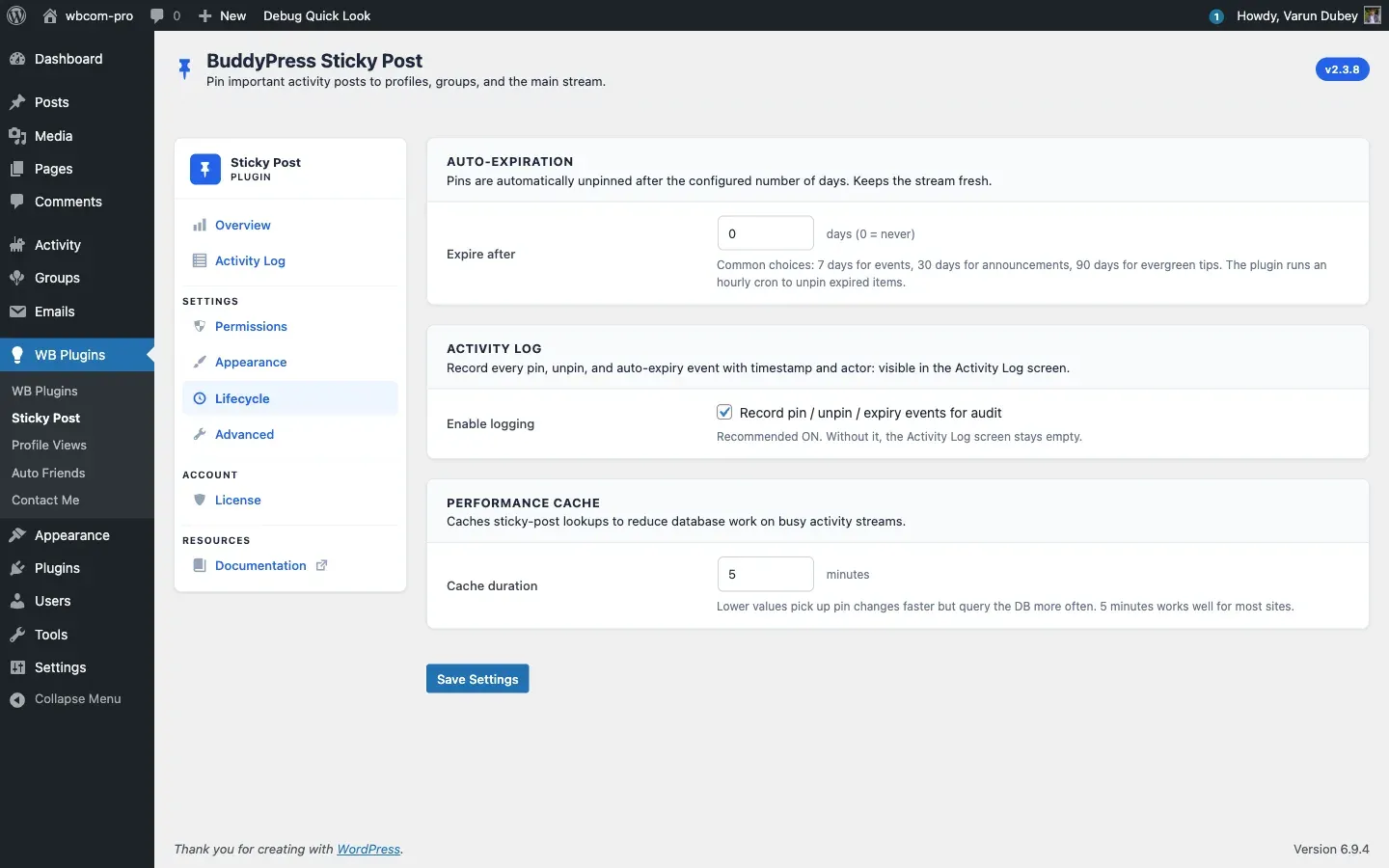
Configure the plugin to auto-unpin sticky posts after a fixed number of days. Keeps the activity stream fresh without anyone having to remember to clean it up.
How it works
Section titled “How it works”- Each pin row in
{prefix}bpsp_sticky_postsgets anexpires_attimestamp when Sticky Post Expiration is greater than zero. - An hourly WP-Cron event walks the table and unpins anything whose
expires_athas passed. - Each expiry is recorded in the Activity Log as Auto-expired (alongside pin / unpin entries).
- The
bpsp_sticky_post_expiredaction fires per expired pin so other plugins can react.
Configuring it
Section titled “Configuring it”Lifecycle → Auto-Expiration → Expire after
| Setting | Default | Range |
|---|---|---|
| Expire after (days) | 0 |
0–365 |
0 = pins never expire automatically. Anything from 1 upward enables the cron sweep.
Common choices:
- 7 days — weekly events, time-sensitive announcements.
- 30 days — month-long campaigns, evergreen rules with regular review.
- 90 days — slow-moving content like onboarding tips.
Manual unpin still works
Section titled “Manual unpin still works”Auto-expiration is an additional cleanup mechanism. Members and admins can still unpin manually before the timer runs out — the row is removed and the cron sweep ignores it next hour.
Activity Log entries for expiries
Section titled “Activity Log entries for expiries”When logging is enabled, expiries appear with an Auto-expired badge in the Activity Log table:
| When | Action | User | Activity | Component |
|---|---|---|---|---|
| 2026-04-21 09:00:01 | Auto-expired | System | #1234 | Activity |
The user_id column is 0 for cron-driven expiries — there’s no human actor.
Cron health
Section titled “Cron health”The expiry sweep runs on the WordPress bpsp_check_expired_sticky_posts cron event, hourly. If your site disables WP-Cron in wp-config.php, set up a real system cron to hit wp-cron.php so the sweep runs. To check that the event is scheduled:
wp cron event list --hook=bpsp_check_expired_sticky_postsRelated
Section titled “Related”- Activity Log — view expiry events.
- Lifecycle Tab — full settings reference.