

Vendor Earnings Dashboard
The earnings dashboard gives every vendor a clear view of their income – what they have earned, what is available to withdraw, and what is still being processed.
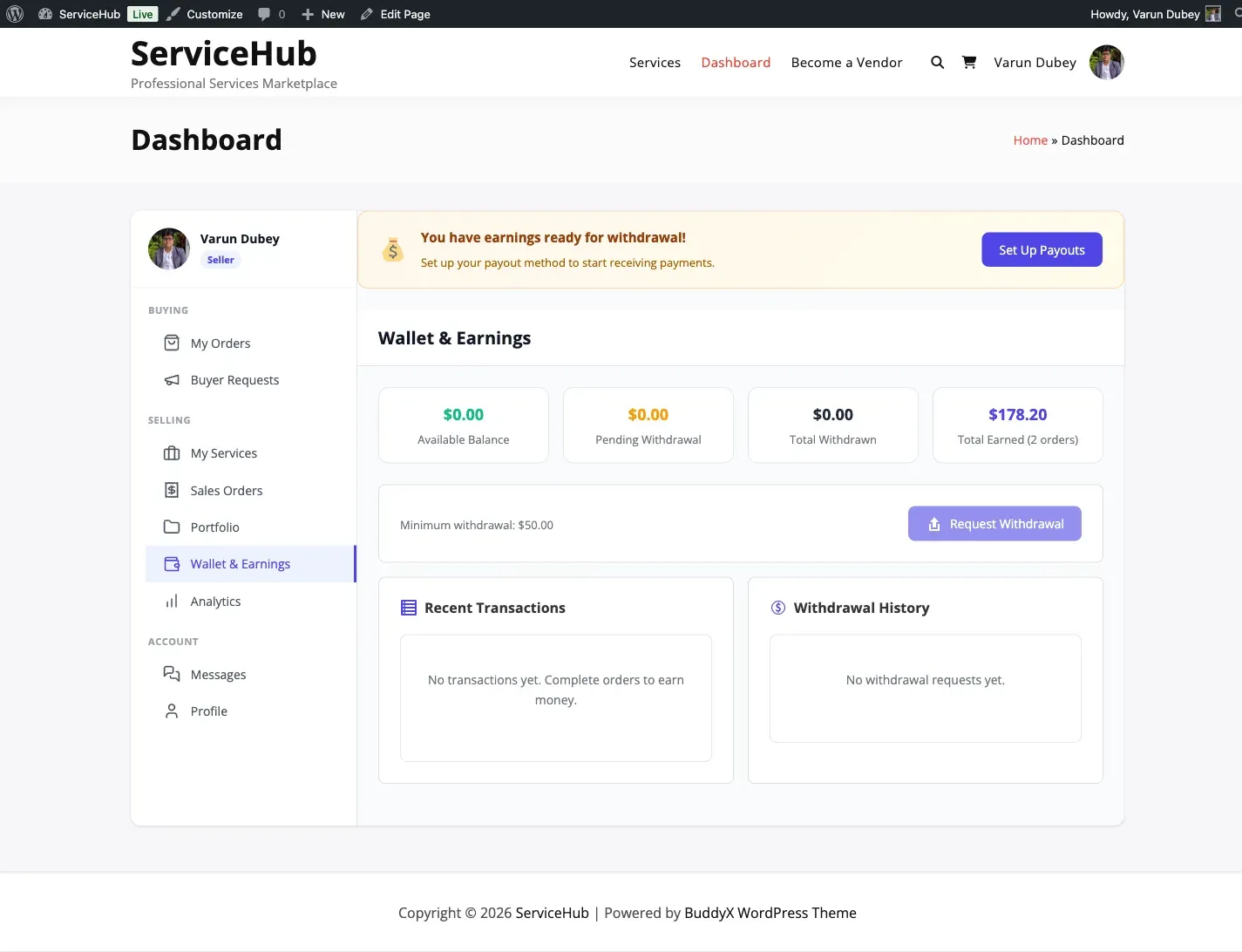
What Vendors See
Section titled “What Vendors See”When a vendor goes to Dashboard > Earnings & Payouts, they see these key numbers at a glance:
| Metric | What It Means |
|---|---|
| Total Earned | Lifetime earnings from all completed orders (after commission) |
| Available Balance | Money ready to withdraw right now |
| Pending Clearance | Earnings from recent orders still in the clearance period |
| Withdrawn | Total amount successfully paid out over time |
| Pending Withdrawal | Amount currently in a withdrawal request awaiting admin approval |
There is also a count of Completed Orders so vendors can see their overall activity.
Understanding the Numbers
Section titled “Understanding the Numbers”Available Balance
Section titled “Available Balance”This is the amount a vendor can actually withdraw. For earnings to appear here, three things must be true:
- The order is completed (buyer accepted delivery)
- The clearance period has passed (default: 0 days, so this is immediate unless your admin raised it)
- The amount is not already in a pending withdrawal request
Pending Clearance
Section titled “Pending Clearance”These are earnings from completed orders that have not yet passed the clearance period. Think of it as a safety buffer – it gives buyers time to report issues before funds are released.
For example, if an order completed on January 15 and your admin set the clearance period to 14 days, those earnings become available on January 29. At the default of 0, they are available on January 15.
Tips from buyers are tracked separately. They are:
- Commissioned at your marketplace’s normal rate unless the admin set a separate tip rate (which can be
0, giving the vendor 100%) - Subject to the same clearance period as other earnings – which is 0 days by default, so normally available immediately
- Shown as a separate line in the dashboard
Earnings History
Section titled “Earnings History”Below the summary, vendors see a detailed transaction history showing every completed order and their earnings from it:
- Order number and service name
- Order total (what the buyer paid)
- Vendor earnings (after platform commission)
- Commission rate applied and platform fee deducted
- Date the order was completed
Vendors can filter their history by date range and service, making it easy to track income over specific periods.
Earnings by Period
Section titled “Earnings by Period”Vendors can view their earnings grouped by:
- Daily – last 30 days
- Weekly – last 12 weeks
- Monthly – last 12 months
- Yearly – all-time
Each period shows the number of orders completed, total earnings, and average per order. This helps vendors spot income trends and plan ahead.
Requesting a Withdrawal
Section titled “Requesting a Withdrawal”From the earnings dashboard, vendors can click Request Withdrawal to start a payout. They will need to:
- Enter the amount they want to withdraw (must meet the minimum threshold)
- Select a payment method (bank transfer or PayPal)
- Provide payment details
- Submit the request for admin review
See Withdrawals for the full withdrawal process.
Clearance Period
Section titled “Clearance Period”The clearance period is set by the marketplace admin. It defaults to 0 days and can be raised to 90 in Settings > Payouts.
A clearance period protects both buyers and the platform by allowing time for:
- Buyers to report quality issues after delivery
- Disputes to be filed and resolved
- Chargebacks to be processed
Related Docs
Section titled “Related Docs”- Commission System – How earnings are calculated
- Withdrawals – How vendors request payouts
- Automated Payouts – Automatic scheduled payouts
- Wallet System [PRO] – External wallet integrations