

Profile Contact Form on Every Member Profile
The plugin adds a “Contact” tab to every member profile that the access rules allow. When another member or visitor opens that tab, they see a private form addressed to that specific member.
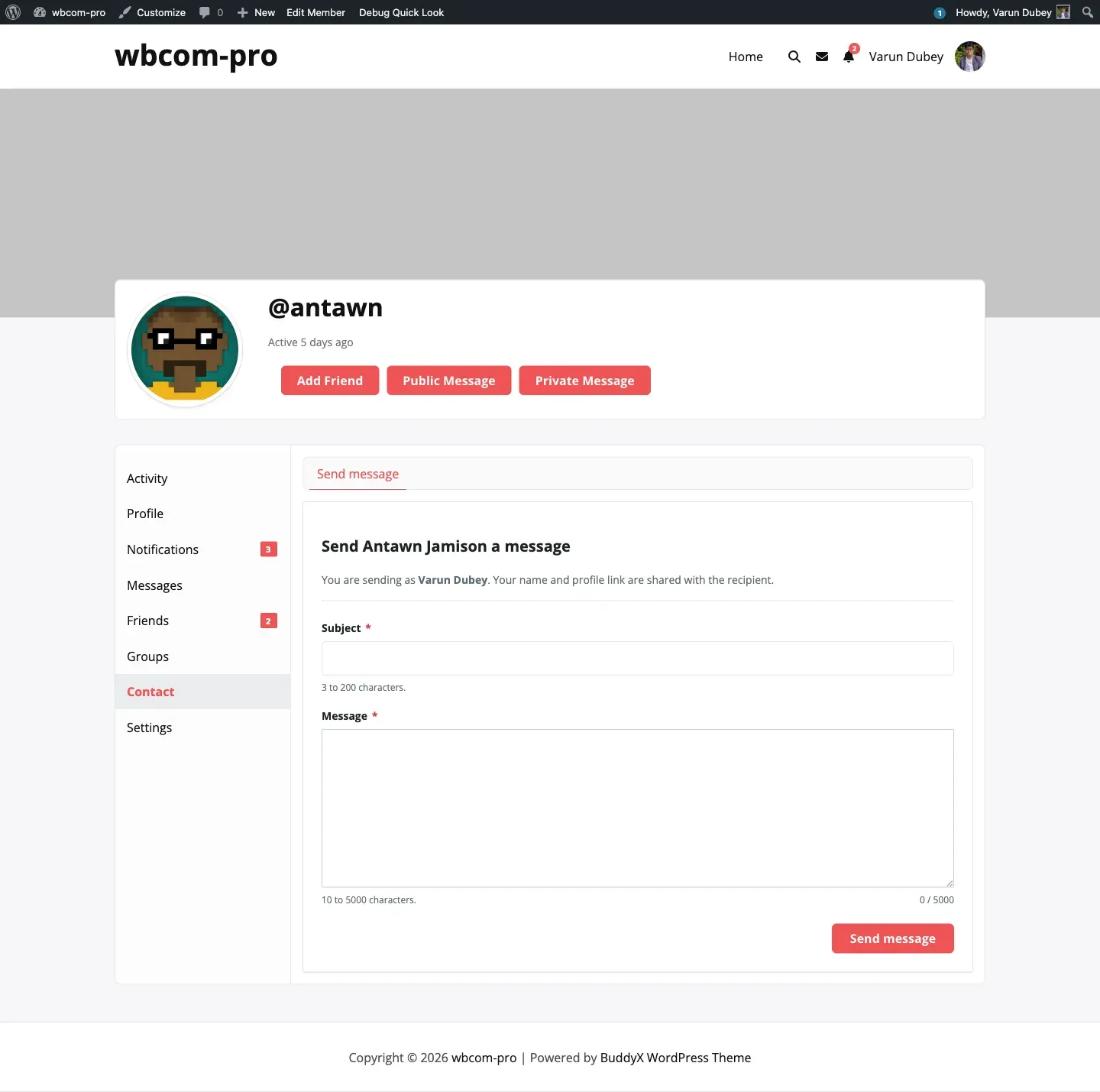
How the form is reached
Section titled “How the form is reached”- A member visiting another member’s profile sees the “Contact” tab in the profile sub-nav. Inside the tab is the Send message sub-tab — that is the form.
- A logged-out visitor sees the same tab on any public profile when “Visitors (not logged in)” is enabled in the Access tab.
- The legacy
/contact-me/slug from older versions still works — it 301-redirects to the current/contact/slug so old bookmarks, email links, and notification URLs continue to resolve.
What logged-in members fill in
Section titled “What logged-in members fill in”- Subject — 3 to 200 characters.
- Message — 10 to 5000 characters.
The sender’s name and email are pulled from their BuddyPress profile and shared with the recipient automatically. The form shows “You are sending as <Display name>. Your name and profile link are shared with the recipient.” so there is no surprise.
What logged-out visitors fill in
Section titled “What logged-out visitors fill in”Logged-out visitors see two extra fields and a math captcha. See the dedicated Guest contact page for the full guest experience.
Validation rules
Section titled “Validation rules”The same rules apply to both classic POST and the REST endpoint, so the experience is identical regardless of whether JavaScript is enabled:
- Name — 2 to 100 characters.
- Email — must pass
is_email()for guests; pulled from the user record for members. - Subject — 3 to 200 characters.
- Message — 10 to 5000 characters.
If any field fails the form re-renders with a clear error and an inline message at the top.
Where messages go
Section titled “Where messages go”Submissions are stored in the {prefix}contact_me table (sender, recipient, subject, message, name, email, datetime). The recipient sees them in their own profile under Contact → Inbox. See the Inbox page for what that looks like.
Form placement
Section titled “Form placement”The form lives at /contact/send/ on each member’s profile. If you want it elsewhere — on a custom page, a coach’s bio, a team page — use the [buddypress-contact-me] shortcode covered in the Shortcode page.