

Learnomy
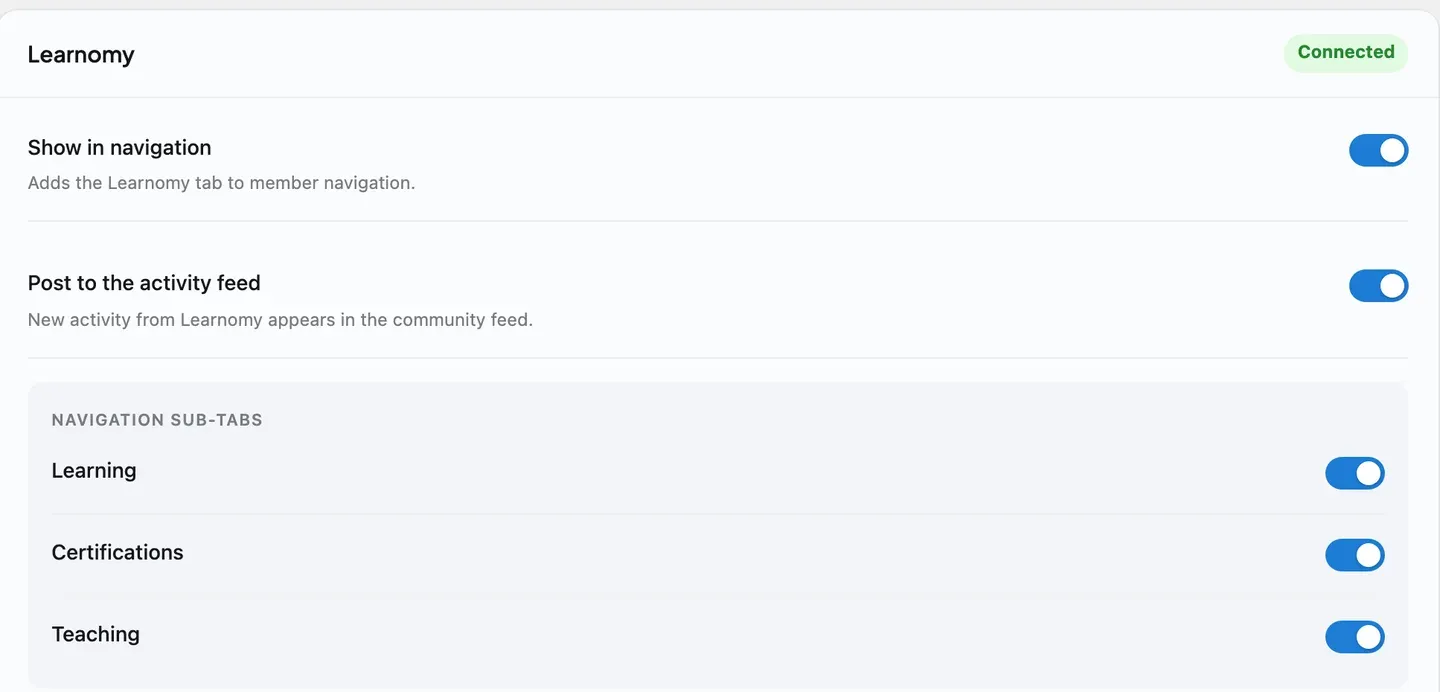
Learnomy is the companion plugin that adds courses and certificates to your community. Run it alongside BuddyNext Pro and learning becomes social: when a member finishes a course or earns a certificate, the community sees the milestone in the feed, and every course notification gathers into the BuddyNext bell so a learner has one place to follow everything.
Bringing Learnomy into your community needs BuddyNext Pro. The Learnomy plugin works on its own without Pro - you simply will not get the community surfacing described below until Pro is active.
Why use it
Section titled “Why use it”Learning is more motivating when it is shared. A member who completes a course or earns a credential has done something worth recognizing, and a community is exactly where that recognition belongs.
You add Learnomy when you want to:
- Let members take courses and earn certificates inside the same community they already belong to.
- Celebrate real progress - course completions and credentials - in the feed, so achievements are seen.
- Give members a verifiable certificate they can share, backed by a public verify page.
- Keep learners on top of their course activity through the single BuddyNext notification bell.
The courses, lessons, and certificates live in Learnomy, which owns the learning experience. BuddyNext adds a community layer on top so milestones are visible and notifications are unified.
How it works (for members)
Section titled “How it works (for members)”The learning itself - enrolling, taking lessons, completing a course, earning a certificate - is handled by Learnomy. Members use Learnomy’s own screens for those actions. BuddyNext surfaces the meaningful moments in the community:
- Completing a course posts to the feed. When a member finishes a course, BuddyNext posts a “completed a course” activity so the community sees the achievement.
- Earning a certificate posts to the feed. When a member earns a certificate, BuddyNext posts an activity that links to the public certificate-verify page, so the credential can be checked and shared.
- Only credentials and milestones post - never enrollment noise. Starting or simply progressing through a course does not post to the feed. Only the achievements that are worth showing - completions and certificates - become feed activity, so the feed stays meaningful.
- A Continue Learning panel lives on the profile. A member’s Portfolio tab shows a panel listing the courses they currently have in progress, each with its completion percentage and a link back into the lesson. A “Go to my courses” link jumps to the full Learnomy learning dashboard. This panel is private - it shows only when a member is viewing their own profile, never on someone else’s.
- Course notifications land in one place. Learnomy’s own notifications gather into the BuddyNext notification center as a Courses source, so a member has a single bell for everything across the community.
Note: Enrolling, taking lessons, and managing courses happen on Learnomy’s screens. BuddyNext does not replace those - it surfaces the milestones in the community.
Setting it up (for owners)
Section titled “Setting it up (for owners)”- Make sure BuddyNext Pro is active. The community surfacing is a Pro integration.
- Install and activate Learnomy alongside BuddyNext.
- Set up your courses and certificates in Learnomy as usual - the lessons, completion rules, and certificate options live there.
There is nothing to configure on the BuddyNext side. As soon as both plugins are active, the integration is on and course completions, certificates, and notifications start surfacing in the community.
This integration has no settings of its own in BuddyNext. The learning experience - the courses, lessons, and certificate templates - is configured in Learnomy.
Good to know
Section titled “Good to know”- Only achievements post to the feed. Course completions and earned certificates each post a feed activity; routine enrollment and progress do not. This keeps the feed focused on real milestones.
- Certificates link to a public verify page. A certificate’s feed activity points to the public certificate-verify page, so anyone can confirm the credential is genuine.
- The Continue Learning panel is owner-only. It is a personal resume shortcut, not a public credential like certifications or teaching - only the profile owner ever sees it, on their own profile.
- Notifications are gathered as a Courses source. Learnomy’s notifications collect into the BuddyNext bell under a Courses source, so learners follow course activity alongside everything else in the community.
- Inert when Learnomy is not installed. Without the Learnomy plugin, the integration does nothing - no feed activity and no Courses notifications. BuddyNext checks for Learnomy before wiring anything in, so a site without it sees no errors and no empty surfaces.
- Learnomy owns the data. All courses, lessons, and certificates live in Learnomy. BuddyNext reacts to its events and links out to its pages; it does not store or edit the learning content.
Free vs Pro
Section titled “Free vs Pro”The Learnomy community integration is part of BuddyNext Pro. The Learnomy plugin itself is separate and runs on its own, but surfacing its course completions and certificates inside the BuddyNext community - the feed activity, the profile’s Continue Learning panel, and notification gathering described above - requires BuddyNext Pro.
Related
Section titled “Related”- Integrations Overview - how every companion plugin connects.
- Activity Feed - where course completions and certificates appear.
- Notifications - the bell that gathers course notifications.
- Member Profiles - the profile the Continue Learning panel joins.