

BuddyPress notifications on view
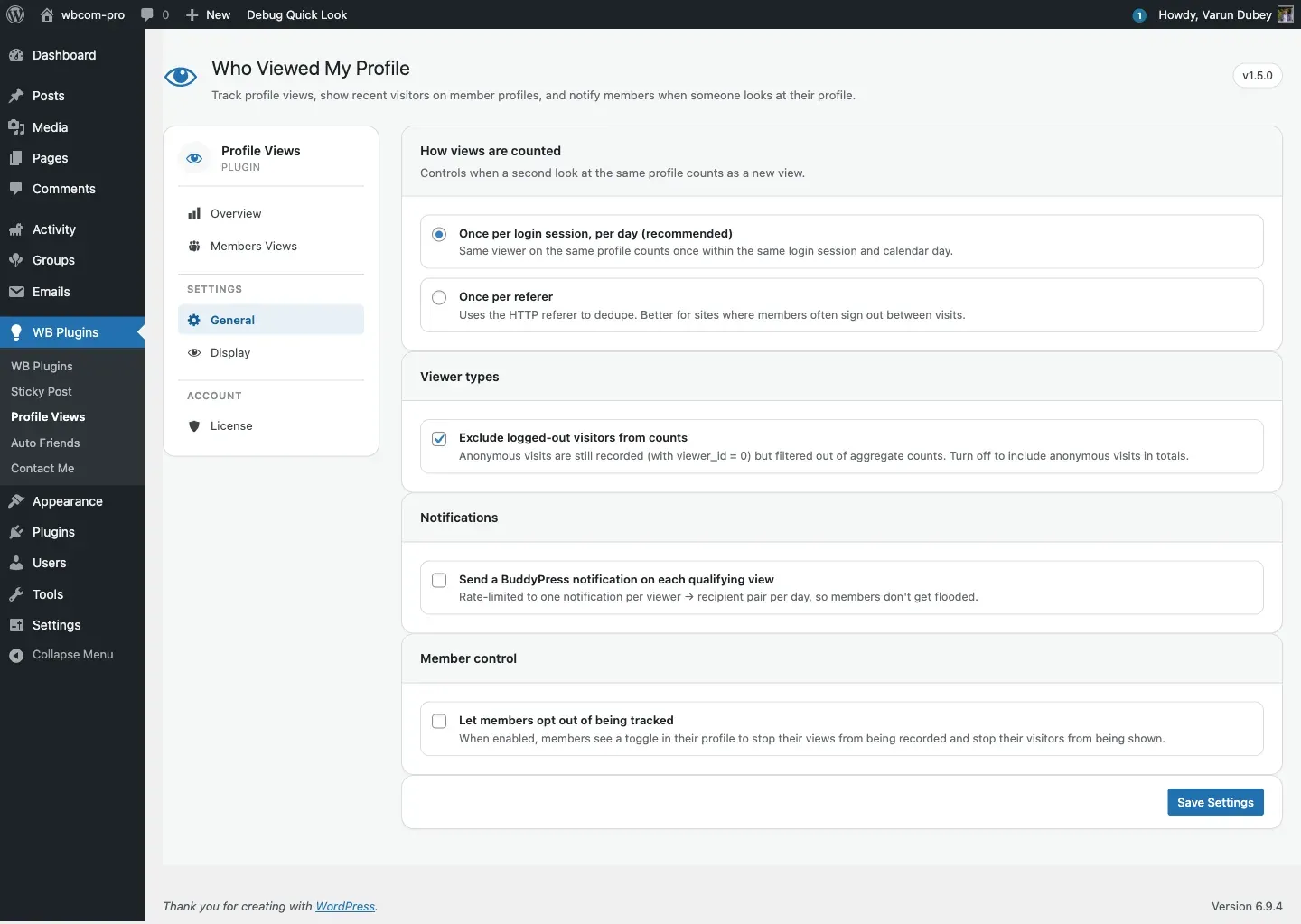
When General → Send a BuddyPress notification on each qualifying view is on, the plugin fires a BuddyPress notification each time a new visitor lands on a member’s profile. The notification reads “Sara viewed your profile.” and links to the visitor’s profile.
How it fires
Section titled “How it fires”- A view is recorded (see View tracking).
- The action
bp_profile_views_after_insertrunsbp_profile_views_notification(). - The handler checks whether
allow_user_notification === 'yes'— if not, it stops here. - The handler queries
wp_notificationsfor any existing row with the same(user_id, secondary_item_id, component_name)within the dedupe window (default: 1 day, filterable viabpv_notification_views_interval_day). - If no recent notification exists,
bp_notifications_add_notification()is called with:- Component name:
bp_profile_view_notifications - Component action:
bp_profile_view_notifications_action - User ID: profile owner.
- Secondary item ID: visitor’s user ID.
- Component name:
What the recipient sees
Section titled “What the recipient sees”A bell badge appears in the BuddyPress admin bar with the count. Clicking through opens the notifications page, which shows the formatted text plus a link to the visitor’s profile. The mark-as-read URL is nonce-gated with mark-as-read-notification-{current_user_id}-{visitor_id}.
Dedupe — one notification per (viewer, profile) per day
Section titled “Dedupe — one notification per (viewer, profile) per day”To avoid flooding members when a curious visitor scrolls back, the plugin enforces a one-notification-per-pair-per-day window. Browse the same profile twice in the same day — the second visit doesn’t fire.
To narrow or widen the window, return a MySQL interval string from the filter:
// Only one notification per (viewer, profile) per week.add_filter( 'bpv_notification_views_interval_day', function () {    return '7 DAY';} );
// One notification per hour.add_filter( 'bpv_notification_views_interval_day', function () {    return '1 HOUR';} );
The filter value is injected directly into a NOW() - INTERVAL {value} SQL clause. Return a valid MySQL interval expression — an integer alone (e.g. return 7) will produce invalid SQL and suppress all notifications.
See Hooks and filters for the full filter reference.
When notifications won’t fire
Section titled “When notifications won’t fire”- The BuddyPress Notifications component is not active (Settings → BuddyPress → Components).
- The visitor was logged out (
viewer_id = 0) — anonymous visitors have no identity to attach a notification to. - The visitor opted out via
visitor_setting = 'no'— no row is recorded, so no notification is fired. - A notification was already created within the dedupe window for the same pair.
Format text
Section titled “Format text”The notification renders via the BuddyPress component-format callback. For backwards compatibility, the callback returns a string for older BP versions and an array for newer BP. If you see HTML markup leaking into the notification text, ensure BuddyPress is at least version 8.0.
Where to configure
Section titled “Where to configure”- Send a BuddyPress notification on each qualifying view — General tab → Notifications.
- Dedupe interval — code-only via the
bpv_notification_views_interval_dayfilter.