

Activity Log Tab
The audit-trail viewer for the plugin. Lists the 25 most recent pin / unpin / expiry events and exposes two action buttons — Export CSV and Clear All Logs.
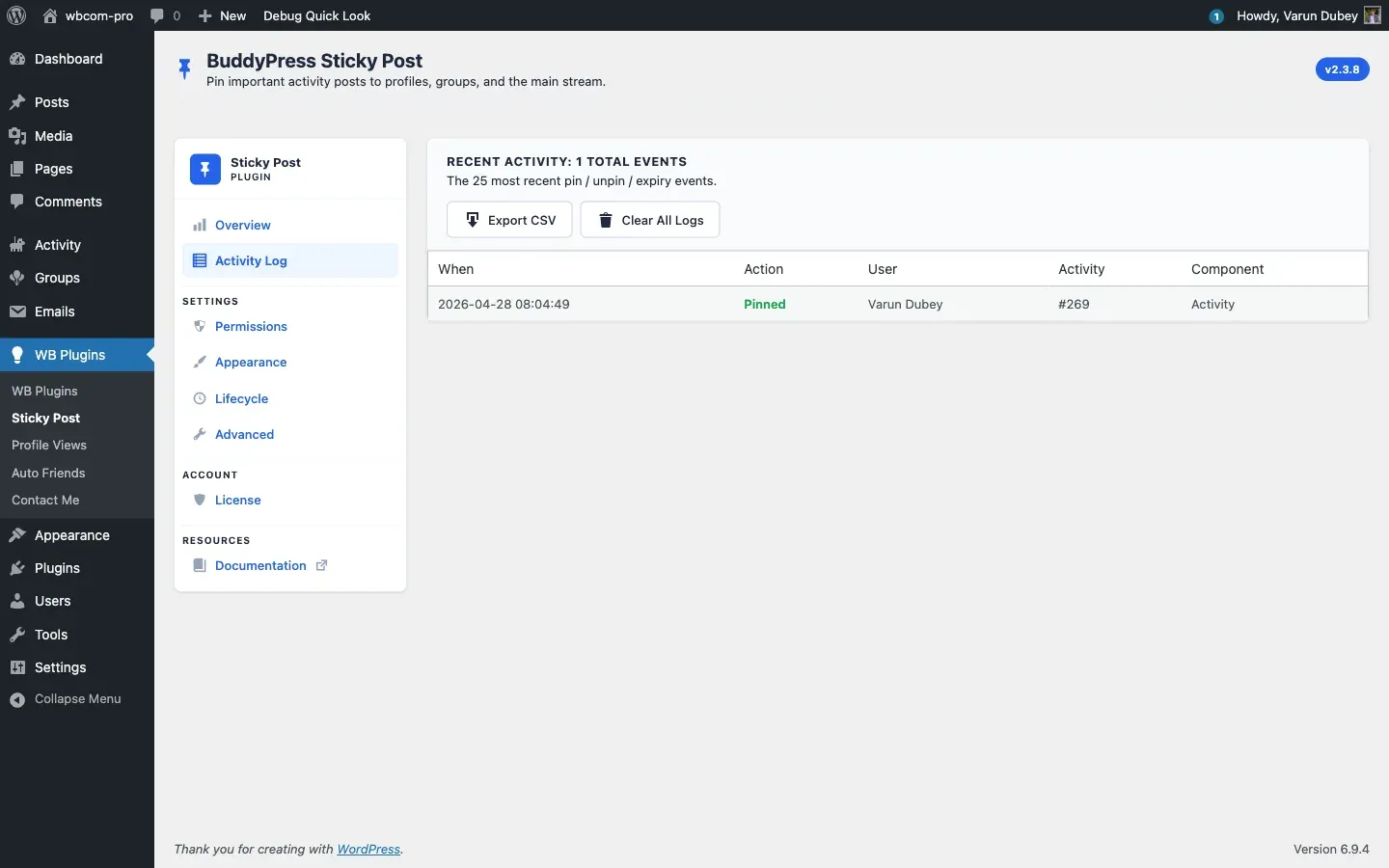
Three states the tab can be in
Section titled “Three states the tab can be in”1. Logging disabled — empty-state card with a Enable Activity Logging button linking to the Lifecycle tab. The toggle lives at Lifecycle → Activity Log → Enable logging.
2. Logging enabled, no events yet — empty-state with a Go to Activity Stream button to the public /activity/ page. The first pin or unpin populates the table.
3. Logging enabled with events — header card showing Recent Activity: N total events and the two action buttons, then the recent-events table.
Recent events table
Section titled “Recent events table”Five columns:
| Column | Source |
|---|---|
| When | timestamp (server time) |
| Action | Coloured pill — green Pinned, neutral Unpinned, amber Auto-expired |
| User | Display name from get_userdata( user_id ), or System for cron-driven expiries |
| Activity | #1234 — the post ID being pinned |
| Component | Activity or Groups |
Limited to the latest 25 rows for fast rendering. Older events are still in the database — pull the full set with the CSV export.
Export CSV
Section titled “Export CSV”Click Export CSV to download the complete log as bpsp-activity-log-YYYY-MM-DD-HHMMSS.csv. Columns:
Timestamp, Action, User ID, User Login, Activity ID, Component, Group IDThe export streams from whichever store is active (option-based or DB-table) so it works on every install. Requires manage_options; CSRF-protected via bpsp_export_logs nonce. Restored in v2.3.8 (commit 3140819) after a regression in 2.3.7 left it inert.
Clear All Logs
Section titled “Clear All Logs”Click Clear All Logs — a JavaScript confirm() prompt asks “Clear ALL activity logs? This cannot be undone.” On confirm the table is truncated and the page returns with the dismissible notice “All activity logs have been cleared.”
Requires manage_options; CSRF-protected via bpsp_clear_logs nonce. There is no undo.
When to use each button
Section titled “When to use each button”- Export CSV — periodic compliance snapshots, before/after big migrations, sharing with a teammate who lacks admin access.
- Clear All Logs — staging-to-production wipes, GDPR purges, troubleshooting bloat (the table can grow on very active communities — keep an eye on row counts).
Related
Section titled “Related”- Activity Log feature — what gets recorded and how.
- Lifecycle Tab — toggle logging on / off.