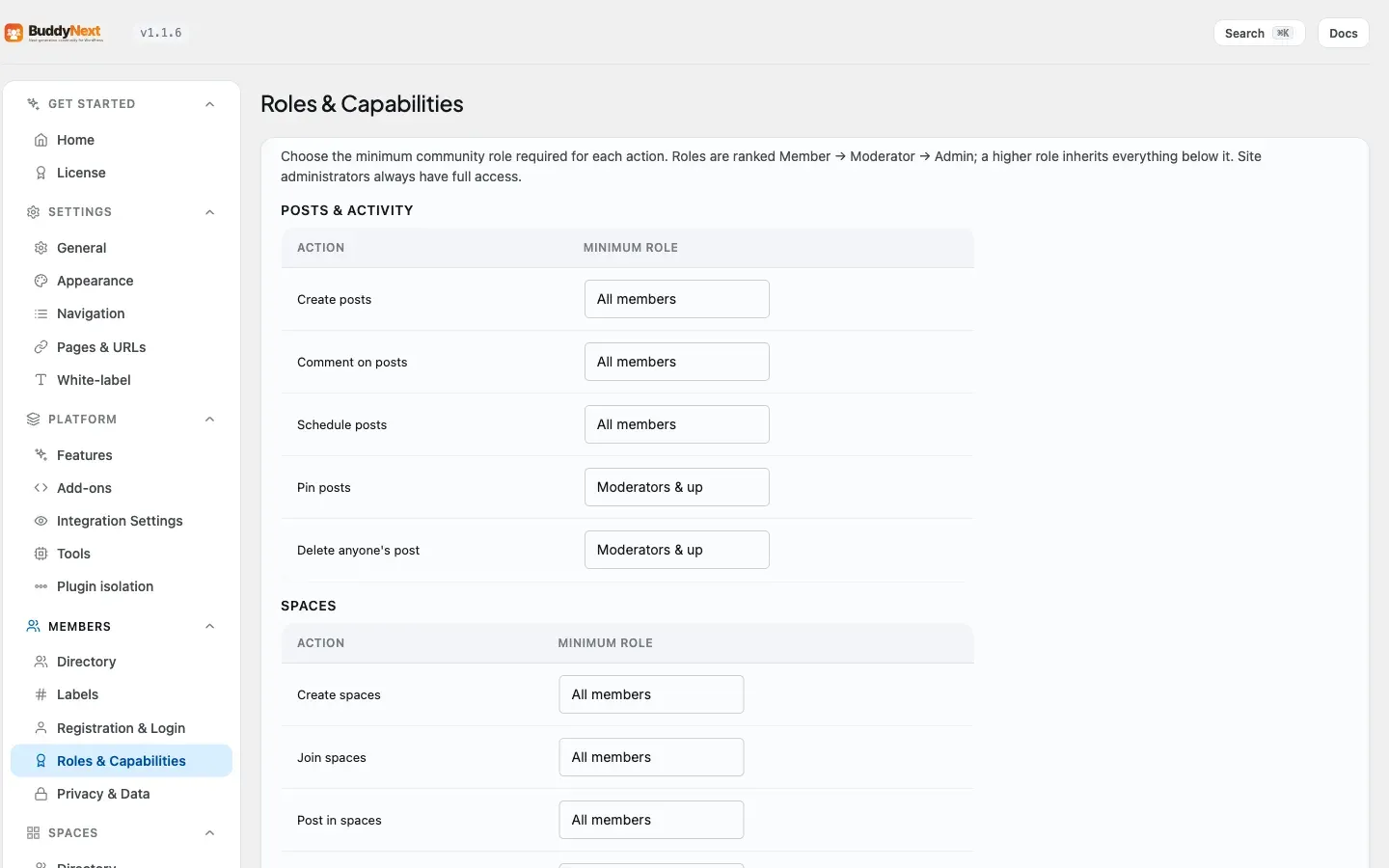
How BuddyNext decides who can do what. This page covers the permission model developers extend: the single buddynext_can() entry point, the four resolution layers in PermissionService, the capability catalog registered through the WordPress Abilities API, and the filter seams (buddynext_user_can, buddynext_role_map, buddynext_abilities) an extension uses to add, gate, or override a capability.
BuddyNext does not register any custom WordPress roles. Neither Free nor Pro makes an add_role() call, and Pro’s manifest confirms this with customRoles: []. There are no new WP_Role capabilities to map. Member authority is modeled in two BuddyNext-owned layers instead:
A community role stored in user meta (bn_community_role): one of member, moderator, admin, owner. Defaults to member when unset.
A per-space role stored in the bn_space_members table (role column): owner, moderator, or member for an active membership.
WordPress site administrators are recognized through the native manage_options capability, not a BuddyNext role. Every wp-admin screen BuddyNext registers gates on manage_options (see Admin Pages and Settings).
Every permission decision in the plugin flows through one function:
Defined in buddynext.php, it resolves the permissions service from the container and calls PermissionService::can(). Never call current_user_can() against a BuddyNext capability or read bn_community_role directly to make an authorization decision - route it through buddynext_can() so all four layers and the filter seams apply.
PermissionService::can() resolves a check in this order:
Layer
Source
Effect
1. WP site admin
manage_options
Holders pass every check ($result = true).
2. Community / space role
ROLE_MAP + role hierarchy
The capability needs a minimum role; the user’s community role (or in-space role when space_id is in context) must meet or exceed it.
3. Explicit ability grant
bn_ability_{slug} user meta
A per-user grant with an expiry (0 = never, otherwise a unix timestamp). Checked only when the role check fails.
4. Developer filter
buddynext_user_can
Runs on every check and can flip the resolved result in either direction. Always the final word.
Two hard-deny short-circuits run before the layers above:
A user who is space-banned (a row in bn_space_bans, or a bn_space_members row with status = 'banned') is denied every buddynext-spaces/* capability when a space_id is in context, regardless of role.
The space-scoped capabilities buddynext-moderate-space and buddynext-manage-space bypass the generic role map and resolve through dedicated methods that read the caller’s role in that specific space.
Roles are ranked numerically. A capability mapped to a role is granted to that role and everything above it.
Role
Weight
owner
4
admin
3
moderator
2
member
1
A capability mapped to null in the role map has no role gate - it can only be granted through an explicit ability grant or the buddynext_user_can filter.
Capabilities are dot-namespaced slugs (buddynext-{domain}/{action}).
There are three lists in code and they are not the same list. Know which one you are looking at:
List
Where
What it decides
PermissionService::ROLE_MAP
includes/Core/PermissionService.php
Enforcement. The default role each capability requires. This is the authority - if a slug is here, it is gated.
Abilities::CATALOG
includes/Core/Abilities.php
Registration with the WordPress Abilities API (WP 6.9+), so the capability appears in the admin Abilities UI and can be granted or revoked through that API. On WordPress below 6.9 this no-ops silently and PermissionService still enforces the gate.
RolesTab::catalog()
includes/Admin/RolesTab.php
The admin Roles tab. A deliberate subset - the capabilities a site owner is offered a UI control for. handle_save() drops any submitted slug that is not in it.
Enforcement is the list that matters for buddynext_can(). The other two only decide whether an owner gets a control for it.
The role map holds 22 generic capabilities:
Capability
Default required role
buddynext-profile/edit-own
member
buddynext-profile/edit-any
admin
buddynext-profile/view
none (public)
buddynext-feed/create-post
member
buddynext-feed/delete-own-post
member
buddynext-feed/delete-any-post
moderator
buddynext-feed/pin-post
moderator
buddynext-feed/schedule-post
member
buddynext-comments/create
member
buddynext-spaces/create
member (see note)
buddynext-spaces/join
member
buddynext-spaces/join-gated
none
buddynext-spaces/post
member
buddynext-spaces/moderate
moderator
buddynext-spaces/manage-settings
moderator
buddynext-spaces/delete
moderator
buddynext-connections/follow
member
buddynext-connections/connect
member
buddynext-moderation/report
member
buddynext-moderation/review-queue
moderator
buddynext-moderation/issue-strike
moderator
buddynext-moderation/suspend-user
moderator
A site-wide moderator holds full moderation authority. Clearing the queue, issuing strikes, suspending, shadow-banning, and warnings are all moderator powers. Only appeals, and editing what each role is allowed to do, remain admin-only.
buddynext-spaces/create has one option that overrides its default. The legacy Spaces-tab “who can create spaces” setting is folded into the role map: when get_option( 'buddynext_space_creation_role' ) is 'admin', the map default flips from member to admin. The default ('member') leaves the map untouched. It is applied inside role_map() so it composes with the Roles and Capabilities tab instead of fighting it.
buddynext-comments/create is grantable from the admin. It is present in PermissionService::ROLE_MAP, in Abilities::CATALOG, and in RolesTab::catalog(), so it is registered with the WordPress Abilities API and renders a row (“Comment on posts”) on the Roles and Capabilities tab like any other capability. An earlier version of this page said it was absent from the catalog and reachable only through the buddynext_role_map filter; that has not been true for some time. The filter still works if you want to set the role in code:
Two additional space-scoped capabilities - buddynext-moderate-space and buddynext-manage-space - are resolved by dedicated per-space methods (can_moderate_space() / can_manage_space()) and are not part of the generic role map. buddynext-moderate-space is granted to a space owner or moderator; buddynext-manage-space only to the space owner.
Ability slugs may contain / and -. The grant meta key translates those to _, so buddynext-feed/pin-post is stored as bn_ability_buddynext_feed_pin_post. Use PermissionService::ability_meta_key( $slug ) to build the key rather than hand-rolling it.
Adding a capability is two filters: register the slug with the Abilities API, then give it a role in the role map. Do both on plugins_loaded (or earlier) so they are in place before any check runs.
// 1. Add the slug to the catalog so the Abilities API registers it.
No custom roles to clean up. Because BuddyNext registers no WP_Role, there is nothing to remove on deactivation and no capability bloat on the administrator role. Authority lives in user meta and bn_space_members.
manage_options is the admin gate, not a BuddyNext role. Site admins pass every buddynext_can() check by virtue of layer 1, and every BuddyNext admin screen checks manage_options directly.
buddynext_role_map fires once and is memoised per request; buddynext_user_can fires on every check. Put baseline role mappings in the role map and per-decision logic in the filter.
Space context matters. For buddynext-spaces/* capabilities, pass ['space_id' => N] so the in-space role (from bn_space_members) is used. The join capability is the exception - a non-member has no in-space role yet, so join is gated by the community role, with space type (open/request/invite) enforced separately in the join flow.
Free / Pro boundary. The catalog and the four-layer model live entirely in free. Pro consumes buddynext_can() like any other caller and does not add custom roles or its own permission engine.
See also Admin Pages and Settings for how the admin surface gates on manage_options, and the REST contract page for how controllers resolve buddynext_can() before serving a request.