

Bookmarks
A bookmark is a private save. When a member taps Save on a post, that post is added to their own bookmarks list, where they can find it again later. Bookmarks are completely private: only the member who saved a post can see that they saved it.
Why use it
Section titled “Why use it”Feeds move fast. A member spots something they want to come back to - a useful link, a long thread, an announcement they have not finished reading - but they are not ready to act on it right now. Bookmarks let them keep it without cluttering the feed, replying publicly, or losing it to the scroll.
For an owner, bookmarks are a quiet retention feature. They give members a personal reason to return: a reading list they built themselves. Because saving is private and takes one tap, members use it freely, and a member with a full bookmarks hub is a member who keeps coming back. It also takes pressure off the feed - people do not have to react or comment just to hold onto a post, so the only reactions you see are the ones people actually mean.
How it works (for members)
Section titled “How it works (for members)”Save a post
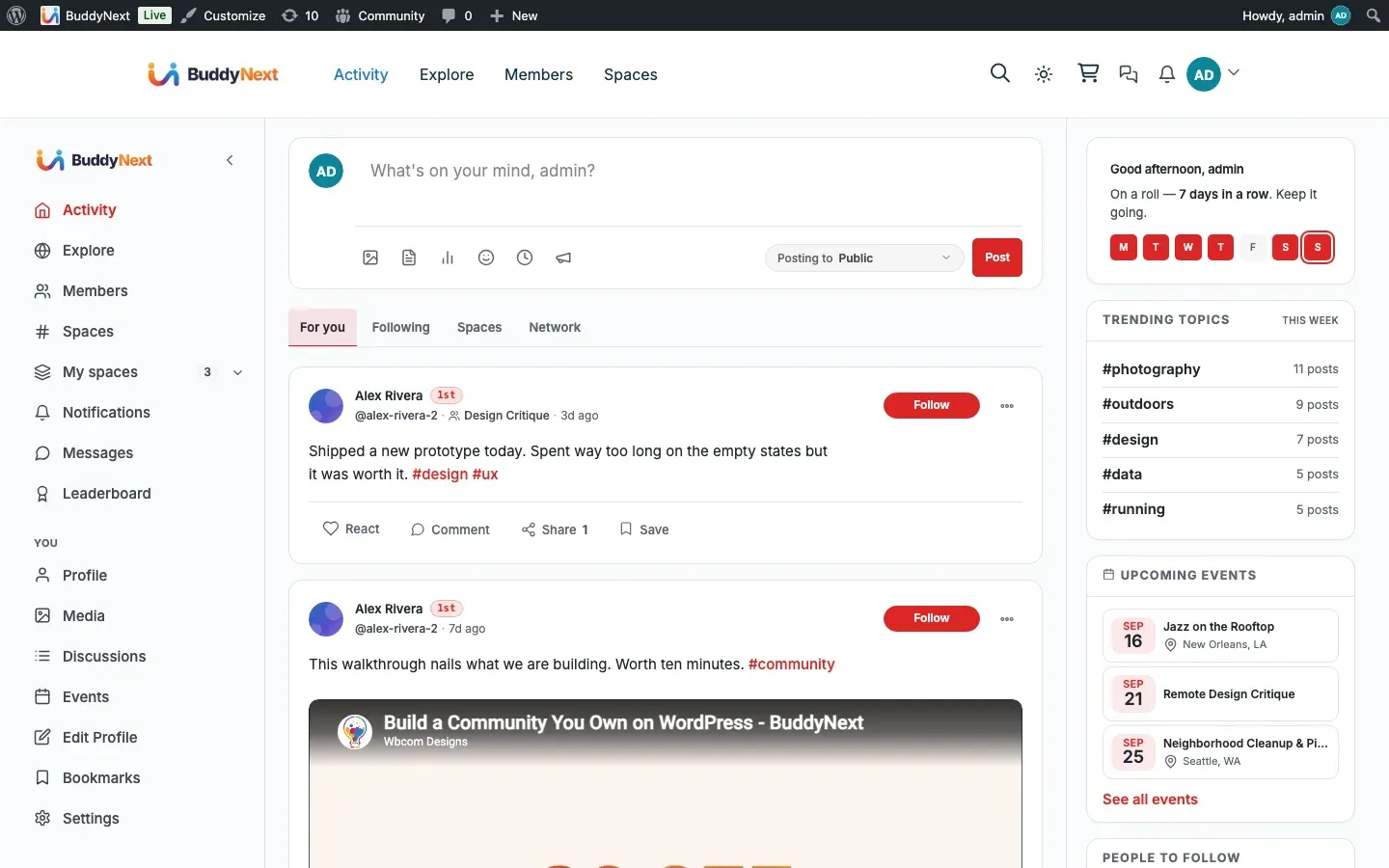
Section titled “Save a post”Every post card shows a Save action for signed-in members. Tap it to save the post privately. The icon flips to its saved state to confirm, and the post is added to your bookmarks. Nothing is posted to the feed and no one is notified - the save is yours alone.
Unsave a post
Section titled “Unsave a post”Tap Save again on a saved post to remove it. The icon returns to its normal state and the post drops out of your bookmarks list.
The bookmarks hub
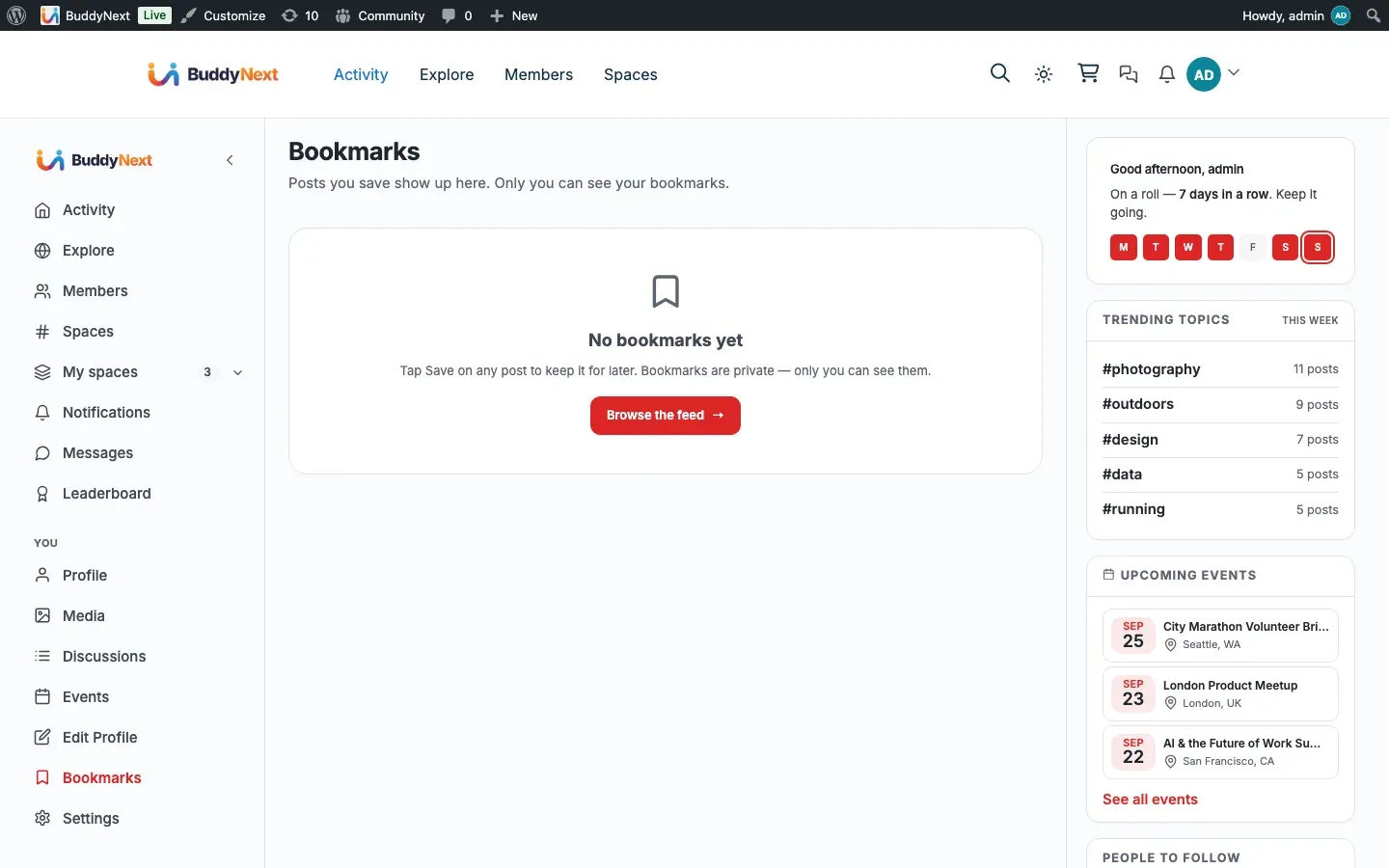
Section titled “The bookmarks hub”Open your bookmarks hub to see everything you have saved in one place, newest first. The list is paginated so it stays fast even after you have saved hundreds of posts. From the hub you can read a saved post, jump to it, or unsave it.
Setting it up (for owners)
Section titled “Setting it up (for owners)”Bookmarks are on by default. One setting controls whether members can save posts.
| Setting | What it does | Default |
|---|---|---|
| Bookmarks (Platform > Features) | Lets members save posts to a private bookmarks list. Turn it off to remove the Save action from post cards. | On |
When the setting is off, the Save action no longer appears on post cards.
Good to know
Section titled “Good to know”- Bookmarks are private, per member. Only the member who saved a post can see it in their bookmarks. There is no public “saved” count and no one is told when you save their post.
- Lost-access saves are hidden. If you saved a post and later lose access to it - the author blocked you, the post moved into a space you cannot see, or the content was removed - it no longer shows in your bookmarks hub. The hub re-checks who you can see each time it loads, so it never shows you something you are not allowed to view.
- Empty state. A member who has not saved anything yet sees a friendly empty message in the hub with a prompt to browse the feed, rather than a blank page.
- You must be logged in. Saving is a member action, so the Save control only does something for signed-in members.
Related
Section titled “Related”- Activity Feed - the feed the Save action sits on
- Shares and reposts - the public counterpart to a private save
- Post Privacy and Visibility - why a saved post can drop out of the hub