

Space Forum
The Space Forum is an optional Discussions tab inside a space that holds threaded, structured discussions and Q&A. It sits alongside the space activity feed and is powered by the Jetonomy companion plugin. When Jetonomy is not installed, the forum is inert and nothing changes for members.
Why use it
Section titled “Why use it”A space activity feed is built for the moment. Posts scroll by, replies fan out under each one, and a question asked on Tuesday is hard to find by Friday. That is the right shape for chatter and updates, but it is the wrong shape for a question that deserves a clear answer or a topic the community will return to for months.
The forum gives a space the other half of that conversation: durable, titled threads that stay put. A discussion has a subject line, an author, replies in order, votes, and a stable address you can link to. People can search it, sort it, and come back to it. A best answer can be marked so the next person who arrives does not have to ask again.
That is why a space owner turns it on. A product space gets a real Q&A board instead of repeated “how do I” posts in the feed. A learning community gets topic threads that survive past the day they were written. A support space gets a searchable history instead of advice that vanishes down the timeline. The feed keeps the space alive day to day; the forum keeps its knowledge.
The two surfaces complement each other rather than compete. New discussions can also show up as cards in the activity feed, so a fresh thread still gets noticed in the moment, while the thread itself lives on in the forum where it stays findable.
How it works (for members)
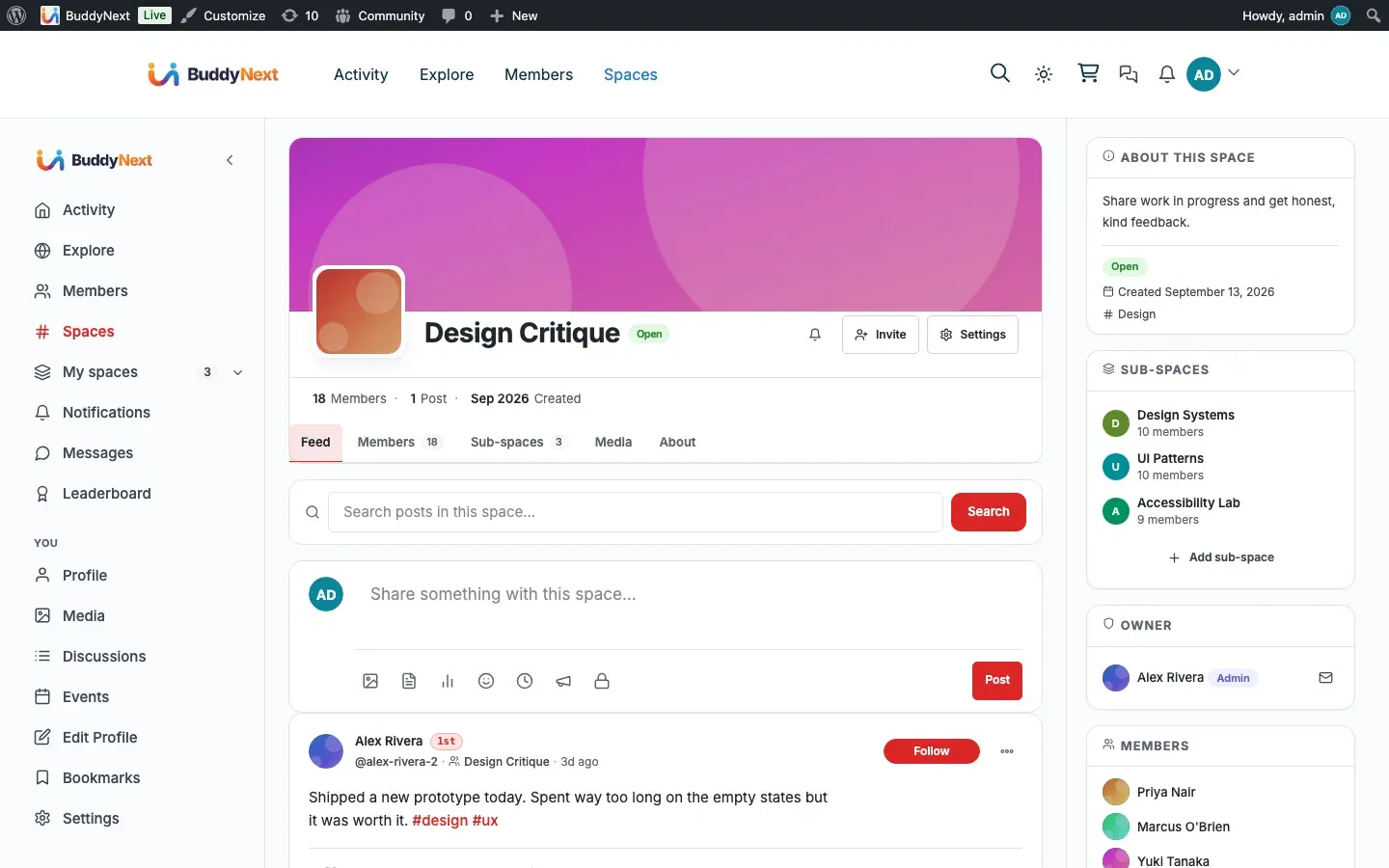
Section titled “How it works (for members)”When a space has the forum available, members see a Discussions tab in the space navigation alongside the feed and other space tabs.
- Open the forum. Select the Discussions tab in a space. The space forum opens with BuddyNext’s navigation wrapped around it, so it looks and moves like the rest of the community rather than a separate plugin.
- First open provisions the forum. A space’s forum is created the first time someone opens its Discussions tab. There are no empty forums sitting around - the board exists once a member actually goes looking for it.
- Start a discussion. Create a new discussion with a title and body. Unlike a feed post, it carries a subject line and lives as its own thread.
- Reply in a thread. Replies are shown in order under the discussion, so a conversation reads top to bottom instead of branching.
- Mention people. Typing an @-mention in a discussion notifies that member through BuddyNext’s normal notifications, the same as a mention anywhere else in the community.
- Vote and mark answers. Discussions and replies can be voted on, and a reply can be accepted as the answer, so the useful response rises to the top.
- Get notified of replies. When someone replies to your discussion, you receive a BuddyNext notification. Replying to your own discussion does not notify you.
- Find discussions later. Discussions are added to BuddyNext’s unified search, so a search across the community returns matching discussions next to members, spaces, and posts.
A member’s own discussions also surface on their profile: a Discussions tab on the profile lists the discussions they have started, with a count.
Setting it up (for owners)
Section titled “Setting it up (for owners)”The forum is delivered by the Jetonomy companion plugin. There is almost nothing to configure - installing the companion is the setup.
Install the Jetonomy companion
Section titled “Install the Jetonomy companion”- In the BuddyNext admin, open Platform > Add-ons.
- Find Jetonomy in the companion list and install it with one click. BuddyNext handles the download and activation for you - there is no manual upload or plugin search.
- Once Jetonomy is active, the Discussions tab appears on spaces (and on member profiles) automatically. No per-space switch is required - each space’s forum is created on demand the first time its Discussions tab is opened.
Note: Until Jetonomy is active, the forum does not exist. BuddyNext registers none of its forum navigation or behavior, and pages render exactly as they did before. The integration adds zero overhead on sites that do not use it.
Feed sync setting
Section titled “Feed sync setting”One setting controls whether forum activity flows into the activity feed. It lives on the Integration Settings tab in the BuddyNext admin (Platform > Integration Settings), as the Jetonomy row’s “Post to the activity feed” toggle.
| Setting | What it does | Default |
|---|---|---|
| Post to the activity feed (Jetonomy row) | When on, a new discussion in a connected public space is also published as a card in the BuddyNext activity feed (and Explore), so it gets noticed in the moment. The thread still lives in the forum. When off, discussions are searchable and reachable through the Discussions tab but do not appear as feed cards. | On |
Privacy is enforced regardless of the setting: only public spaces, public (non-private) discussions, and published discussions can ever become a public feed card. A private or secret space, or a private discussion, never leaks into the public feed.
Tip: Leave feed sync on for a small or new community where you want every discussion to get attention. Turn it off for a large, busy community if forum threads are crowding the feed - members can still reach discussions through the Discussions tab and search.
Good to know
Section titled “Good to know”- Requires the Jetonomy companion. The Space Forum is the BuddyNext side of the Jetonomy integration. Without Jetonomy active there is no forum, no Discussions tab, and no forum search results. For how BuddyNext and Jetonomy connect, see Jetonomy Integration.
- Inert when not installed. With Jetonomy inactive, the forum integration registers nothing - no navigation, no settings effect, no errors. It is genuinely optional.
- Forums are created on demand. A space has no forum until a member opens its Discussions tab for the first time. This avoids a wall of empty boards across every space.
- The forum keeps its own layout. Inside the Discussions tab, BuddyNext’s navigation is rendered around the forum and the companion’s own navigation is hidden, so there is one consistent navigation. The forum keeps its own content column.
- Deleting a discussion cleans up after itself. Removing a discussion in the forum also removes it from BuddyNext search and from any activity-feed card it produced.
- Search and profile counts read live data. A member’s profile Discussions count and the community search results reflect their current published discussions.
Free vs Pro
Section titled “Free vs Pro”The Space Forum integration is part of BuddyNext itself - it ships in the free plugin and turns on the moment the Jetonomy companion is active. The forum experience (discussions, replies, votes, accepted answers, the forum’s own admin) is provided by the Jetonomy companion plugin, which has its own free and paid plans. BuddyNext does not gate the forum behind its own Pro plugin; what you get depends on the Jetonomy plan you run. See Jetonomy Integration for what the companion provides.
Related
Section titled “Related”- Jetonomy - the companion plugin that powers the forum
- Activity Feed - where new discussions can surface as cards
- Search - how discussions join community-wide search