

What's New in 1.4.6
WP Career Board and WP Career Board Pro ship in lockstep at 1.4.6.
Install both updates together. This page highlights the
customer-facing changes across the 1.3.0 and 1.4.x cycles. For the
full line-by-line history, see the changelog in readme.txt.
- Compat - Aligned with WP Career Board Pro 1.4.6, which reworks the Field Builder so custom fields are defined once and applied to every board. The free plugin has no functional changes in this release.
- Fix - BuddyX 5.1 theme compatibility. WP Career Board now maps its colors to BuddyX 5.1’s token system (and dark mode), so dashboard navigation labels, “View all” links and sidebar buttons render legibly instead of white-on-white or as solid coral pills.
- Fix - Custom fields added with the Pro Field Builder now render and save correctly on forms for every field type - dropdown, multi-select, date range, salary range, video URL, file link, location and repeater. Several previously rendered as a plain text box and some did not save.
- Fix - The empty-state “Clear filters” button label stays legible under themes that force a button text color (such as BuddyX). It previously rendered blank where the theme painted the label the same color as the button background.
- New - The Job Listings block filter sidebar is now customizable. In the block settings you can reorder the filter groups (Job type, Experience, Category, Tags, Location, Job board, Salary) and hide any you do not need. Settings are per block, so each Job Listings placement can differ.
- Improve - WP Career Board now adapts to BuddyX and BuddyX Pro 5.1 light and dark color modes. Card avatars, dashboards, buttons, and widgets re-color correctly in dark mode (previously only Reign’s dark mode was handled).
- Fix - The Job Listings block no longer emits PHP warnings when it renders with no matching jobs.
- Dev - New
wcb_notification_createdaction fires whenever a notification is created, so a central notification center (such as BuddyNext) can mirror Career Board notifications.
- Fix - Banning an employer now takes effect. The Employers admin screen (Career Board -> Employers) gains Ban and Unban actions (per-row and bulk) plus a Status column. Banning an employer immediately removes every Career Board ability from that account.
1.4.0 - AI-assisted hiring and a Kanban board
Section titled “1.4.0 - AI-assisted hiring and a Kanban board”This is the largest release of the cycle. The headline is AI-assisted hiring on the dashboards, a List / Board (Kanban) view for applications, and the change that lets any logged-in member apply without a dedicated Candidate role.
Any logged-in member can apply
Section titled “Any logged-in member can apply”Any logged-in member can now apply to jobs, save jobs, build a resume
(Pro), and use the candidate dashboard without being given a separate
Candidate role - ideal when the job board is part of a community site.
If you want stricter separation, turn on Require Candidate Role
under Career Board -> Settings -> Job Listings (or use the
wcb_candidate_requires_role filter) to reserve the candidate
experience for the Candidate role.
List / Board toggle on the employer dashboard
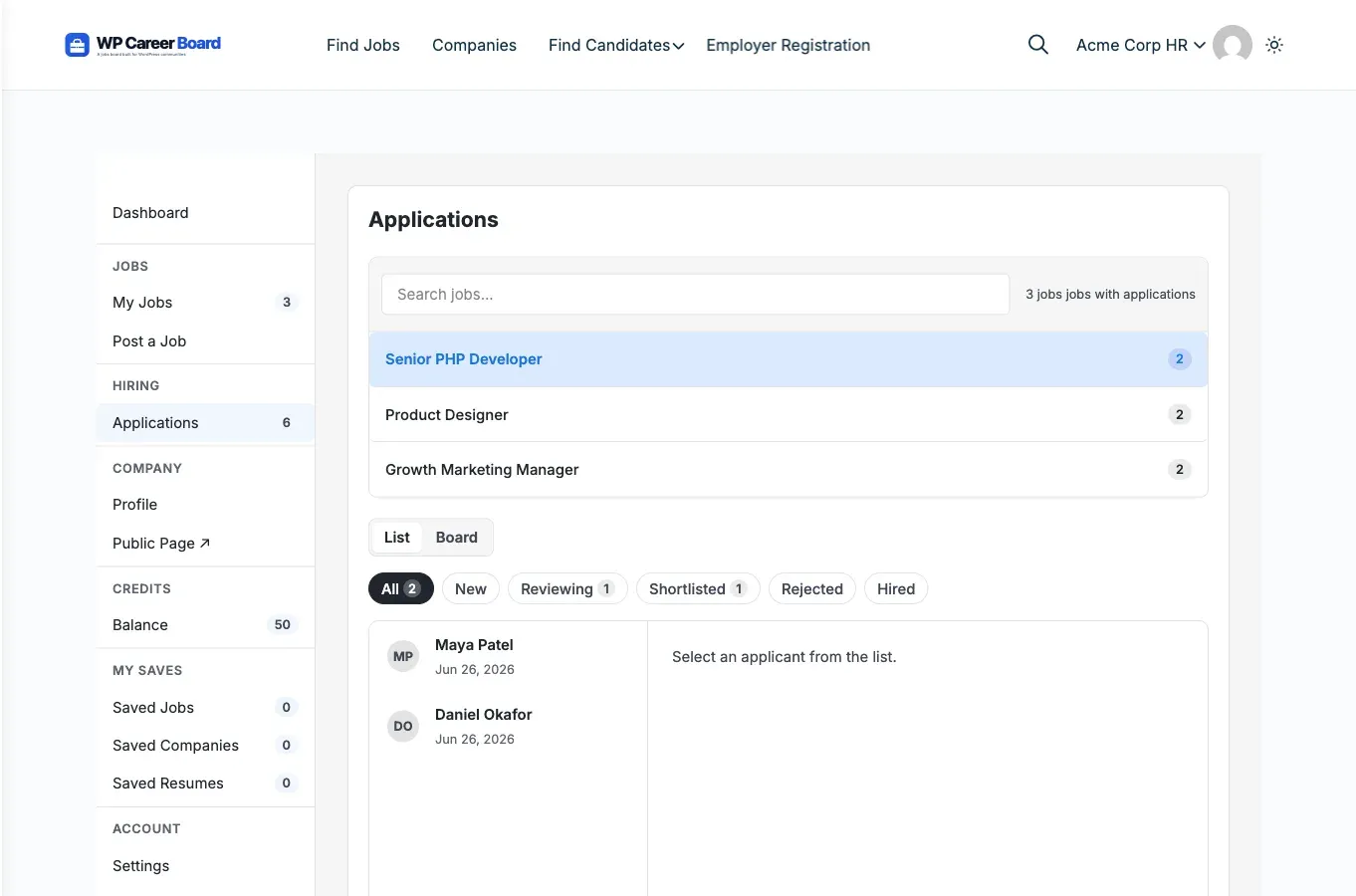
Section titled “List / Board toggle on the employer dashboard”The Employer Dashboard Applications tab now has a List / Board toggle. The Board groups applicants into status columns - Submitted, Reviewing, Shortlisted, Hired, and Rejected. Drag a card to change an applicant’s status, and the board, list, status emails, and AI ranking all stay in sync. (Pro adds custom hiring stages on top of this built-in board.)
AI hiring tools (require Pro and an AI provider)
Section titled “AI hiring tools (require Pro and an AI provider)”WP Career Board exposes AI hooks that Pro answers when an AI provider is configured:
- Applicant ranking - rank a job’s applicants by AI fit. Each applicant shows a fit-score badge, the list sorts best-first, and the applicant detail shows the reasoning.
- TL;DR summaries - each applicant shows a one-line summary on load once scored.
- Recommended for you - the Candidate Dashboard overview shows a set of AI-matched jobs.
- Write with AI - the apply panel can draft a cover letter from the candidate’s resume and the job, ready to edit before applying.
- Generate with AI - the job form can auto-generate a structured job description (headings, paragraphs, and bullet lists).
Sample data without re-running the wizard
Section titled “Sample data without re-running the wizard”You can install or remove the demo/sample data straight from Career Board -> Settings, without re-running the setup wizard.
Notifications panel redesign
Section titled “Notifications panel redesign”The dashboard Notifications panel was redesigned with clearer read and unread states, Mark all read and Clear all controls, and an always-visible per-row delete button (40px tap target on mobile). Notifications that pointed at the homepage now render non-clickable instead of bouncing to the home page.
1.3.0 - Account self-service and clearer moderation
Section titled “1.3.0 - Account self-service and clearer moderation”Account Settings in the dashboard
Section titled “Account Settings in the dashboard”Candidates and employers can update their display name and email and change their password directly in the dashboard, instead of being sent off to wp-login.
Rejected jobs and Resubmit
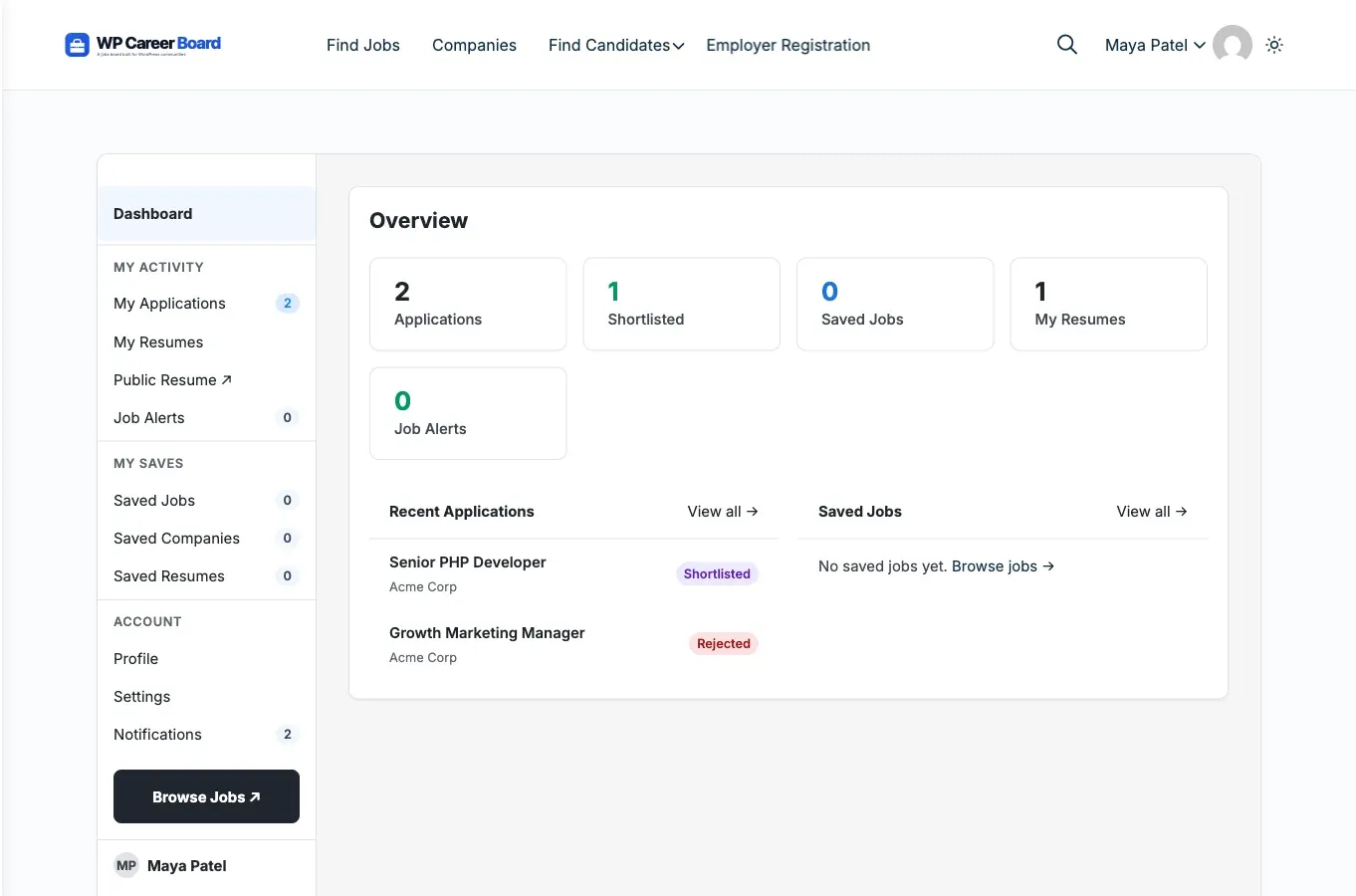
Section titled “Rejected jobs and Resubmit”Rejected job listings now show as “Rejected” (not “Draft”) in the employer dashboard, with a Resubmit action. Resubmitting sends the job back for admin approval instead of publishing it directly.
My Jobs and applications fixes
Section titled “My Jobs and applications fixes”- A newly posted job appears in My Jobs immediately, without a manual page reload.
- A job posted before you saved a company profile is adopted into My Jobs when the company is created.
- Saving a company from its profile page persists across reloads.
Email and notification quality
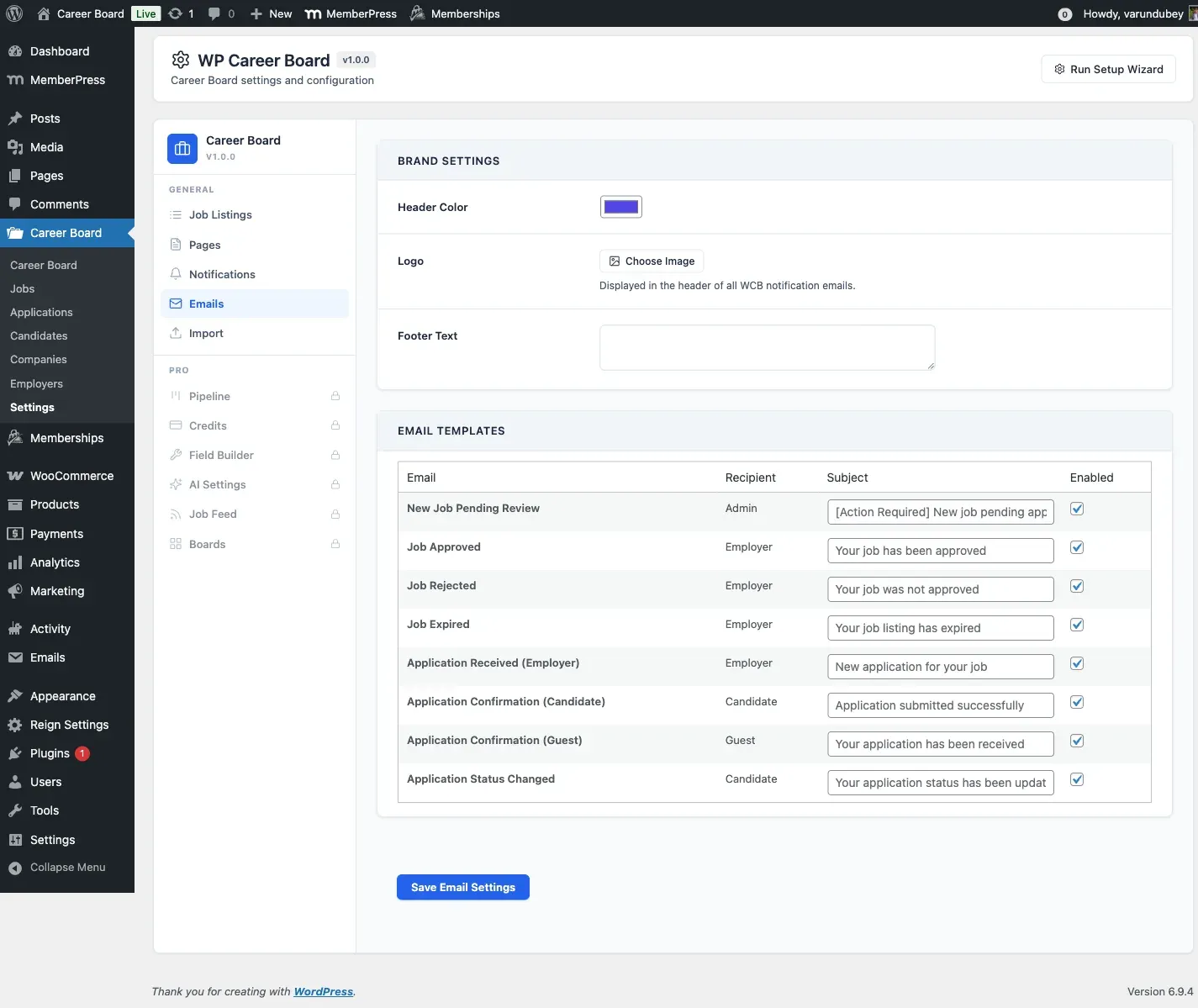
Section titled “Email and notification quality”The Test Send button on the Emails settings tab (Career Board -> Settings -> Emails) succeeds even when a template is toggled off, so admin previews no longer report a false “Failed”. Test sends are logged separately so they do not pollute production delivery metrics.
Upgrade notes
Section titled “Upgrade notes”- Lockstep: install Free 1.4.3 and Pro 1.4.3 together. The Pro dependency check refuses to load against an older Free.
- Versions: the
WCB_VERSIONandWCBP_VERSIONconstants both move to1.4.3. The stable tag inreadme.txtmatches. - No data migration is required for the 1.4.x updates.