

Vendor Analytics [PRO]
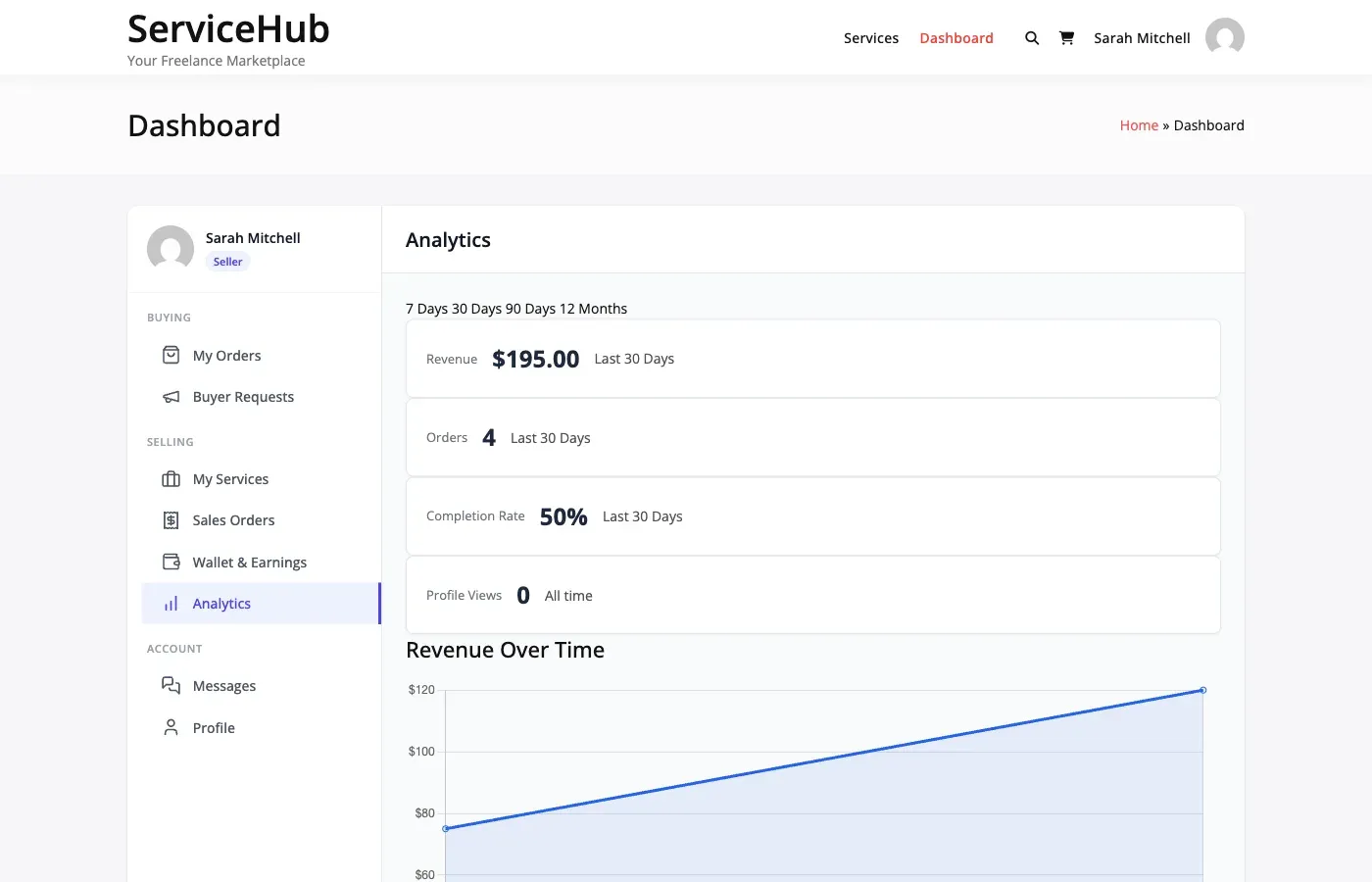
Vendors get their own analytics dashboard to track personal performance, earnings trends, and service statistics. Everything they need to grow their business on your marketplace.
Revenue Tracking
Section titled “Revenue Tracking”Vendors can see their earnings at a glance and drill down by time period:
| Period | Chart View |
|---|---|
| Day | Today’s earnings |
| Week | Daily breakdown for the past 7 days |
| Month | Daily breakdown for the past 30 days |
| Year | Monthly breakdown for the past 12 months |
| All time | Total lifetime earnings |
For each period, vendors see:
- Total revenue – Gross sales before commission
- Net earnings – What they take home after commission
- Platform fees – Commission paid to the marketplace
- Order count – Number of orders in the period
Order Performance
Section titled “Order Performance”The dashboard shows key order metrics:
- Total orders received (all time or filtered by period)
- Completed orders – Successfully delivered and accepted
- Active orders – Currently in progress
- Response rate – How often the vendor responds to buyer messages
- Active services – Number of published service listings
Top Performing Services
Section titled “Top Performing Services”Vendors see their top 5 services ranked by revenue, including:
- Service name
- Total views
- Number of orders
- Revenue generated
This helps vendors understand which services are driving their business and where to focus their efforts.
Average Order Value
Section titled “Average Order Value”The dashboard calculates the vendor’s average order value across completed orders. This is a useful metric for pricing strategy – vendors can see if their services are priced effectively.
Service Views and Conversion
Section titled “Service Views and Conversion”Each service tracks how many times it has been viewed and how many orders it has received. The conversion rate (orders divided by views) helps vendors understand which listings are most effective at turning browsers into buyers.
Response Rate
Section titled “Response Rate”The response rate shows what percentage of buyer messages the vendor has responded to. A high response rate builds trust and can influence the vendor’s seller level ranking.
Recent Activity Feed
Section titled “Recent Activity Feed”A timeline showing the vendor’s most recent events: new orders, completed orders, reviews received, and messages. Quick access to jump into any item that needs attention.
Data Export
Section titled “Data Export”Vendors can export their earnings data as a CSV file for accounting and tax purposes. The export includes order dates, service names, amounts, commission rates, and net earnings.
[PRO] PDF formatted reports are also available with the Pro version.
See Data Export for details.
What Is Included in the Free Version
Section titled “What Is Included in the Free Version”The free version provides basic stats: total orders, earnings totals, top services, and response rate. The full analytics dashboard with charts, trend lines, time period comparisons, and advanced metrics is a Pro feature.
Related Guides
Section titled “Related Guides”- Admin Analytics – Platform-wide analytics
- Data Export – Export reports and data