

Pin Quotas — Per User vs Per Admin
The plugin keeps two independent caps so member pins and admin pins never compete for the same budget. Both live in WB Plugins → Sticky Post → Permissions under Pinning Limits.
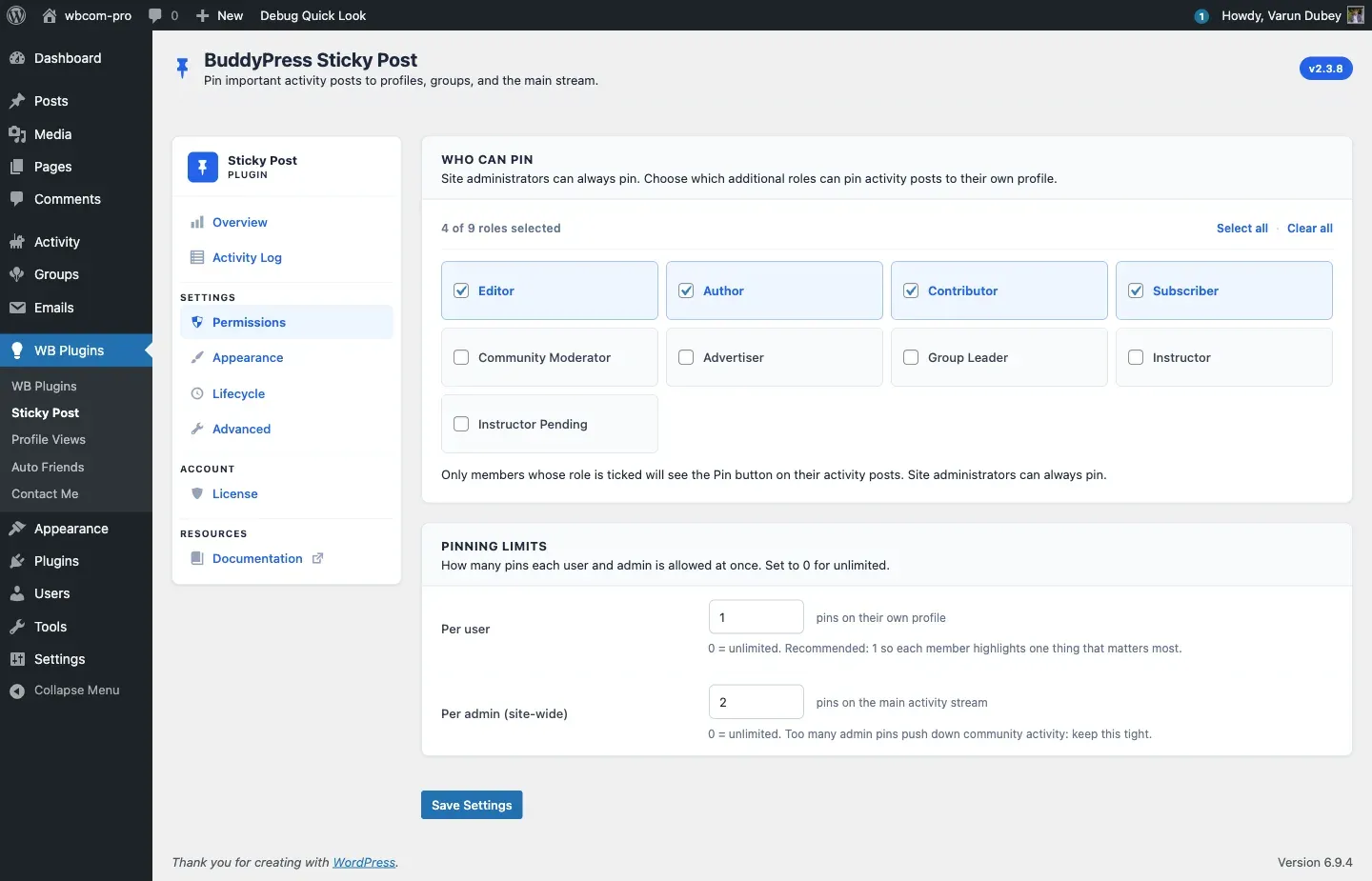
Per user (personal profile)
Section titled “Per user (personal profile)”| Field | Default | Range |
|---|---|---|
| Per user | 1 |
0–10 (0 = unlimited) |
Caps how many activities a single member can pin on their own profile activity tab at one time. Once they hit the cap, the Pin Post button still appears but the click returns “Failed to pin the activity. You may have reached your pin limit.”
Recommended: 1. Encourages members to highlight one thing that genuinely matters most.
Per admin (site-wide)
Section titled “Per admin (site-wide)”| Field | Default | Range |
|---|---|---|
| Per admin (site-wide) | 0 (unlimited) |
0–50 |
Caps how many sitewide pins can exist on the main /activity/ stream. Counted across all administrators — the cap is global, not per-admin.
Recommended: 2 or 3. Too many sitewide pins push down regular community activity and members start ignoring the ribbon entirely.
Where the cap is enforced
Section titled “Where the cap is enforced”Both quotas are enforced server-side in bpsp_check_pin_quota(). Three entry points share the same helper:
- Frontend pin button — the AJAX handler.
- REST API —
POST /buddypress/v1/activity/{id}/sticky(REST clients cannot bypass the limit). - WP-CLI —
wp bpsp pinreturns the same error.
A single helper means you only have to set the cap in one place — every channel respects it.
Bypasses
Section titled “Bypasses”These contexts skip the per-user cap inside their scope:
- Site administrators — always bypass both caps (they are subject to the per-admin cap when pinning sitewide, however).
- Group admins / moderators — bypass the per-user cap for pins inside their own group. Useful when a group leader needs to pin three or four threads without hitting the personal-pin ceiling.
- Personal pins by site admins — if an admin pins on a member’s profile, the pin counts against the member’s per-user cap, not the admin cap.
Editing the cap programmatically
Section titled “Editing the cap programmatically”$settings = get_option( 'bpsp_general_settings', array() );$settings['max_user_sticky_posts'] = 3; // Per user$settings['max_admin_sticky_posts'] = 2; // Per admin (sitewide)update_option( 'bpsp_general_settings', $settings );Related
Section titled “Related”- Permissions Tab — full UI walkthrough.
- Pin Scopes — which cap applies where.