

Import & Migration
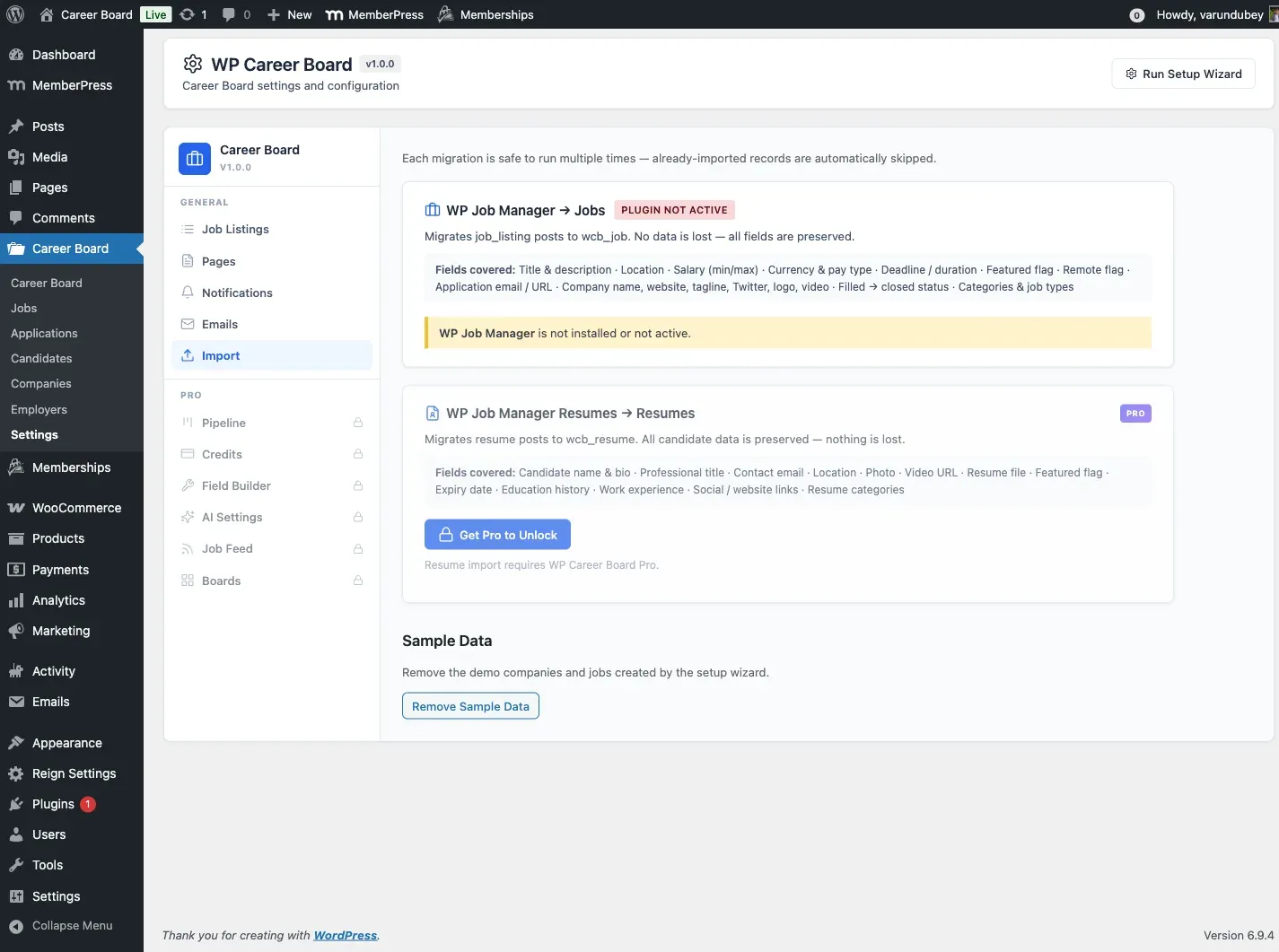
WP Career Board includes a built-in migration tool to import jobs and resumes from WP Job Manager. Access it from WP Career Board → Settings → Import.
Overview
Section titled “Overview”The importer reads data from WP Job Manager’s post types (job_listing, resume) and creates equivalent WCB records (wcb_job, wcb_resume). Your original WP Job Manager data is never modified or deleted.
The import uses REST API calls (POST /wcb/v1/import/run) batched in groups, with a live progress bar so large imports don’t time out.
Idempotent — Safe to Re-Run
Section titled “Idempotent — Safe to Re-Run”Every migration checks for an existing WCB record before importing. Records already imported are automatically skipped. You can run the import multiple times without creating duplicates.
Available Migrations
Section titled “Available Migrations”WP Job Manager → Jobs (Free)
Section titled “WP Job Manager → Jobs (Free)”Migrates job_listing posts to wcb_job. Available in the free plugin.
Fields migrated:
| WP Job Manager field | WCB equivalent |
|---|---|
| Title & description | Job title + post content |
_job_location |
_wcb_location + location taxonomy |
_job_salary |
_wcb_salary_min / _wcb_salary_max |
| Salary currency & pay type | _wcb_salary_currency / _wcb_salary_type |
_job_expires / _job_duration |
_wcb_deadline |
_featured |
_wcb_featured |
_remote_position |
_wcb_remote |
_application (email or URL) |
Preserved as application meta |
_company_name, _company_website, _company_tagline, _company_twitter, logo, video |
Company profile meta |
_filled → closed |
Post status mapped to Closed |
job_cat, job_type taxonomies |
wcb_category, wcb_job_type |
How to run:
- Go to WP Career Board → Settings → Import
- The card shows how many WP Job Manager jobs were found and how many are already imported
- Click Import All Jobs
- A progress bar shows batch-by-batch progress until complete
WP Job Manager does not need to remain active after the import is complete.
WP Job Manager Resumes → Resumes (Pro)
Section titled “WP Job Manager Resumes → Resumes (Pro)”Pro feature — Requires WP Career Board Pro.
Migrates resume posts to wcb_resume. Only available when WP Career Board Pro is active.
Fields migrated:
| WP Job Manager Resumes field | WCB equivalent |
|---|---|
| Candidate name & bio | Resume title + summary |
| Professional title | Resume headline |
| Contact email | Candidate email |
| Location | Resume location |
| Photo | Candidate avatar |
| Video URL | Resume video link |
| Resume file attachment | Attached file |
_featured |
Featured flag |
_resume_expires |
Expiry date |
| Education history | Education section entries |
| Work experience | Work Experience section entries |
| Social / website links | Links section entries |
resume_category |
Resume categories |
How to run:
- Go to WP Career Board → Settings → Import
- The WP Job Manager Resumes card is shown when Pro is active
- Click Import All Resumes
- Monitor the progress bar until complete
What Happens with Duplicates
Section titled “What Happens with Duplicates”Each import run checks whether a WCB record already exists for a given WP Job Manager post ID (tracked via the _wcb_migrated_from meta key). If it does, that record is skipped and counted as “already imported” — not re-imported or overwritten.
Progress Display
Section titled “Progress Display”The Import page shows live stats for each migration:
| Stat | Meaning |
|---|---|
| Found | Total records in WP Job Manager |
| Already imported | Records already migrated to WCB |
| Remaining | Records that will be processed on the next run |
After Importing
Section titled “After Importing”- Go to WP Career Board → Jobs to review imported jobs — check statuses and verify key fields
- Go to WP Career Board → Settings → Pages and confirm page assignments are correct
- Flush your permalink structure via Settings → Permalinks → Save Changes
- If WP Job Manager had categories or job types that don’t map cleanly, review them in WP Career Board → Job Categories and WP Career Board → Job Types
Limitations
Section titled “Limitations”- Custom fields added by WP Job Manager extensions are not automatically mapped — you will need to re-enter those manually
- Applications submitted in WP Job Manager are not migrated (no equivalent structure in the free plugin)
- The importer does not delete WP Job Manager data after migration — you can deactivate and delete WP Job Manager separately once you are satisfied with the results