

Credit System - Overview
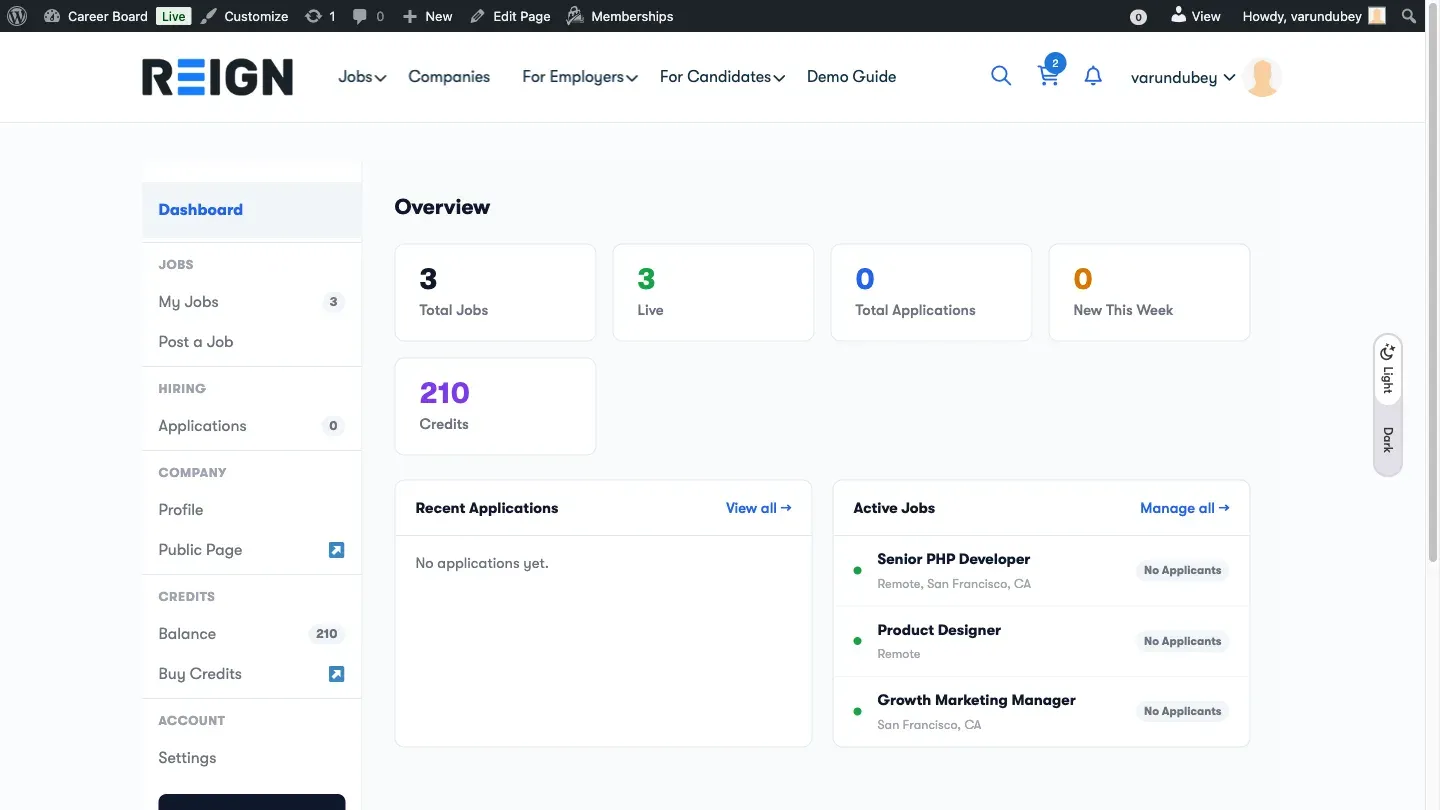
The Credit System lets you charge employers credits to post jobs on your board. You sell credit packages, employers buy credits, and credits are deducted when they post a job.
How It Works
Section titled “How It Works”- Admin sets prices - configure how many credits a job post costs (per-board) and what featured-upgrades cost. Posting is free by default; a board only charges credits once you give it a per-board cost (opt-in since 1.3.0).
- Admin maps a purchase channel - connect a WooCommerce product, PMPro level, MemberPress membership, or a direct Stripe/PayPal checkout to a credit amount.
- Employer buys credits - pays via the configured adapter (WooCommerce checkout, PMPro signup, or MemberPress membership) or a direct payment gateway (Stripe Checkout / PayPal). No single-processor lock-in.
- Credits are held on post - when the employer submits a job to a paid board, the required credits are held.
- Credits are deducted - when the job goes live (after approval), credits are deducted from the employer’s balance.
- Refund on rejection - if a job is rejected by the admin, held credits are released back to the employer.
Setup is a two-step pair {#purchase-url-and-mapping}
Section titled “Setup is a two-step pair {#purchase-url-and-mapping}”The Buy Credits button on the Credit Balance block only renders when both halves of the setup are in place at the same time:
- A Credits Purchase URL pointing at the WooCommerce product / PMPro level / MemberPress membership.
- At least one Credit Mapping entry mapping that purchase target to a positive credit amount.
If only one half is set - typically a Purchase URL with no mapping - an employer who completes the order would receive zero credits because the adapter has no record of what to top up. To prevent that, the Buy Credits button stays hidden until both halves match, and the Credits admin tab shows a yellow banner pointing at the missing half (1.2.0+):
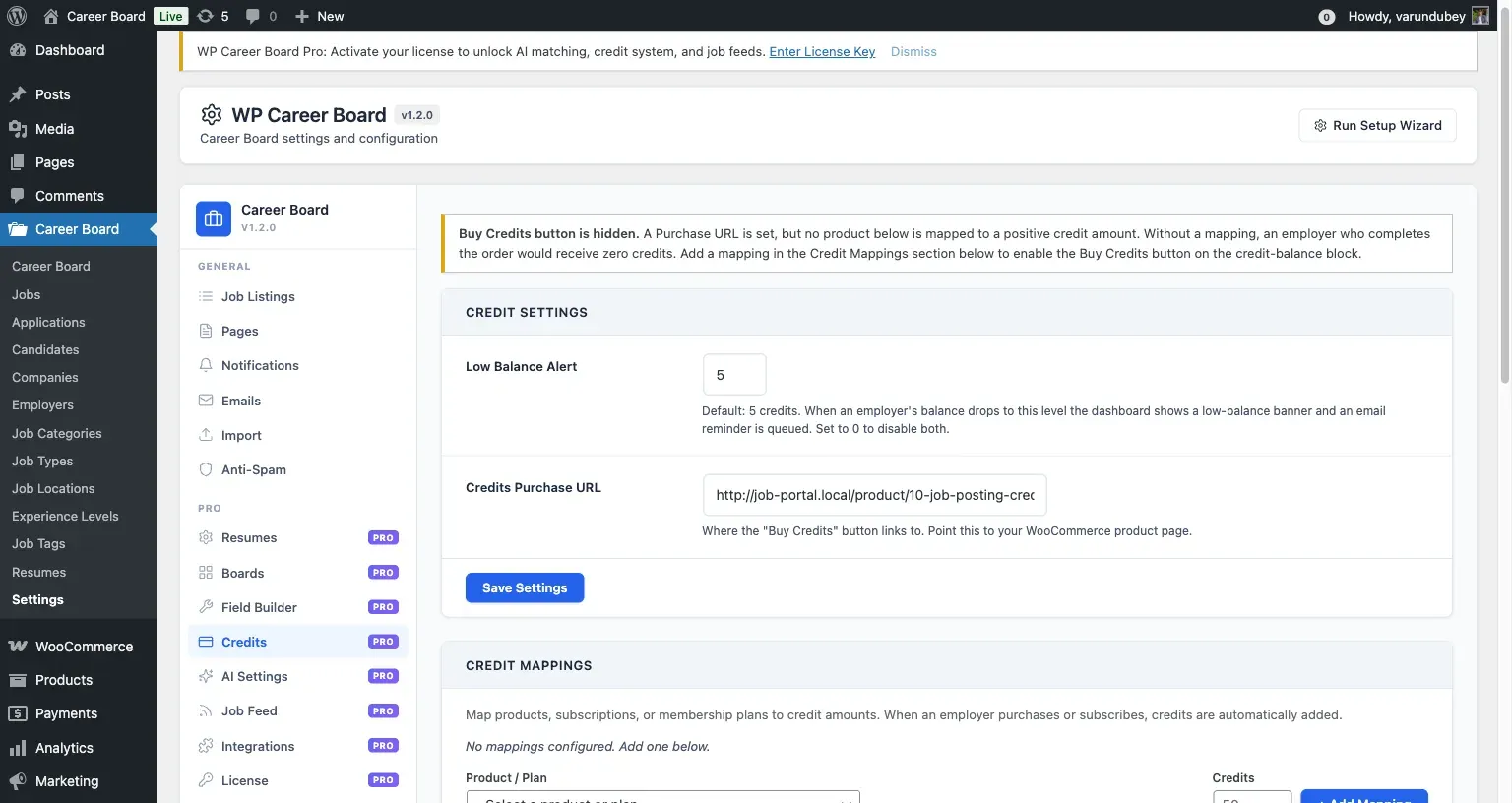
Add a mapping in the Credit Mappings section below the warning to unblock the button. Removing the Purchase URL clears the warning too (and hides the Buy Credits button entirely until the URL is set again).
Two consumers
Section titled “Two consumers”Pro registers two distinct credit consumers with the Credits SDK - each can charge different amounts for different actions:
| Consumer | What it covers | Cost source |
|---|---|---|
job_post |
Posting a new job to a paid board | Per-board credit cost setting (filtered through wcbp_consumer_cost) |
featured_upgrade |
Upgrading an existing job to Featured | wcbp_featured_upgrade_cost option (default 10), filtered through wcbp_consumer_cost |
Both consumers run their cost callback through the
tiered pricing matrix
so paid-membership levels can post for less (or for free). The
featured_upgrade consumer is wired to the
wcb_featured_upgrade_requested / _completed / _failed hooks - see
Featured-upgrade consumer for how to trigger
it.
Wbcom Credits SDK
Section titled “Wbcom Credits SDK”The credit system is built on the Wbcom Credits SDK - a shared library bundled inside WP Career Board Pro. The SDK provides the ledger, balance calculations, and adapter integrations. You do not need to install the SDK separately.
Credit Ledger
Section titled “Credit Ledger”Every credit transaction is logged in an append-only ledger. This means:
- You always have a full audit trail
- No credit entry is ever edited or deleted
- Balance is calculated as the sum of all transactions
Transaction types:
| Type | Effect |
|---|---|
| Top-up | Credits added (from a purchase) |
| Hold | Credits reserved (job submitted, awaiting approval) |
| Deduct | Credits consumed (job approved and live) |
| Refund | Credits returned (job rejected or cancelled) |
Employer Experience
Section titled “Employer Experience”Employers see their credit balance in the Employer Dashboard header. When they submit a job to a paid board and don’t have enough credits, the request is rejected before the job is created and they are prompted to buy credits - the purchase flow runs through whichever channel you’ve configured (a WooCommerce / membership product, or a direct Stripe / PayPal checkout).
The same balance + recent-history widget can be embedded on any page
using the [wcbp_credit_balance] shortcode or the Credit Balance
block (see Pro Blocks reference).
Free Job Posts
Section titled “Free Job Posts”Leaving a board’s credit cost at 0 (the default) keeps job posting free. The credit system stays installed but no credits are consumed, so employers don’t need to buy anything. Use this to run free posting with the infrastructure already in place to monetize later - just set a board cost when you’re ready.
Where to Next
Section titled “Where to Next”- Direct Payment Gateways - sell credits via Stripe or PayPal with no e-commerce plugin
- Credit packages & costs - map products to credits and set per-board posting costs
- Selling credits through WooCommerce - the adapter path
- Tiered pricing matrix - per-membership credit costs
- Featured-upgrade consumer - spend credits to upgrade existing jobs