

Activity Feed
Overview
Section titled “Overview”The activity feed shows a live stream of learning activity happening across your site. You can see enrollments, course completions, quiz submissions, assignment uploads, and more — all in one place, updated in real time.
Screenshots
Section titled “Screenshots”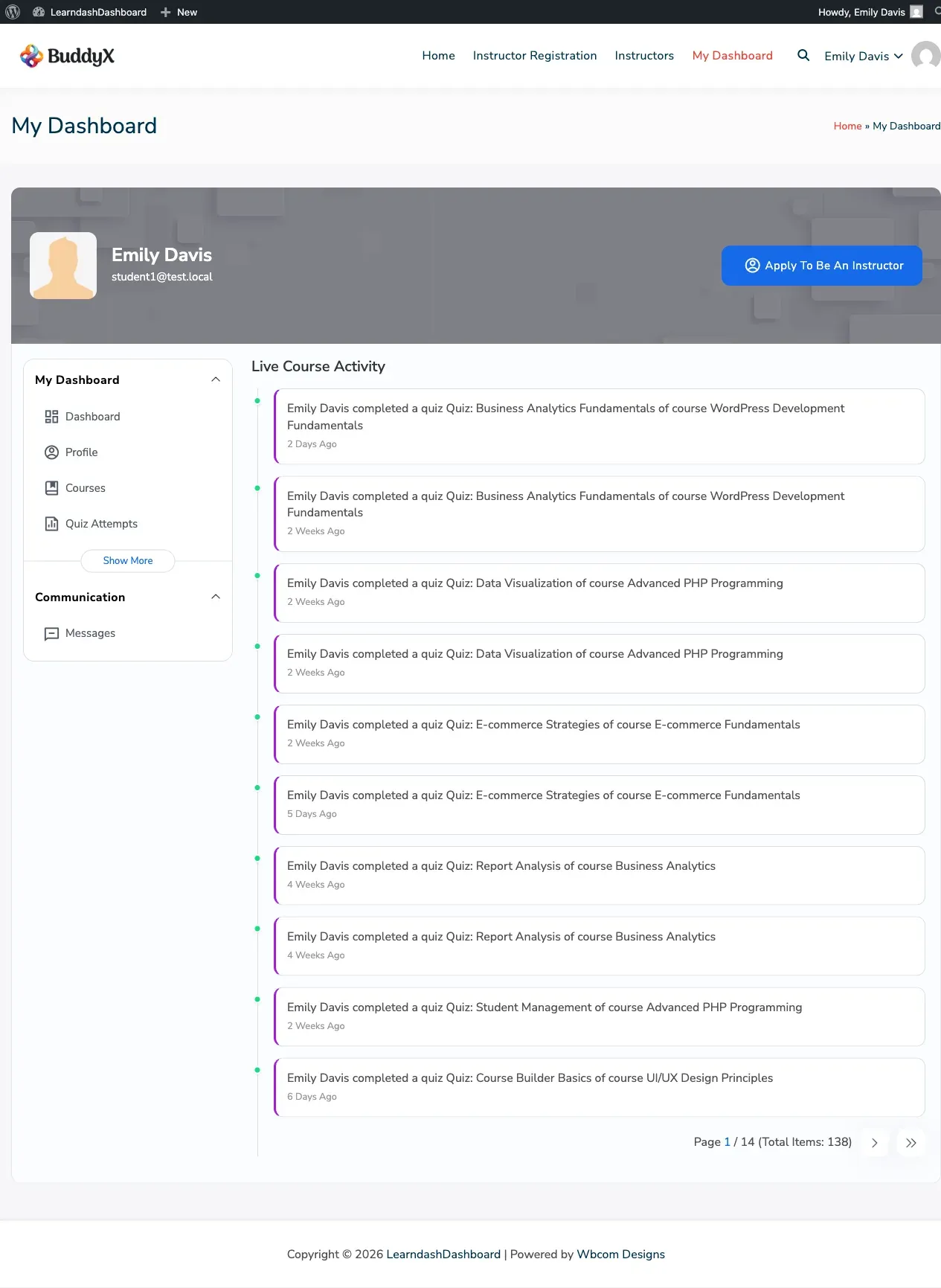
How to Access
Section titled “How to Access”Click Activity in your dashboard sidebar to open the activity feed.
What the Feed Shows
Section titled “What the Feed Shows”Each item in the feed includes the user’s photo, a description of what happened, and when it happened.
The feed tracks these types of events:
- A student enrolled in a course
- A student completed a course
- A student completed a lesson
- A student completed a topic
- A student submitted a quiz
- A student uploaded an assignment
- A student submitted an essay answer
What You See Depends on Your Role
Section titled “What You See Depends on Your Role”The feed automatically shows you relevant activity:
| Your Role | What You See |
|---|---|
| Administrator | All activity across the entire site |
| Instructor | Activity from students in your courses |
| Group Leader | Activity from students in your groups |
| Student | Your own activity only |
Loading More Activity
Section titled “Loading More Activity”The feed loads your most recent activity first. Scroll down and click Load More to see older entries.
The Live Feed Panel
Section titled “The Live Feed Panel”In addition to the dedicated Activity tab, there is also a live feed panel that floats alongside your dashboard on every tab. This lets you keep an eye on activity without navigating away from what you’re doing.
Administrators can turn the live feed panel on or off, and can disable it for specific roles.
Enabling and Disabling the Feed
Section titled “Enabling and Disabling the Feed”Turn Off the Live Feed for Everyone
Section titled “Turn Off the Live Feed for Everyone”- Go to WP Admin > LearnDash Dashboard > General Settings
- Find Dashboard Components
- Check Disable Live Feed
- Click Save Changes
Turn Off the Live Feed for Specific Roles
Section titled “Turn Off the Live Feed for Specific Roles”- Go to WP Admin > LearnDash Dashboard > General Settings
- Find Disable Live Feed for Roles
- Select the roles that should not see the live feed panel
- Click Save Changes
Users who have the live feed disabled still see their dashboard normally — they just won’t see the live feed panel on the side.