

Resolving Disputes (Admin Guide)
As a marketplace admin, you are the neutral mediator when buyers and vendors cannot agree. This guide walks you through how to investigate, decide, and resolve disputes fairly.
Your Role
Section titled “Your Role”When a dispute is opened, it lands on your desk. Your job is to:
- Review the evidence from both sides.
- Investigate the order history and communication.
- Make a fair, well-reasoned decision.
- Apply the resolution (refund, payment release, etc.).
- Communicate the outcome clearly to both parties.
Stay impartial. Base every decision on evidence, not assumptions. Apply your marketplace policies consistently.
Accessing Disputes
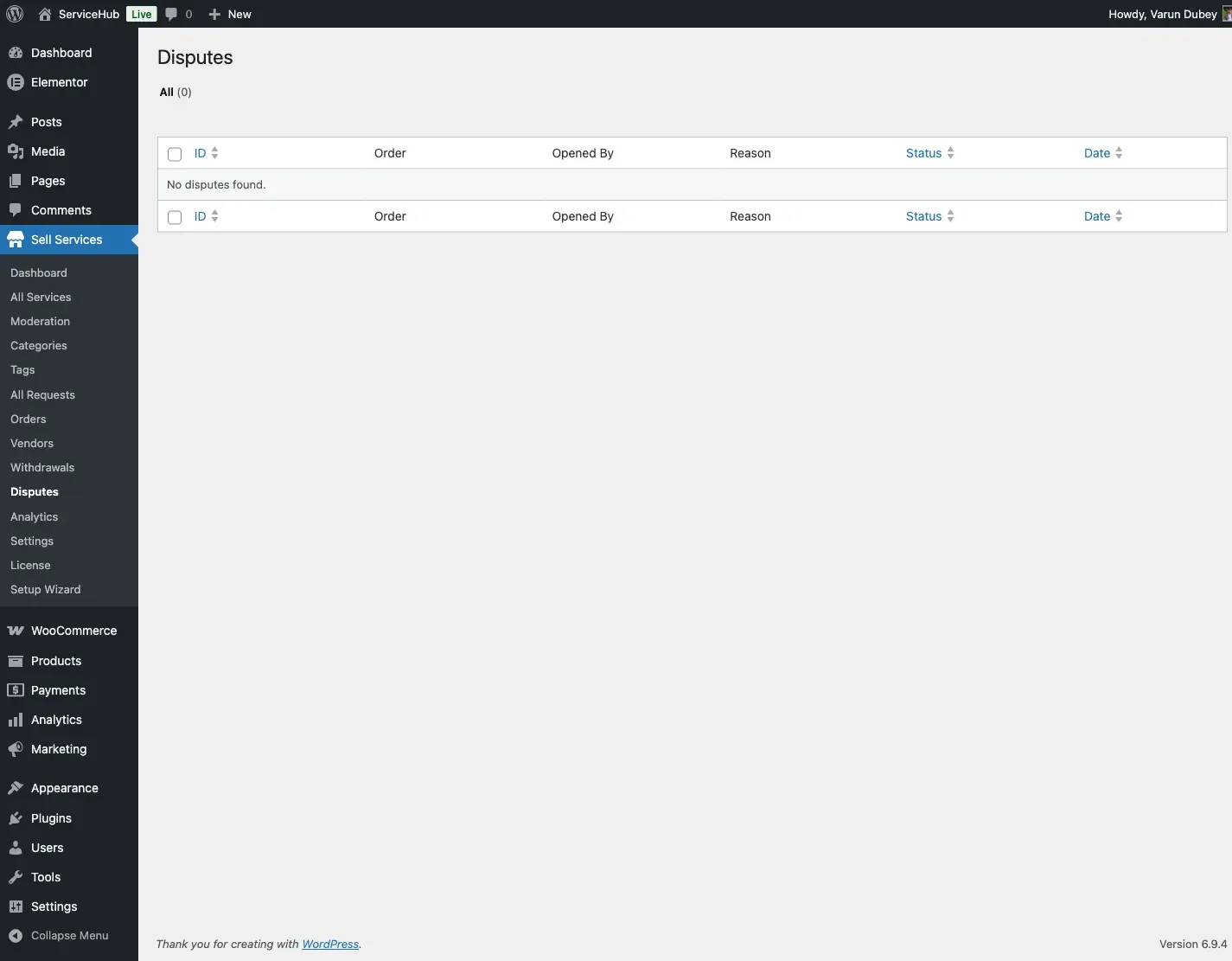
Section titled “Accessing Disputes”Go to Sell Services > Disputes to see all disputes on your marketplace. The list shows each dispute’s status, order reference, the parties involved, and the date it was opened.
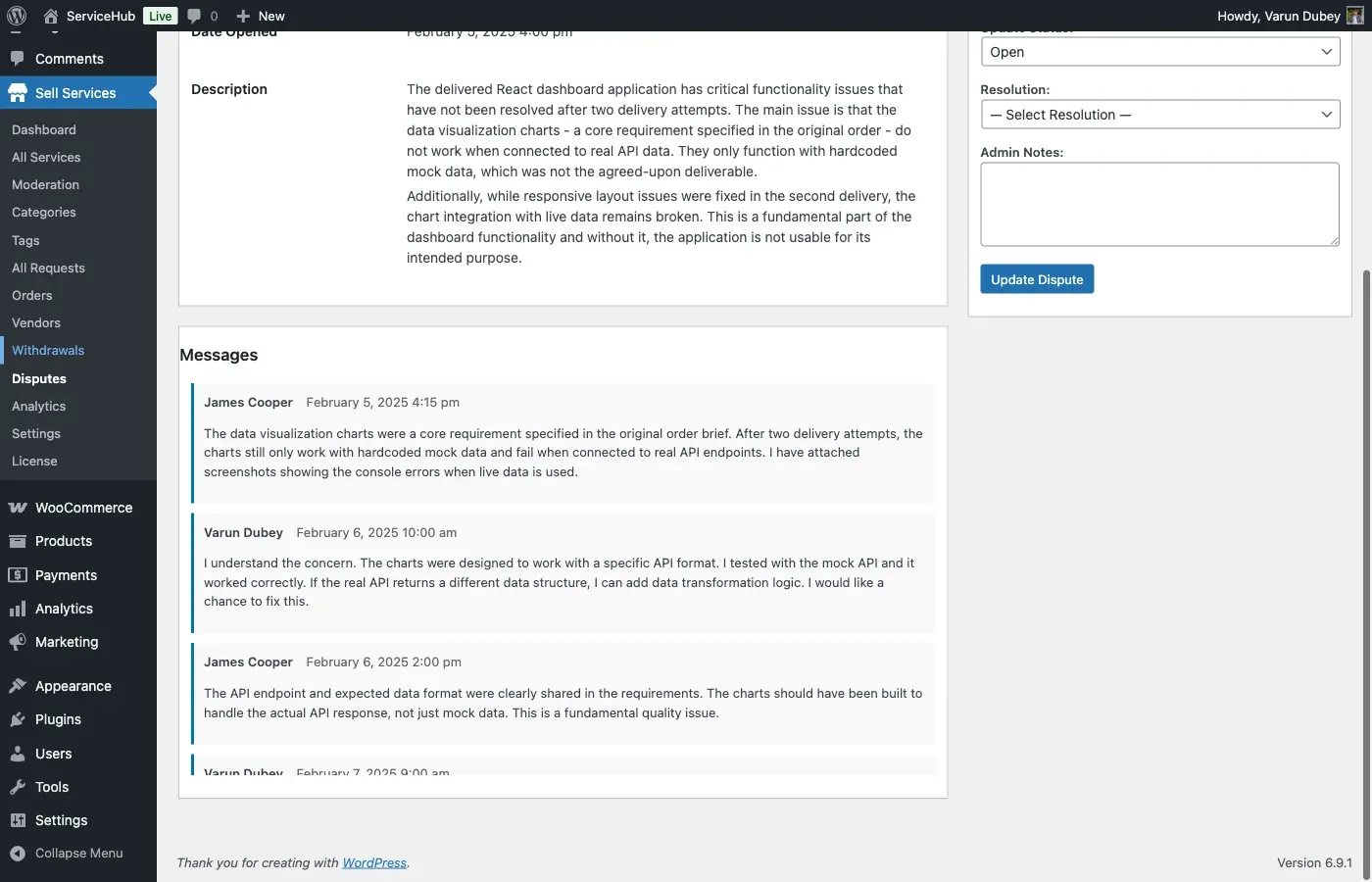
Click any dispute to view the full details: the reason, description, all submitted evidence, the message thread, and the complete order history.
The Investigation Process
Section titled “The Investigation Process”Step 1: Read the Order Details
Section titled “Step 1: Read the Order Details”Understand what was purchased. Check the service description, the package the buyer chose, and the price paid.
Step 2: Review the Requirements
Section titled “Step 2: Review the Requirements”Look at what the buyer submitted as project requirements. This is the agreed-upon scope of work.
Step 3: Examine the Deliverables
Section titled “Step 3: Examine the Deliverables”Download and review what the vendor actually delivered. Compare it against the requirements and service description.
Step 4: Read the Messages
Section titled “Step 4: Read the Messages”Go through the full conversation between buyer and vendor. Look for evidence of communication attempts, revision requests, and any agreements or promises made.
Step 5: Evaluate the Evidence
Section titled “Step 5: Evaluate the Evidence”Review all evidence both parties have submitted. Consider:
- Is the evidence relevant to the claim?
- Does the timeline add up?
- Is the evidence consistent with other facts in the order?
- Which party has the stronger case?
The Five Resolution Types
Section titled “The Five Resolution Types”When you are ready to resolve the dispute, choose one of these outcomes:
Full Refund
Section titled “Full Refund”The buyer receives their full payment back. The vendor gets nothing.
Use when:
- The vendor never delivered.
- The delivered work is completely unusable.
- The vendor seriously violated the service terms.
- The work is so far from what was described that it has no value.
Order status becomes: Refunded
Partial Refund
Section titled “Partial Refund”The buyer gets back a portion of the payment, and the vendor keeps the rest.
Use when:
- Some work was completed but it is incomplete.
- The quality is below what was promised but the work is partially usable.
- Both parties share some fault.
- A compromise is the fairest outcome.
Order status becomes: Partially Refunded
Complete Order (Favor Vendor)
Section titled “Complete Order (Favor Vendor)”No refund is issued. The vendor receives the full payment.
Use when:
- The vendor met all requirements.
- The buyer’s complaint is unreasonable or outside the original scope.
- The delivered work matches the service description.
- The evidence clearly supports the vendor.
Order status becomes: Completed
In Favor of Buyer
Section titled “In Favor of Buyer”The buyer receives their full payment back and the resolution explicitly sides with the buyer. Similar to a full refund, but the decision is recorded as a buyer-favored outcome for vendor tracking purposes.
Use when:
- The evidence clearly supports the buyer’s claim.
- The vendor failed to meet obligations despite clear requirements.
- You want the resolution to count toward the vendor’s dispute record as a buyer-favored decision.
Order status becomes: Refunded
Mutual Agreement
Section titled “Mutual Agreement”Both parties have negotiated a solution that works for them. You formalize and enforce whatever they agreed to.
Use when:
- The buyer and vendor have already worked out a compromise.
- A custom arrangement fits better than the standard resolution types.
- Neither full refund nor full payment is appropriate.
Order status becomes: Completed (or Refunded, depending on the agreement)
How to Resolve a Dispute
Section titled “How to Resolve a Dispute”- Open the dispute from Sell Services > Disputes.
- Complete your investigation (steps above).
- Choose a resolution type.
- Write clear resolution notes explaining your reasoning.
- If a refund is involved, specify the amount.
- Submit the resolution.
Both parties are notified of the outcome by email.
Important: For refunds, you may also need to process the actual payment refund through your payment gateway (WooCommerce, Stripe, PayPal, etc.) separately. The dispute resolution updates the order status and records, but the money transfer may require manual action depending on your setup.
Writing Good Resolution Notes
Section titled “Writing Good Resolution Notes”Your resolution notes should explain your reasoning so both parties understand the decision. Here is an example:
After reviewing the evidence, I am issuing a 50% partial refund.
The logo design delivered matches the service description. However, the source files promised in the Premium package were not provided, and the delivery was 3 days late. The vendor completed 2 of 3 included revisions.
Resolution: Buyer receives $50 refund (50%). Vendor receives $50 (50%). Order marked as completed.
Compare that with a poor note like “50% refund seems fair” – which tells neither party anything useful.
Managing Dispute Status
Section titled “Managing Dispute Status”As you work through a dispute, you can update its status:
| Status | When to Use |
|---|---|
| Open | Just submitted, waiting for the other party to respond |
| Pending Review | Both sides have had their say, you are investigating |
| Escalated | Complex case requiring deeper investigation |
| Resolved | You have made your decision |
| Closed | Everything is finalized |
Add a note each time you change the status to keep a clear paper trail.
Impact on Vendors
Section titled “Impact on Vendors”A vendor’s dispute history is tracked. Here is how dispute volume typically plays out:
- 1-2 disputes – Normal. Most come from misunderstandings.
- 3-5 disputes – Worth monitoring. Consider reaching out to the vendor about patterns.
- 5-10 disputes – Formal account review recommended.
- 10+ disputes – Suspension should be considered.
Multiple disputes that result in buyer-favored resolutions are a strong signal that a vendor may need coaching or removal.
Tips for Fair Mediation
Section titled “Tips for Fair Mediation”- Review all evidence before deciding. Do not rush to judgment.
- Stay neutral. No favorites, no bias.
- Document everything. Clear resolution notes protect you and your marketplace.
- Be consistent. Apply the same standards to every dispute.
- Communicate clearly. Both parties should understand exactly what happened and why.
- Respond in a timely manner. Aim to resolve disputes within 7-14 days. Letting them linger frustrates everyone.