

Animated Backgrounds Settings
Animated Backgrounds Settings
Section titled “Animated Backgrounds Settings”Go to WP Admin → BuddyPress Quotes → Animated to manage animated backgrounds.
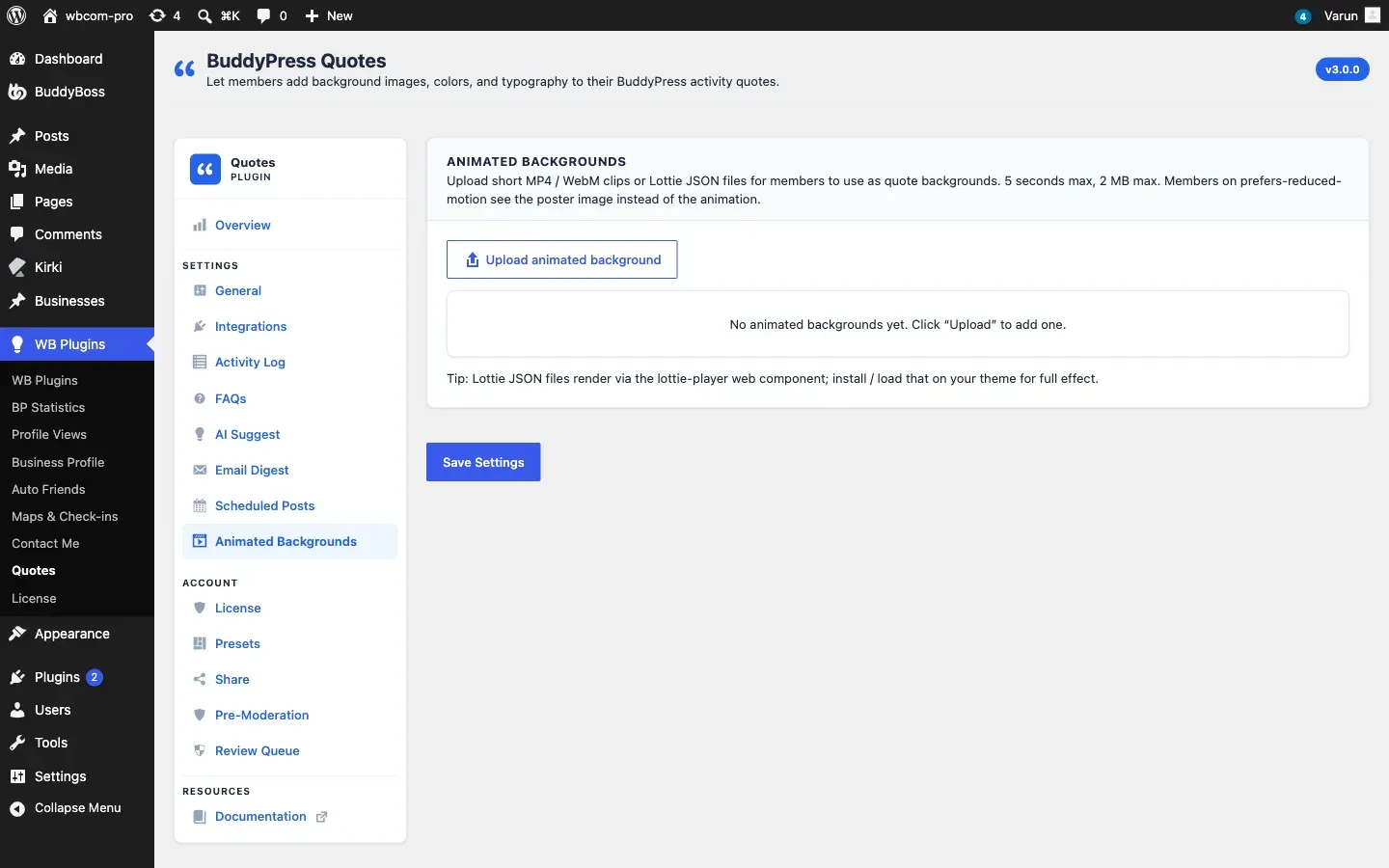
Supported Formats
Section titled “Supported Formats”| Format | Notes |
|---|---|
| MP4 | H.264 video; best browser support |
| WebM | VP8/VP9 video; smaller file size for the same quality |
| Lottie JSON | Vector animation from Lottie/After Effects; crisp at any resolution and very small file size |
You can upload both an MP4 and a WebM for the same background entry. The browser automatically picks the best format it supports.
Adding an Animated Background
Section titled “Adding an Animated Background”- Click Add Animated Background.
- A new card appears. Fill in the fields:
| Field | Purpose | Notes |
|---|---|---|
| Name | Label shown in the picker | Required |
| MP4 file | Upload or select from media library | Optional if WebM or Lottie is provided |
| WebM file | Upload or select from media library | Optional if MP4 or Lottie is provided |
| Lottie JSON | Upload or select from media library | Optional; takes priority over video when present |
| Poster image | Static fallback frame | Shown when animation is paused or cannot play; also used as the PNG render source |
| Text color | Text color override | Leave blank to auto-detect from the poster image |
| Tags | Comma-separated search keywords | |
| Category | Category tab assignment |
- Click Save Settings.
File Size Recommendations
Section titled “File Size Recommendations”- MP4 / WebM: Aim for under 2 MB per file. Large video files delay the picker and consume bandwidth per member page-load.
- Loop duration: 4–8 seconds works well for quote backgrounds. Shorter loops avoid distracting members from reading the text.
- Lottie JSON: Usually well under 100 KB and the preferred format when you have the source animation.
Reduced-Motion Behavior
Section titled “Reduced-Motion Behavior”Members who have enabled Reduce Motion in their operating-system accessibility settings receive a static experience instead of the animation. The plugin detects the prefers-reduced-motion: reduce media query and:
- Pauses the video or Lottie animation.
- Shows the poster image (the static fallback frame you uploaded) instead.
This means every animated background entry should have a poster image. If no poster is set, the member sees a blank frame when motion is reduced.
Animated Backgrounds in Exported PNGs
Section titled “Animated Backgrounds in Exported PNGs”When a member exports or shares a quote that uses an animated background, the PNG renderer uses the poster image as the background source. The exported image is always static — the animation cannot be captured in a PNG.