

Profile Media Tab
Included in Free - MediaVerse is the most complete media solution for BuddyPress communities. Integration is optional - the plugin works standalone on any WordPress site, but when BuddyPress is active, it unlocks profile tabs, group media, activity stream, and notifications automatically.
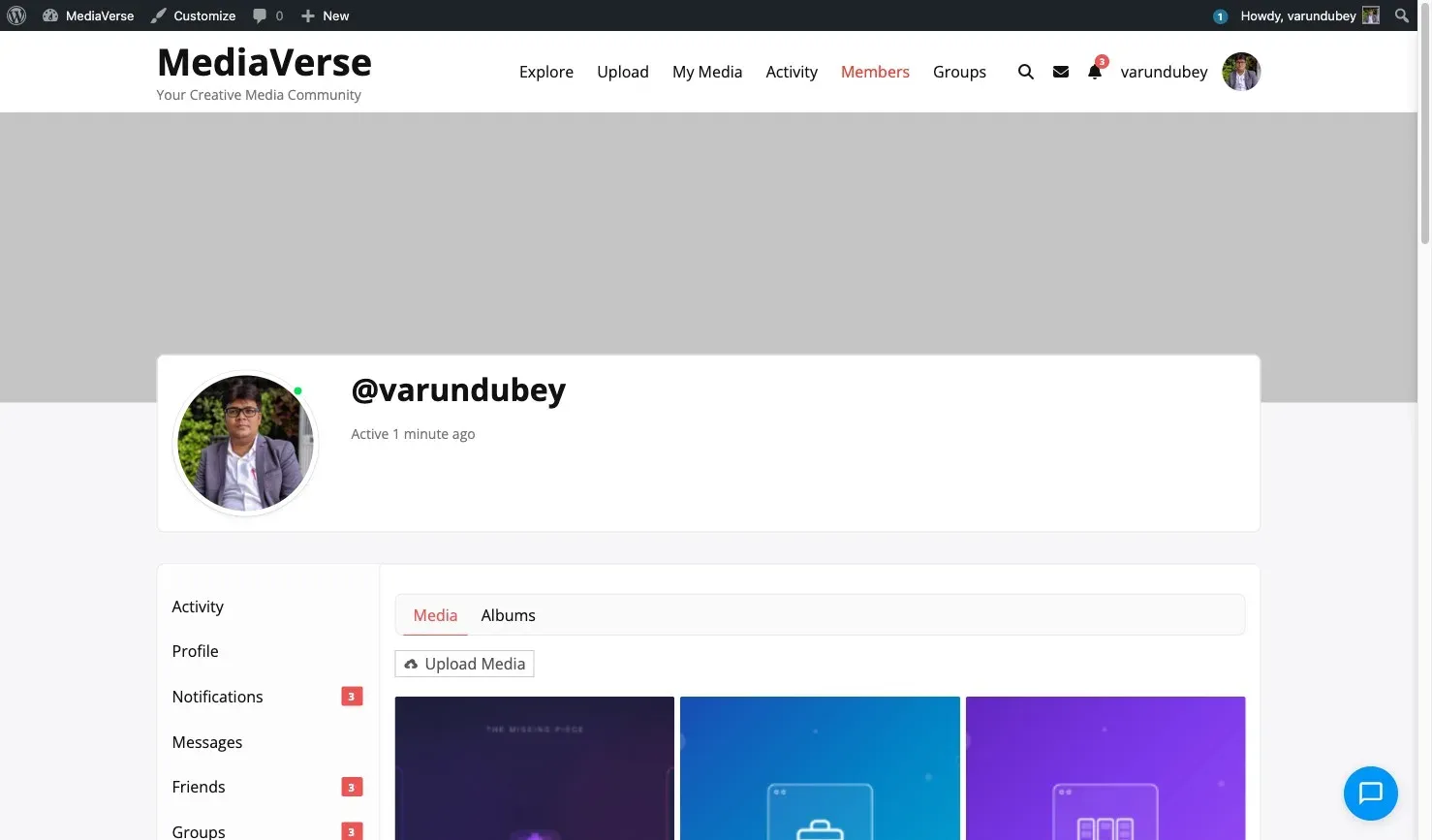
When BuddyPress is active, MediaVerse adds a Media tab to every user’s BuddyPress profile page.
Tab Location
Section titled “Tab Location”The tab appears in the main BuddyPress profile navigation at:
/members/{username}/media/It is added via bp_setup_nav at priority 100.
What the Tab Shows
Section titled “What the Tab Shows”The Media tab displays the profile owner’s published media items in a paginated grid. Privacy filtering applies:
- Visitors see only the profile owner’s public media.
- Logged-in users see public and members-only media.
- BuddyPress friends see public, members-only, and friends media.
- The profile owner sees all their own media.
- Moderators (
moderate_mvs_media) see all media.
Sub-tabs
Section titled “Sub-tabs”As of 2.4.0 the profile Media tab has three sub-tabs:
| Sub-tab | URL |
|---|---|
| Media | /members/{username}/media/ |
| Albums | /members/{username}/media/albums/ |
| Documents | /members/{username}/media/documents/ |
Documents sub-tab
Section titled “Documents sub-tab”The Documents sub-tab lists the profile owner’s documents, filtered by what the viewer is allowed to see:
- The profile owner sees all of their own documents.
- A logged-in member sees members-level and public documents, plus anything shared directly with them.
- A logged-out visitor sees only public documents.
Free registers the sub-tab and emits the filter mvs_profile_documents_html( string $html, int $owner_id, int $viewer_id ); MediaVerse Pro answers it (Documents/ProfileDocuments.php) with the privacy-filtered document list. It works on both BuddyPress and BuddyBoss (BuddyPress-compatible). This is BuddyPress-only - there is no standalone /author Documents tab.
Profile URL Pattern
Section titled “Profile URL Pattern”MediaVerse also registers a standalone media profile URL:
/media/@{username}//media/@{username}/page/2/These URLs are handled by the TemplateLoader and use the explore.php template, filtered to the specific user.
User Profile Edit Page
Section titled “User Profile Edit Page”Logged-in users can edit their avatar and profile details at:
/media/edit-profile/Or use the [mvs_profile_edit] shortcode on any page.
Disabling the Profile Tab
Section titled “Disabling the Profile Tab”To remove the profile tab without disabling the entire integration:
remove_action( 'bp_setup_nav', array( $integration, 'add_profile_tab' ), 100 );Since $integration is not easily accessible externally, the cleaner approach is to use the tab’s existence to skip rendering:
add_action( 'bp_setup_nav', function() { // Remove the MediaVerse media nav item from BP. bp_core_remove_nav_item( 'media' );}, 200 );