

Appearance Tab
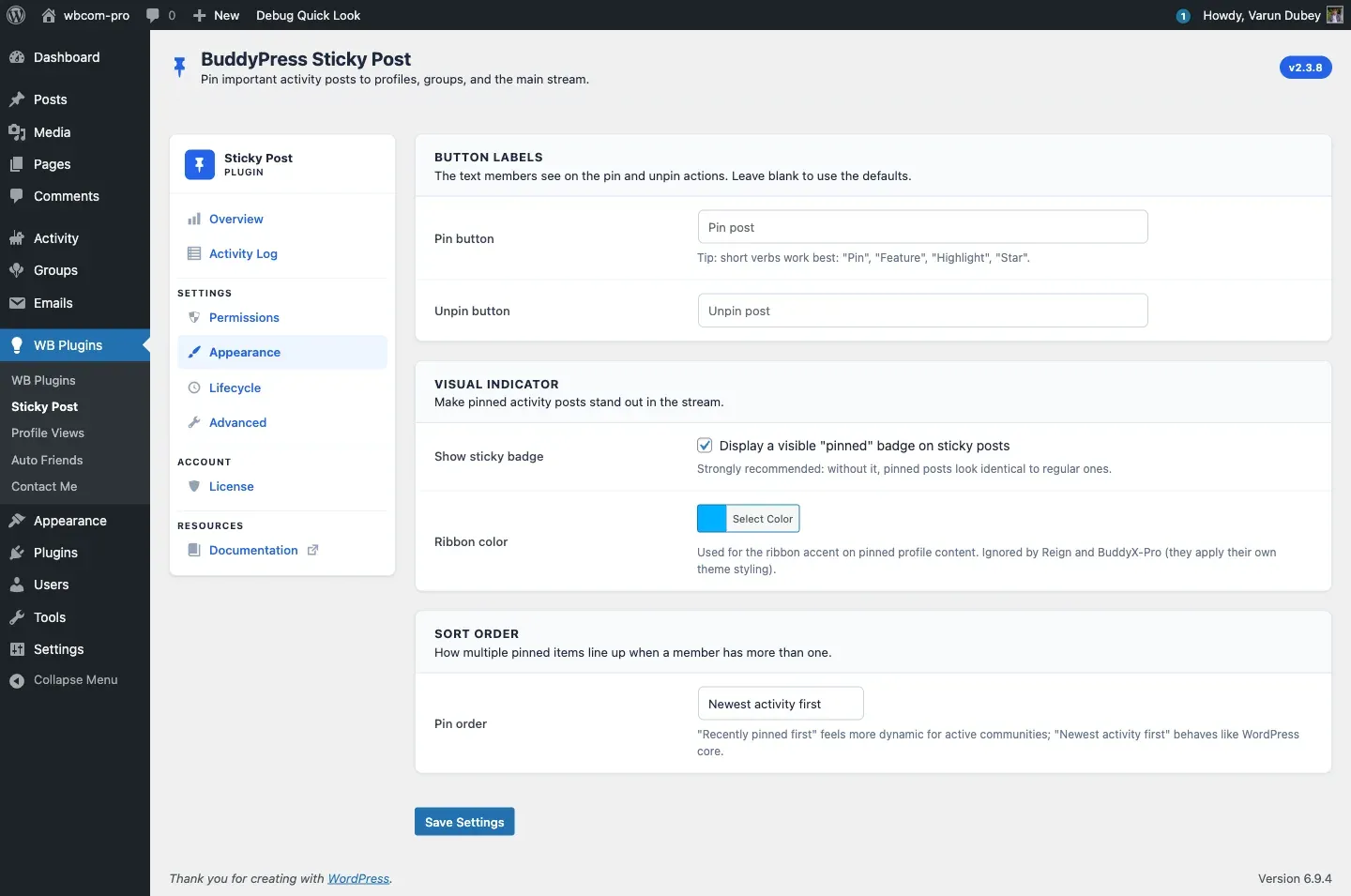
Three cards — Button Labels, Visual Indicator, Sort Order. This is where you tune the front-end look of the pin feature.
Button Labels
Section titled “Button Labels”Two text inputs for the call-to-action strings members see in the activity meta.
| Field | Default placeholder | Stored as |
|---|---|---|
| Pin button | Pin post |
pin_post_lbl |
| Unpin button | Unpin post |
unpin_post_lbl |
Leave either blank to use the default. Short verbs work best — Pin, Feature, Highlight, Star — because the label sits inside a small action row.
Visual Indicator
Section titled “Visual Indicator”| Setting | Default | Stored as |
|---|---|---|
| Show sticky badge — Display a visible “pinned” badge on sticky posts | On | show_sticky_badge |
Ribbon color — colour picker, default #00b0ff |
#00b0ff |
pin_rebbon_color |
The badge is the corner ribbon you see on a pinned activity card. Strongly recommended ON — without it, pinned posts look identical to regular ones and members do not register why they are at the top.
The ribbon color is ignored by Reign and BuddyX-Pro themes — both apply their own theme styling to the pinned ribbon. Other themes honour the picker.
Sort Order
Section titled “Sort Order”A single dropdown controls how multiple pinned items line up when more than one exists in the same scope.
| Option | Behavior |
|---|---|
Newest activity first (date_desc, default) |
Sorts by date_recorded of the activity itself. Behaves like core WordPress sticky posts. |
Most recently pinned first (pin_date_desc) |
Sorts by pinned_date in {prefix}bpsp_sticky_posts. Recently pinned items always rise to the top. |
Choose Most recently pinned first if your community uses pins as “current focus” markers; choose Newest activity first if pins are used as a long-tail “important content” archive.
How saves work
Section titled “How saves work”The form posts to options.php, sanitized through BPSP_Admin::sanitize_settings(). A hidden bpsp_tab_rendered_keys[] sentinel for show_sticky_badge ensures unchecking the badge actually persists as “off” rather than falling back to the previous value.
Related
Section titled “Related”- Permissions Tab — pick who can pin.
- Pin Activities — how the labels appear on the front end.