

Resume Builder - Overview
The Resume Builder lets candidates create structured, multi-section resumes directly on your WordPress site - no PDF uploads, no external tools.
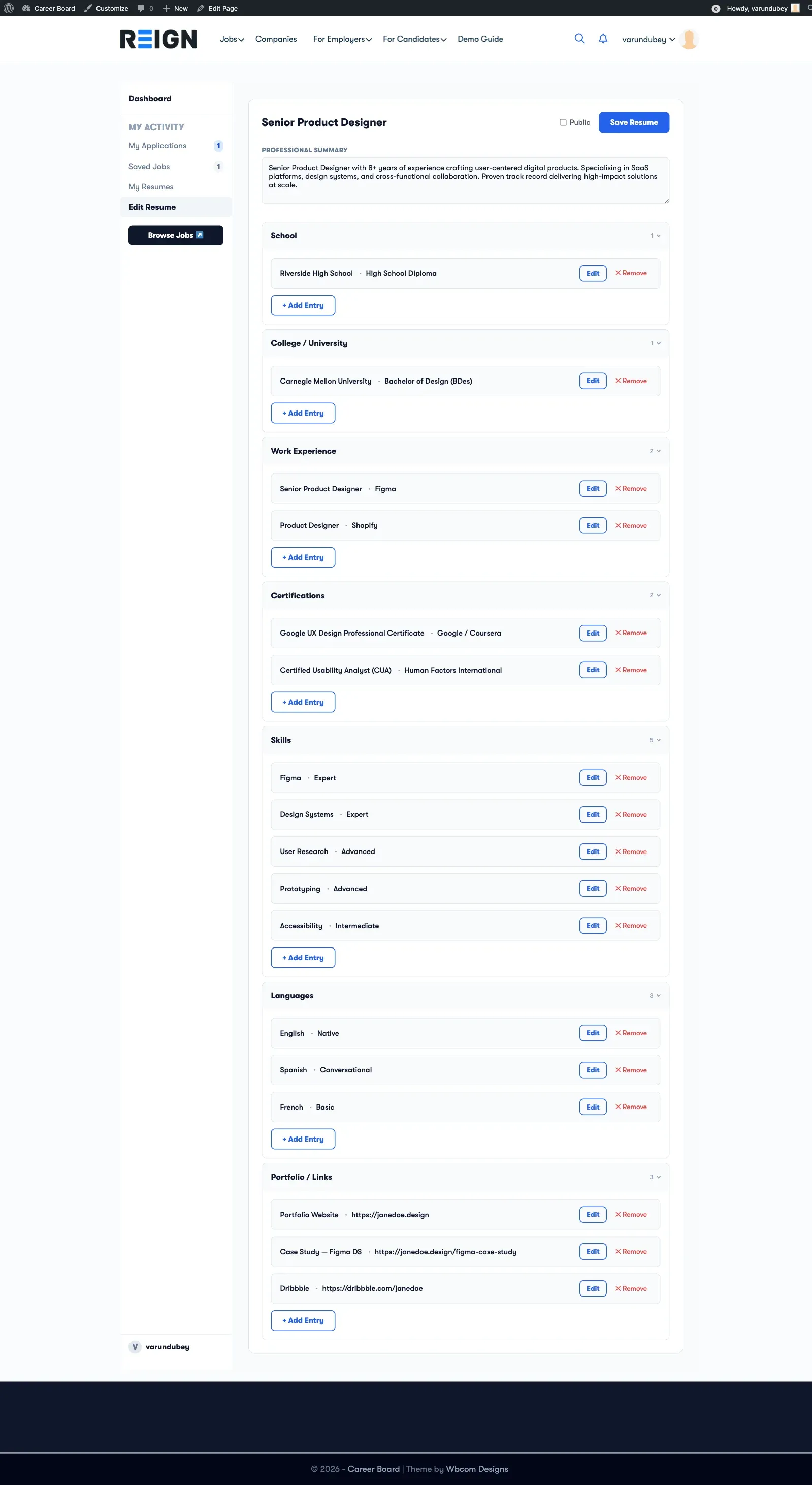
What Candidates Can Build
Section titled “What Candidates Can Build”A resume in WP Career Board Pro is made up of sections. Each section holds structured entries:
| Section | What it stores |
|---|---|
| Professional Summary | A free-text overview paragraph |
| Work Experience | Job title, company, employment type, location, dates, current role flag, description, skills used |
| School Education | School name, certificate, field of study, dates, grade, description |
| College / University | Institution, degree type, field of study, dates, GPA, description, achievements |
| Skills | Skill name and optional proficiency level |
| Languages | Language name and proficiency |
| Certifications | Certificate name, issuing body, issue date, expiry date, credential ID and URL |
| Portfolio / Links | Label (e.g., “GitHub”) and URL |
Candidates can expand, collapse, and reorder entries within each section.
How Resumes Connect to Applications
Section titled “How Resumes Connect to Applications”When a candidate applies for a job, they can select one of their saved resumes to attach to the application. The employer sees the full structured resume - not just a PDF attachment.
Multiple Resumes
Section titled “Multiple Resumes”Candidates can create more than one resume (e.g., one for software roles, one for design roles). The dashboard shows all resumes with their last-updated date.
Candidates can create up to the configured maximum (default 2, set under WP Career Board → Settings → Resumes → Max Resumes Per Candidate, range 1-20). When a limit is in effect the dashboard shows a usage indicator (for example “2/2 resumes used”).
Resume Visibility
Section titled “Resume Visibility”Each resume is private by default - only the candidate and employers who receive an application can view it. Every resume carries a Public toggle in the builder header. Switching it on publishes the resume profile at a public /resume/{slug}/ URL and lists it in the candidate directory (the Find Candidates / Find Resumes archive built from the wcb/resume-archive block).
Site owners control directory and profile exposure under WP Career Board → Settings → Resumes:
- Public resume profiles - master switch that makes resume profiles viewable at
/resume/{slug}/. - Candidate directory visibility - “Public - anyone can browse” or “Logged-in members only”.
- Single resume visibility - “Public - anyone can view” or “Logged-in members only”.
The candidate’s per-resume Public toggle and the site owner’s visibility settings combine: a resume only appears in the directory when the candidate marks it public AND the site owner allows the chosen audience to see it.