

Visitor Journey
You’re a real person who needs to find a real business - a restaurant for tonight, a plumber for tomorrow, a venue for next month. You don’t care about the plugin. You just want answers, fast. This is what Listora gives you out of the box.
Who this is for
Section titled “Who this is for”- Tonight diner looking for “Italian near me, open now, takes reservations”
- Urgent buyer needing a plumber / electrician / mobile vet today
- Researcher comparing 3 venues for an event
- Tourist browsing for things to do in a new city
- Subscriber wanting to be notified when a new listing matches their criteria (Pro)
Stage 1 - Land on the directory (~10 seconds)
Section titled “Stage 1 - Land on the directory (~10 seconds)”What you expect: see relevant listings immediately, no signup wall, no popup, no confusion.
What you experience:
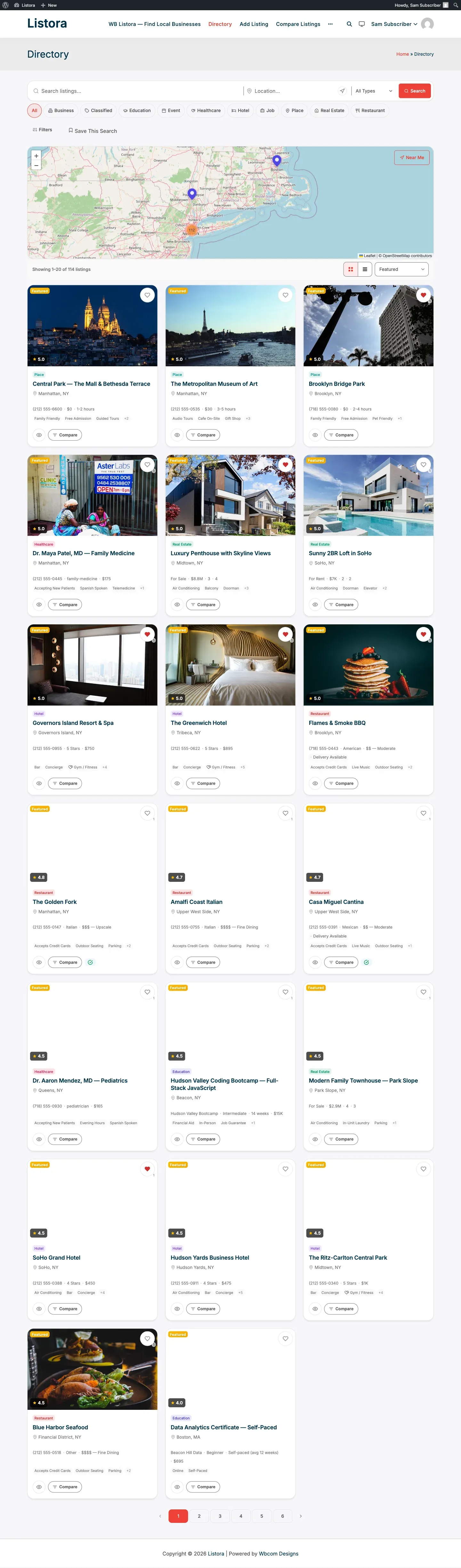
- Land on the homepage or
/listings/. - Above the fold: search bar with autocomplete + popular categories + featured listings.
- Below: a grid of recent or top-rated listings.
- No login required. Browse anonymously as long as you want.
Stage 2 - Search & filter (~30 seconds)
Section titled “Stage 2 - Search & filter (~30 seconds)”What you expect: type, narrow down, get answers.
What you experience:
| You want… | You do… |
|---|---|
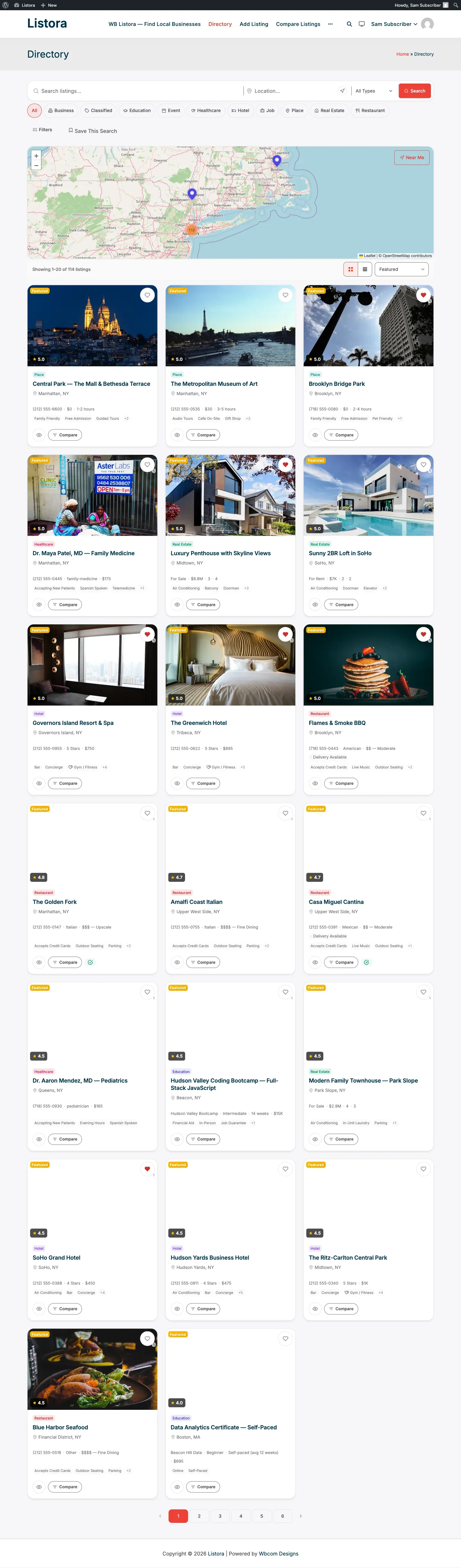
| “Italian restaurants” | Type “italian” in search - autocomplete suggests as you type |
| “…near me” | Click the Near Me button - browser asks for location, results re-sort by distance |
| “…with outdoor seating” | Tick the Outdoor Seating facet in the sidebar |
| “…under $$” | Use the Price filter (custom field facet) |
| “…with 4+ stars” | Set the Minimum Rating dropdown |
| “…in Brooklyn” | Click the location chip in the sidebar |
| “…open right now” | Toggle Open Now (if business-hours filter is on) |
Results update reactively - no page reload, the URL updates so you can share/bookmark the exact filter set.
Stage 3 - Compare candidates (~1-3 minutes)
Section titled “Stage 3 - Compare candidates (~1-3 minutes)”What you expect: side-by-side comparison without opening 5 tabs.
What you experience (Pro):
- Heart any listing card to save to favorites.
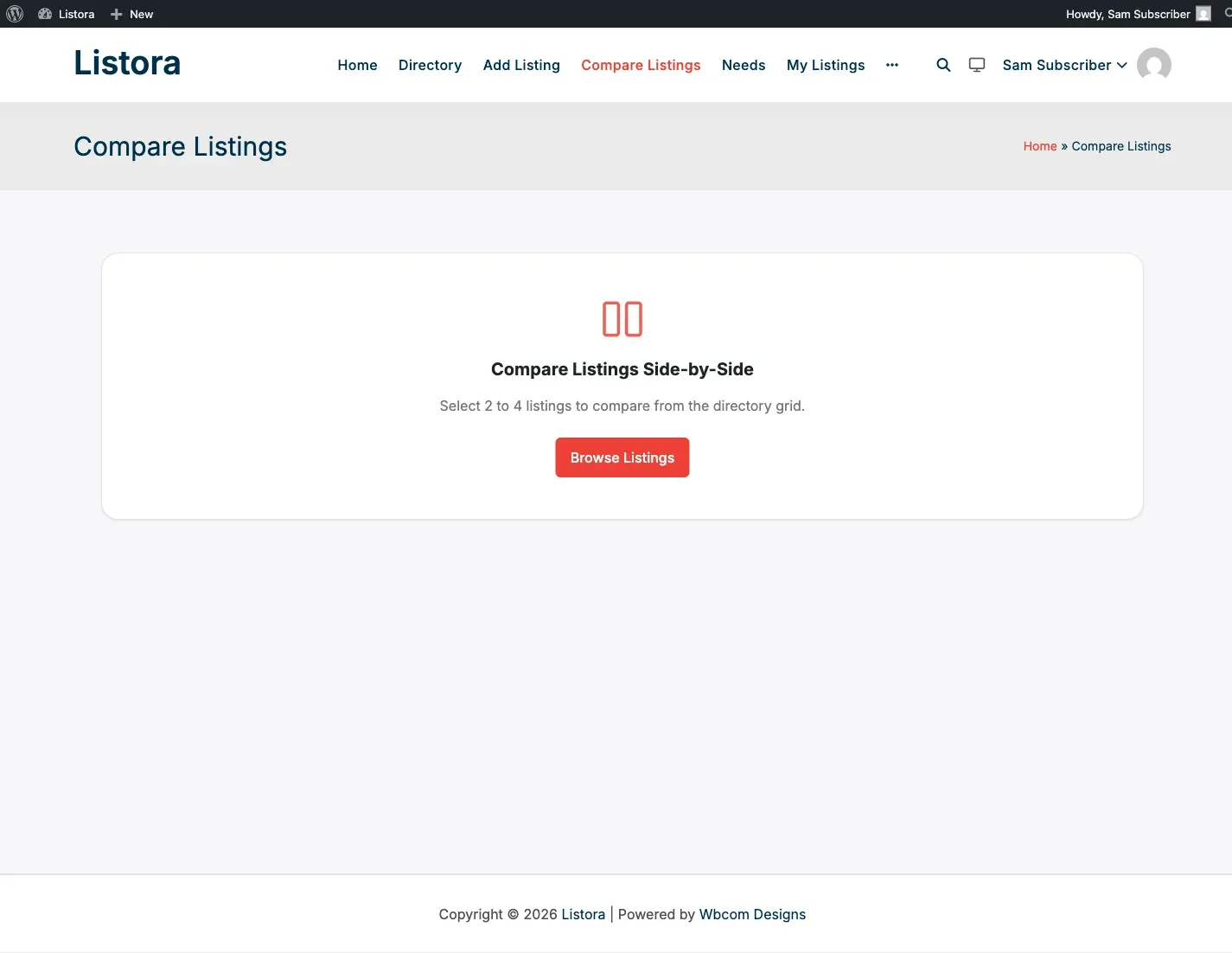
- Use the Compare checkbox on cards to add 2-4 to comparison.
- Hit Compare now in the floating bar → side-by-side table of every detail (price, rating, hours, services, amenities).
- Pick a winner.
Stage 4 - Open the detail page (~30 seconds)
Section titled “Stage 4 - Open the detail page (~30 seconds)”What you expect: everything I need to make a decision, all on one page.
What you experience:
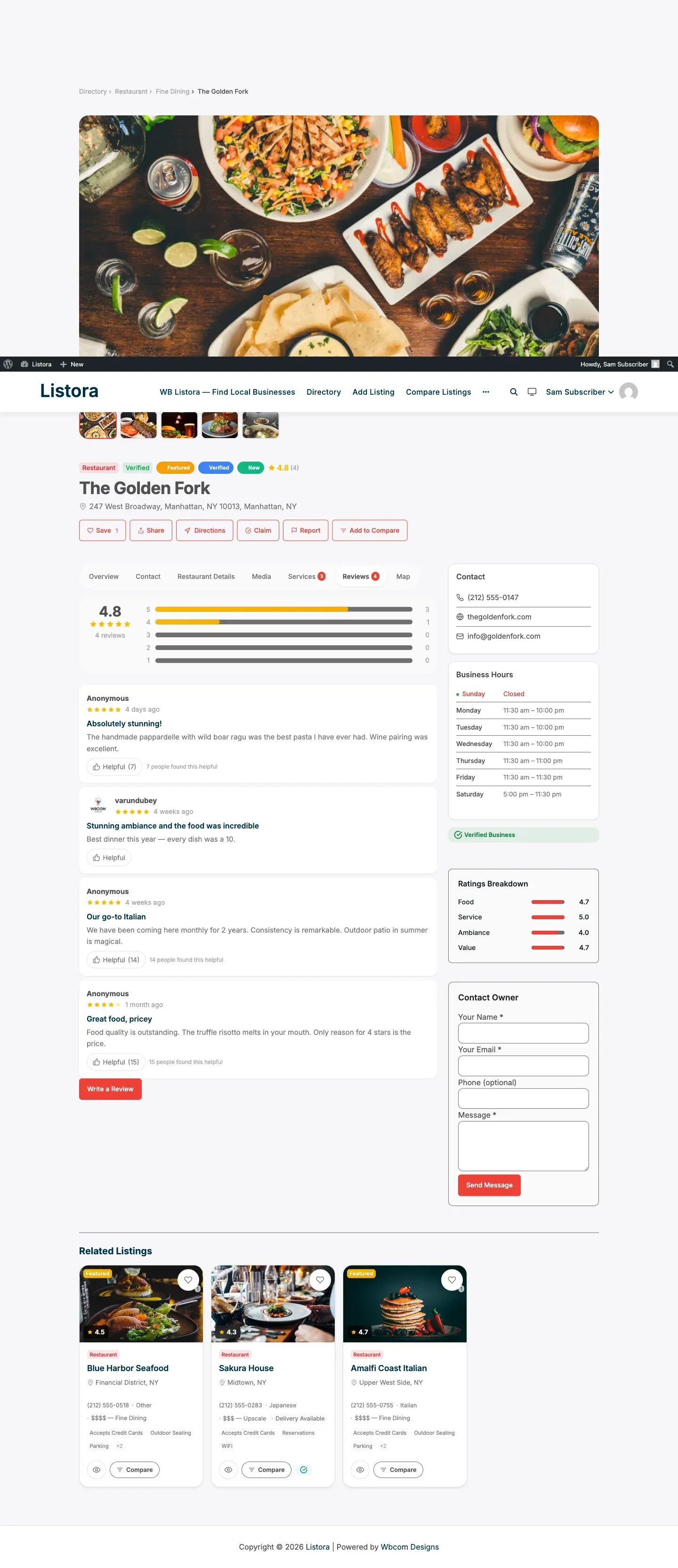
- Hero gallery with photos + video URL
- Tabs: Overview, Location, Reviews, Services, Map, Place Details (varies per type)
- Sidebar: Contact owner CTA + claim link + share buttons + listing meta
- Schema.org JSON-LD embedded - Google rich-result eligible automatically
Stage 5 - Decide → contact / book / visit (~1 minute)
Section titled “Stage 5 - Decide → contact / book / visit (~1 minute)”What you expect: one click to reach the business - phone, email, website, directions.
What you do:
- Click phone → mobile tel: link launches dialer; analytics records the click (Pro).
- Click website → opens vendor site in new tab; analytics tracked.
- Get directions → opens Google Maps / Apple Maps with the listing’s address.
- Contact owner → fill the contact form (Free) or Lead Form (Pro) - owner gets your message; you can reply directly to their email.
- Submit a quote request via Needs marketplace (Pro) - buyer flow that auto-distributes to matching businesses.
Stage 6 - Write a review (~2 minutes, post-experience)
Section titled “Stage 6 - Write a review (~2 minutes, post-experience)”What you expect: share my honest opinion in a way that helps the next visitor - not a 12-field interrogation.
What you experience:
- Visit the listing detail.
- Click Write a review.
- (If not logged in) Quick signup or social login.
- Rate overall (1-5 stars) + write a few sentences.
- (Pro: multi-criteria) Rate per aspect - Food / Service / Value / Ambiance.
- (Pro: photo reviews) Attach up to 3 photos.
- Submit - review goes live (or to moderation queue depending on operator setting).
- Get email when the owner replies (
review_replyevent). - Get email when your review hits a helpful-vote milestone (1, 5, 10, 25, 50, 100).
Stage 7 - Stay engaged (ongoing, Pro)
Section titled “Stage 7 - Stay engaged (ongoing, Pro)”What you expect: don’t make me re-search every time. Notify me when something new matches.
What you do (Pro):
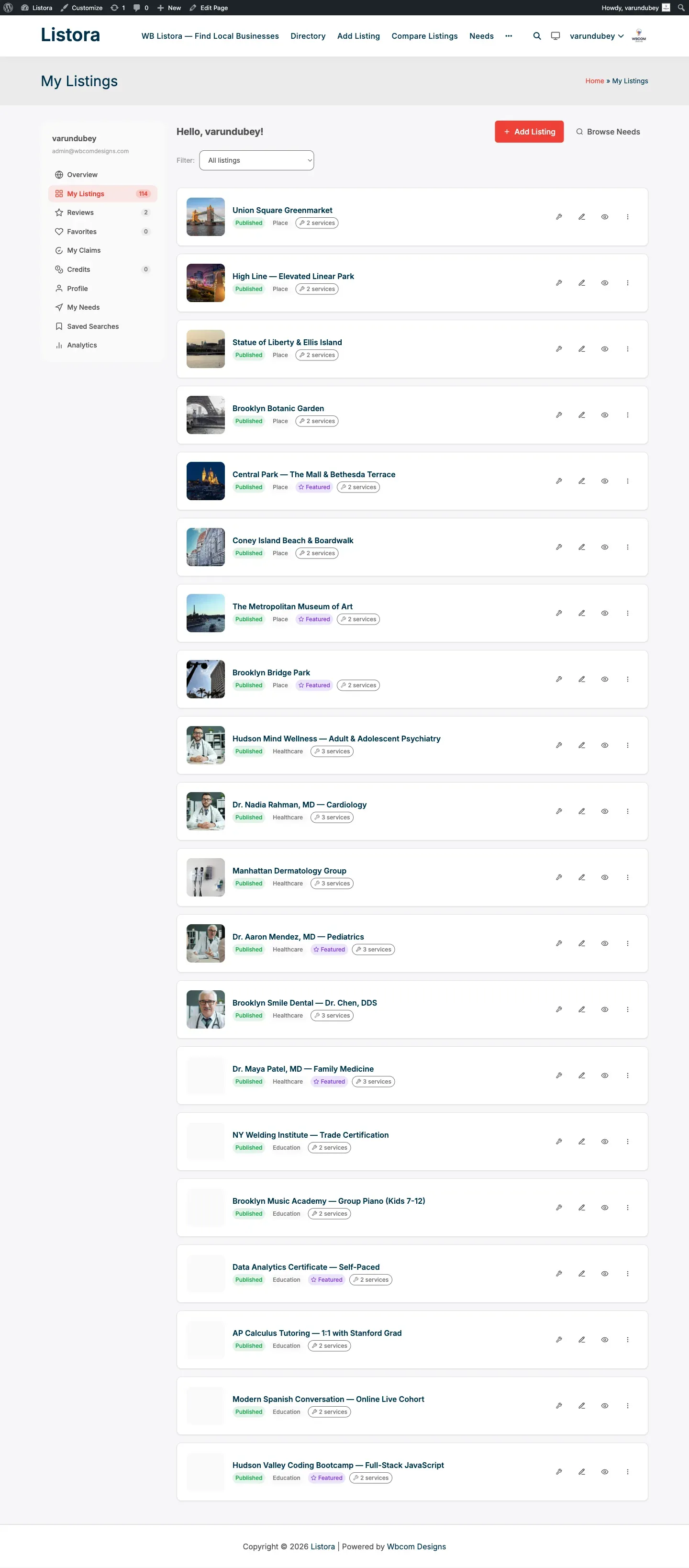
- Sign up for a free account (if not already) - Saved Searches require a logged-in user. The dashboard appears at your site’s My Listings page (the operator names it; canonical slugs are
/my-listings/or/my-dashboard/). - From dashboard → Saved Searches tab. (This tab is shared with vendors - any logged-in user who saves a search gets it.)
- Save your current filter set with a name (“Italian in Brooklyn, 4+ stars, outdoor”).
- Toggle alerts.
- Get an email every time a new listing matches.
Stage 8 - Optional: Post a need (Pro reverse marketplace)
Section titled “Stage 8 - Optional: Post a need (Pro reverse marketplace)”What you expect: flip the script - instead of searching, post what I’m looking for and let businesses come to me.
What you do:
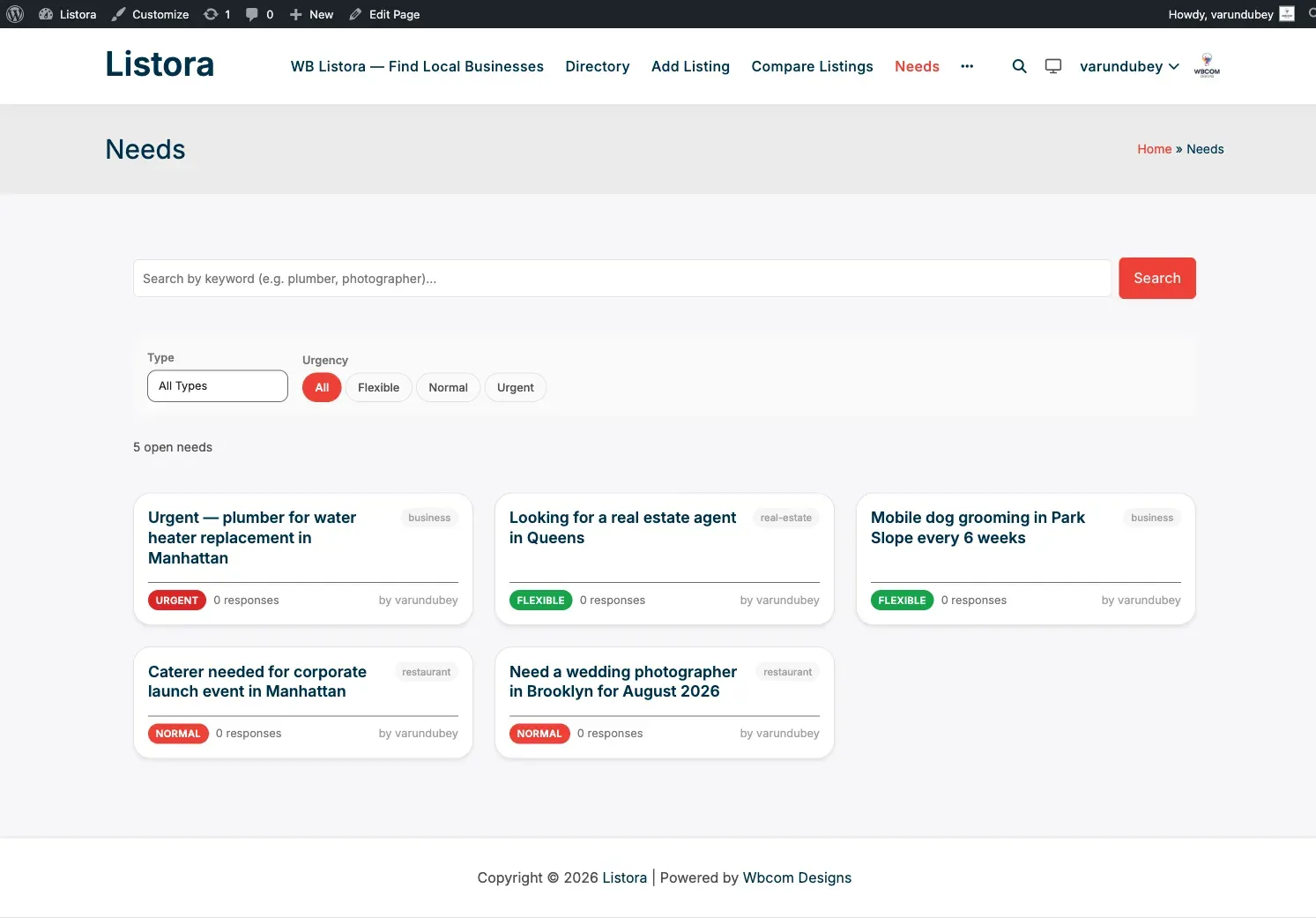
- Visit /needs/ (the marketplace feed - auto-created by Pro as the CPT archive). To post a need, your site owner has added the Post a Need block to a page they choose (often titled “Post a Need” or “Request a Quote”) - find that page from the directory menu.
- Describe what you need (catering for 100 guests, plumber for water heater, real estate agent in Queens).
- Pick type + urgency + budget.
- Submit.
- Matching businesses see your need and respond with quotes.
- Review quotes in your dashboard → Needs tab → pick a winner.
What you do NOT have to do (because Listora handles it)
Section titled “What you do NOT have to do (because Listora handles it)”- No Sign up to browse - guest browsing is unlimited.
- No Re-enter your filters after a page reload - URL state preserves them.
- No Pinch-zoom on mobile - block themes adapt to your screen.
- No Worry about fake reviews - moderation + Akismet + helpful-vote weighting filter spam.
- No Track which businesses you’ve contacted - your activity (favorites, contact form fills, saved searches) lives in your dashboard.
Common pitfalls (operator-side problems you’d see)
Section titled “Common pitfalls (operator-side problems you’d see)”| You see | Operator should fix |
|---|---|
| “No results” for common queries | Operator should reindex search OR check facet visibility |
| Map shows no markers | Operator should set the Google Maps API key (Pro) or Leaflet OSM endpoint (Free) |
| Contact form says “rate-limited” | You hit the per-IP / per-listing cap - wait 1 hour or contact via phone |
| Verification badge missing | Operator hasn’t approved the business yet (Pro Verification feature) |
| Phone number not clickable on mobile | Browser bug - manually long-press to call |
Related
Section titled “Related”- Site Owner Journey - what the directory operator does.
- Listing Owner Journey - what businesses experience.
- Reviews System - full review feature doc.
- Lead Forms (Pro) - analytics + integrations.
- Needs Marketplace (Pro) - reverse marketplace.