

Instructor Public Profile
Instructor Public Profile
Section titled “Instructor Public Profile”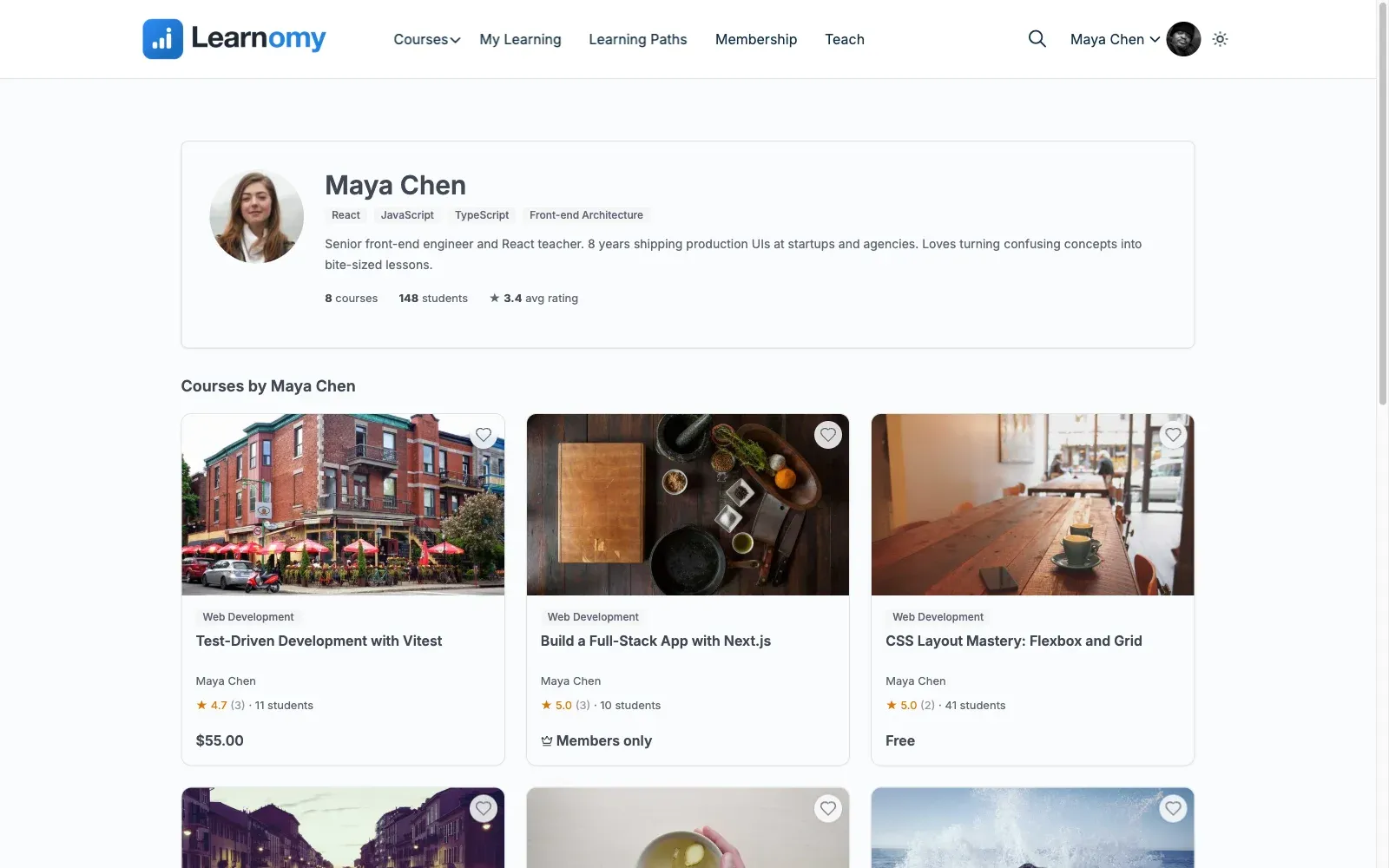
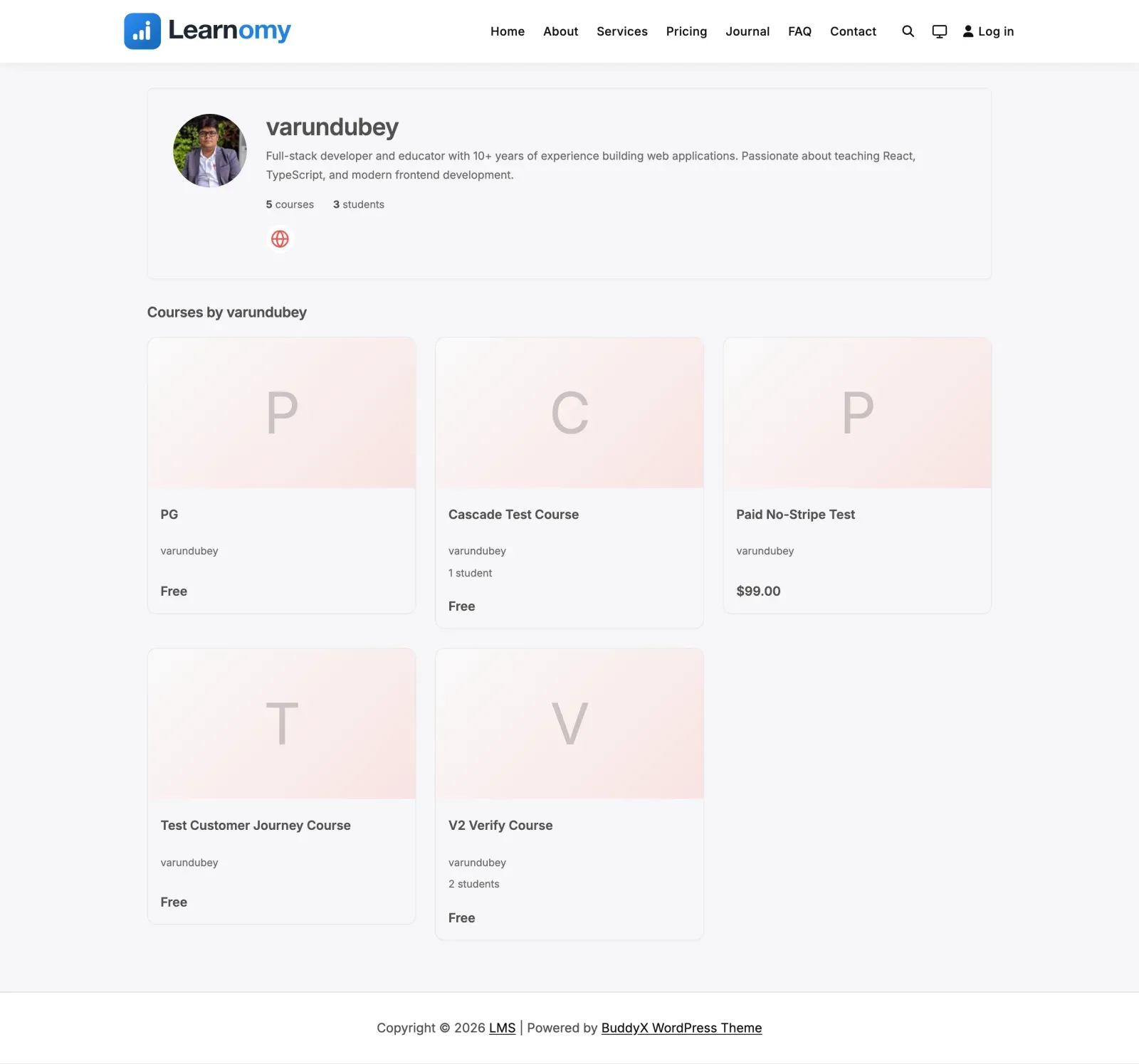
Every instructor gets a public profile page at /instructor/{username}/ that shows their headline, bio, expertise, links, and published courses. Instructors edit it themselves from a self-service editor in their account, so the site owner does not have to maintain it.
What you can do
Section titled “What you can do”- Give students a public page at
/instructor/{username}/with your name, avatar, headline, bio, expertise tags, social links, and a grid of your published courses. - Show at-a-glance stats – how many courses you teach, how many students, and your average rating when you have one.
- Let students page through all of your published courses when you have more than one page of them.
- Edit your own profile from My Account -> Instructor profile (
/account/instructor-profile/) – no admin access needed. - Link out to your website, Twitter / X, and LinkedIn.
How to use it
Section titled “How to use it”Step 1 – open your profile editor
Section titled “Step 1 – open your profile editor”Go to My Account -> Instructor profile (/account/instructor-profile/). This is reached from the instructor (teaching) side of your account, not the learner menu.
Step 2 – fill in “About you”
Section titled “Step 2 – fill in “About you””Add a Headline (a short professional tagline), a Bio, and your Expertise as a comma-separated list of skills. The expertise list is shown as tags on your public profile.
Step 3 – add your links
Section titled “Step 3 – add your links”Fill in your Website, Twitter / X handle, and LinkedIn URL. Each link becomes an icon in the social row on your public page. Leave any of them blank to hide that icon.
Step 4 – save and view
Section titled “Step 4 – save and view”Click Save profile. The page shows a link to your public profile so you can open it in a new tab and see exactly what students see.
Settings and options
Section titled “Settings and options”- Public URL. Your profile lives at
/instructor/{username}/, based on your username. The base segment (instructor) is set by the site’s route configuration. - What appears is what you filled in. Empty fields are hidden – for example the bio, expertise row, or a social icon only show when you have entered them.
- Stats are automatic. Course count, student count, and average rating are computed from your published courses; average rating only shows once you have ratings.
- Missing instructor. A profile URL whose username matches no user returns a 404.
- Course list pagination. Your published courses are shown in a grid with previous / next paging when they run past one page.
For developers
Section titled “For developers”Templates:
templates/instructor-profile.php– the public page, populated byInstructor_Profile_View_Data.templates/account-instructor-profile.php– the self-service editor, populated byAccount_Instructor_Profile_View_Data.
Routes:
instructor-profile– the public route (/instructor/{username}/), built with\Learnomy\route_url( 'instructor-profile', [ 'slug' => $user->user_login ] ).account-instructor-profile– the editor route (/account/instructor-profile/).
REST API and storage:
POST /account/instructor-profile(namespacelearnomy/v1) – saves the current instructor’sheadline,bio,expertise,website_url,twitter_handle, andlinkedin_urlto the Freelrn_instructorsrow the public profile reads.
Pointing an instructor’s name somewhere else:
learnomy_instructor_profile_url– filter (string $url,WP_User|null $instructor) for the link behind an instructor’s name on course and lesson surfaces. Plenty of sites already have a better page for a person than this one – a BuddyPress or BuddyNext member profile, a WordPress author archive, a corporate bio – and this repoints them in one place instead of per template.
// Send instructor names to the BuddyPress member profile instead.add_filter( 'learnomy_instructor_profile_url', function ( string $url, ?object $instructor ) { if ( ! $instructor || ! function_exists( 'bp_core_get_user_domain' ) ) { return $url; } return (string) bp_core_get_user_domain( (int) $instructor->ID );}, 10, 2 );Returning an empty string is supported and means “do not link instructor names at all” – the templates render the name as plain text, which is what a course with no instructor already does.