

Submission Settings
Submission & Moderation
Section titled “Submission & Moderation”Access submission settings at Listora > Settings > Submissions.
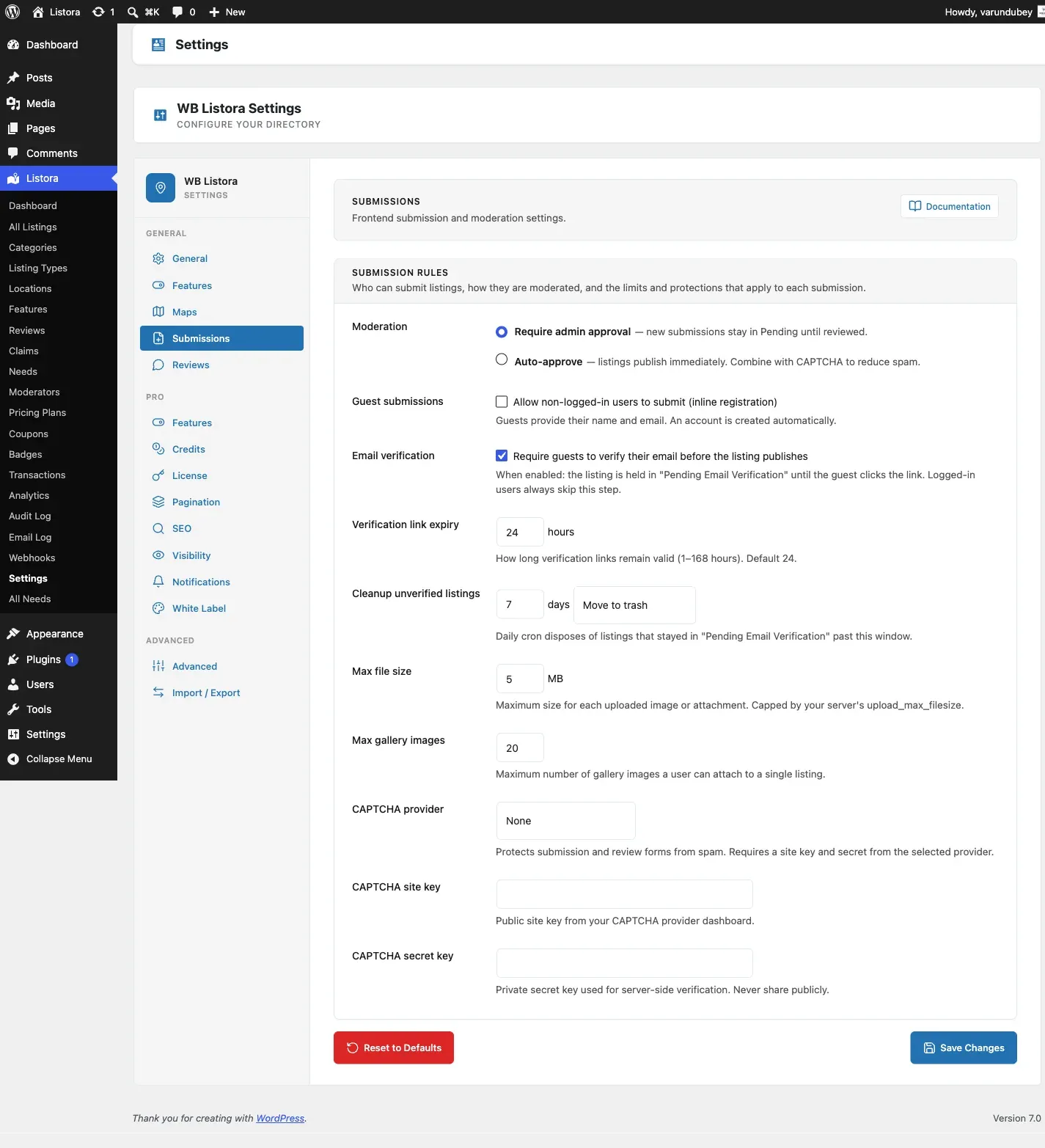
Frontend Submissions
Section titled “Frontend Submissions”Toggle whether users can submit listings from the frontend. When disabled, only admins can create listings.
Account Required (since 1.3.0)
Section titled “Account Required (since 1.3.0)”Submitting a listing requires a logged-in account. Visitors who are not signed in see a sign-in prompt on the submission form, with a link to register when registration is open on your site.
The previous Require Login toggle and anonymous guest submission (with its email-verification step) were removed in 1.3.0: guests could never upload media, so that flow always dead-ended.
Submission Form Style (since 1.2.0)
Section titled “Submission Form Style (since 1.2.0)”Choose how the submission form presents to users:
- Step-by-step wizard (default) - one step per screen with a progress indicator. Best for most directories: keeps the form from looking overwhelming, and the draft-reminder email links users back to the exact step where they left off.
- Single page form - all fields on one scrollable page. Useful when your listing type has very few fields and the multi-step wrapper would feel excessive.
This setting applies site-wide. If you have placed the Listing Submission block on a page and want that specific instance to use a different style, set the Layout mode attribute in the block editor to override the global setting.
Developers can also override the resolved value programmatically:
add_filter( 'wb_listora_submission_layout_mode', function ( $mode ) { return 'single_form'; // or 'wizard'} );Moderation Mode
Section titled “Moderation Mode”- Auto-publish: Submitted listings are published immediately
- Manual review: Listings are saved as “Pending” and require admin approval
- Trusted users: Auto-publish for users with 3+ approved listings, manual for others
Allowed Listing Types
Section titled “Allowed Listing Types”Select which listing types accept frontend submissions. Unchecked types can only be created by admins.
Image Settings
Section titled “Image Settings”- Maximum gallery images: Limit the number of images per listing (default: 10)
- Maximum file size: Per-image upload limit in MB
- Allowed formats: JPG, PNG, WebP
Listing Expiration
Section titled “Listing Expiration”- Days until expiration: Number of days before a listing expires (0 = never)
- Expiration warning: Days before expiration to send a warning email
- Auto-renewal: Allow listing owners to renew from their dashboard
Edit Approval
Section titled “Edit Approval”When enabled, edits to published listings require re-approval before going live.