

Media Polls
WB Polls supports video, audio, and HTML poll types for specialized content. Multi-select voting works with any poll type. This guide covers media poll formats and helps you choose the right type for your needs.
Video Polls
Section titled “Video Polls”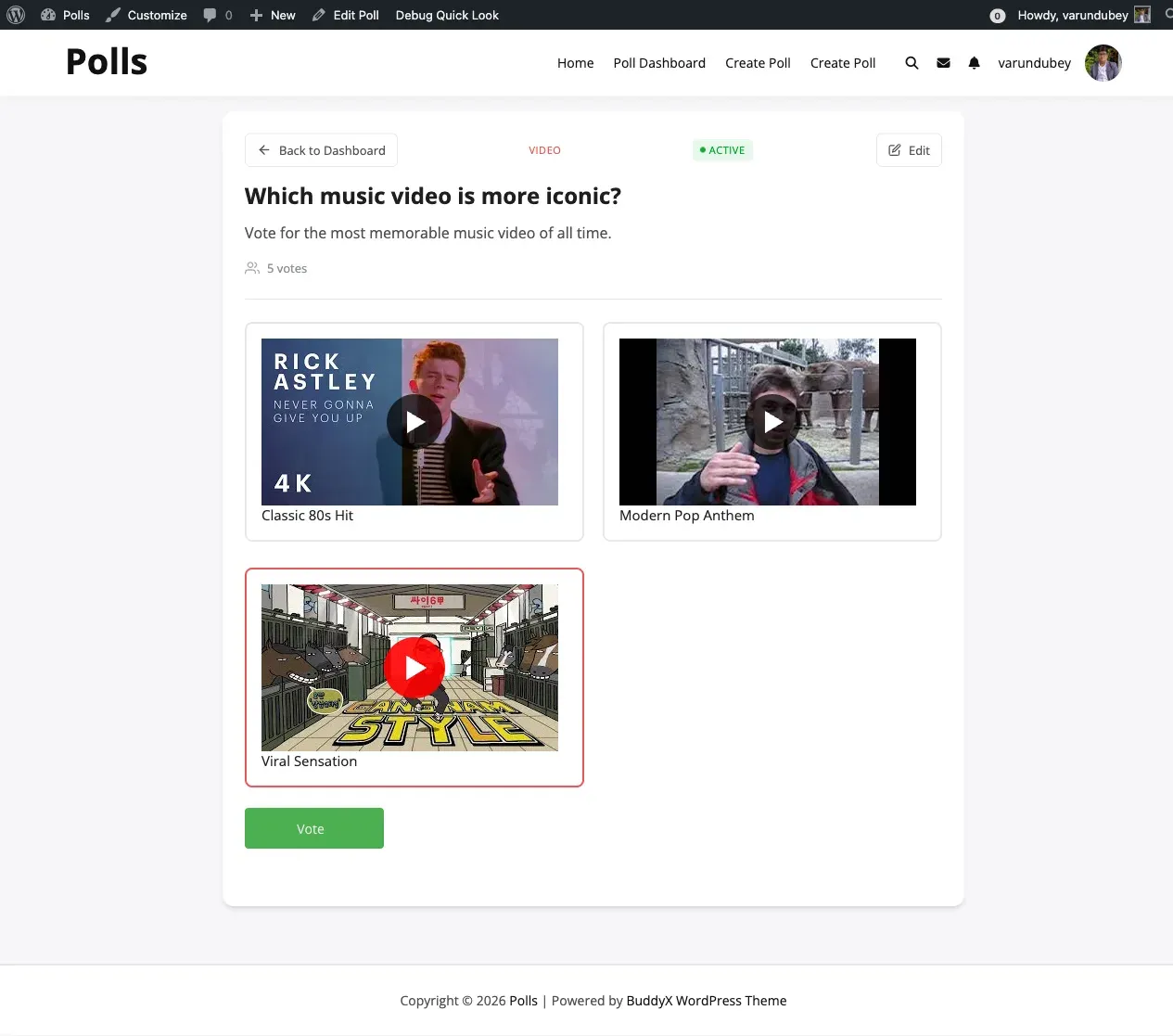
Video polls attach video content to each option. They work well for detailed comparisons that benefit from motion and demonstration.
When to Use Video Polls
Section titled “When to Use Video Polls”- Product demo comparisons showing features in action
- Tutorial style preferences
- Animation or motion design choices
- Video content feedback from your audience
Enabling Video Polls
Section titled “Enabling Video Polls”Activity Polls: Navigate to WB Polls > Community and enable the Video setting. Consider enabling URL Input Only mode for embedding external videos.
Standalone Polls: Navigate to WB Polls > Polls Settings and enable Video Polls.
Supported Video Sources
Section titled “Supported Video Sources”- Direct uploads in MP4 and WebM formats
- YouTube URLs
- Vimeo URLs
- Other embeddable video URLs
Video Poll Best Practices
Section titled “Video Poll Best Practices”- Keep videos short, ideally under two minutes
- Include descriptive text labels for context
- Ensure videos load quickly on slower connections
- Consider mobile viewers who may have limited bandwidth
Audio Polls
Section titled “Audio Polls”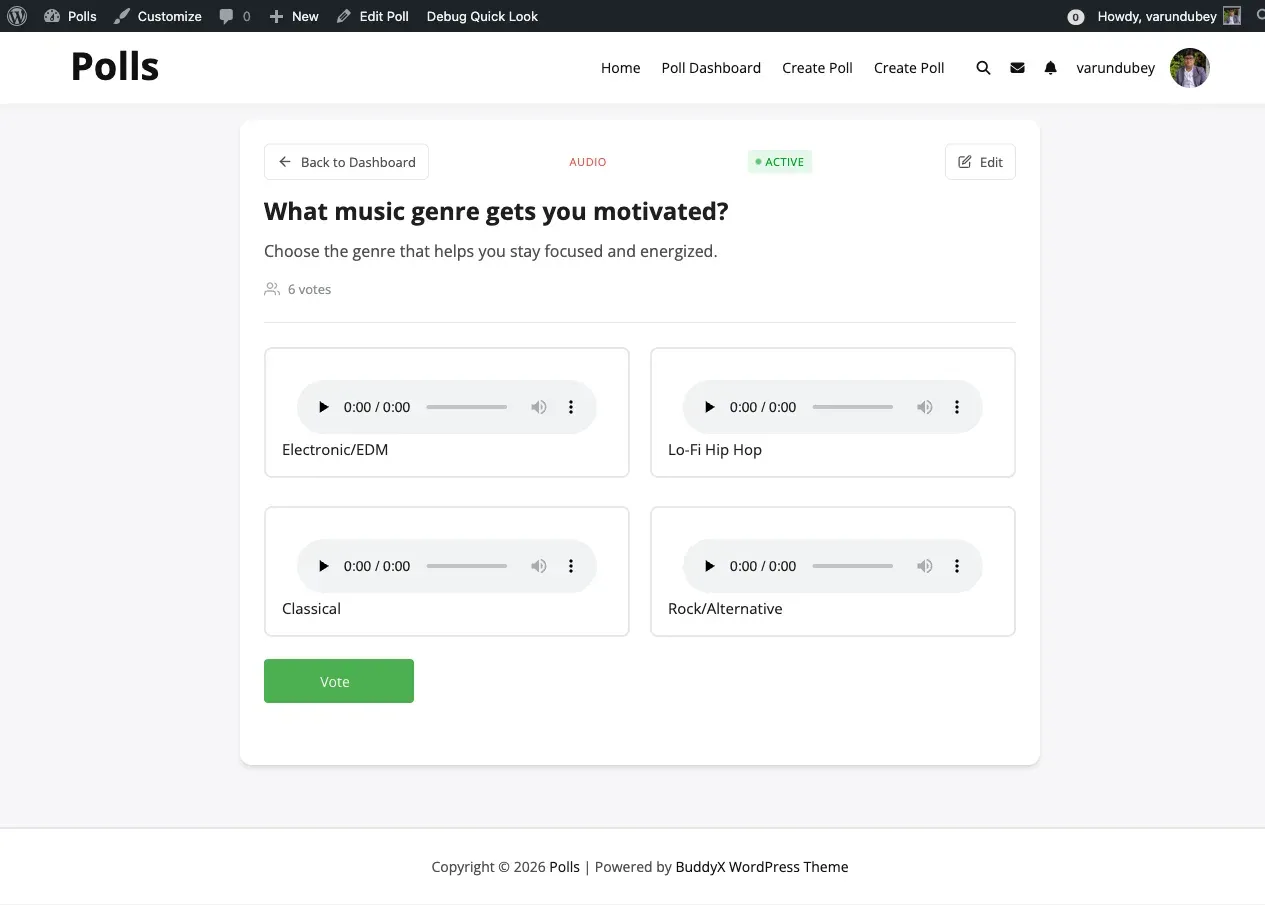
Audio polls attach audio clips to each option. They serve specialized use cases in audio-focused communities.
When to Use Audio Polls
Section titled “When to Use Audio Polls”- Music preference voting
- Voice sample selection for projects
- Podcast intro or outro choices
- Sound effect preferences
- Audio quality comparisons
Enabling Audio Polls
Section titled “Enabling Audio Polls”Activity Polls: Navigate to WB Polls > Community and enable the Audio setting.
Standalone Polls: Navigate to WB Polls > Polls Settings and enable Audio Polls.
Supported Audio Formats
Section titled “Supported Audio Formats”Upload audio files in MP3, WAV, or OGG format. You can also provide URLs to externally hosted audio files.
Audio Poll Best Practices
Section titled “Audio Poll Best Practices”- Keep clips short, ideally 30 seconds or less for quick voting
- Include descriptive text for each option
- Ensure consistent audio quality across all options
- Consider users who may be in quiet environments and cannot play audio
HTML Polls
Section titled “HTML Polls”HTML polls allow rich formatted content in poll options. This type is available only for standalone polls and should be used carefully to avoid unwanted formatting.
When to Use HTML Polls
Section titled “When to Use HTML Polls”- Options that need formatted text, links, or styled content
- Complex choices that benefit from rich descriptions
- Polls where plain text cannot adequately describe the options
Enabling HTML Polls
Section titled “Enabling HTML Polls”Navigate to WB Polls > Polls Settings and enable HTML Polls.
Multi-Select Polls
Section titled “Multi-Select Polls”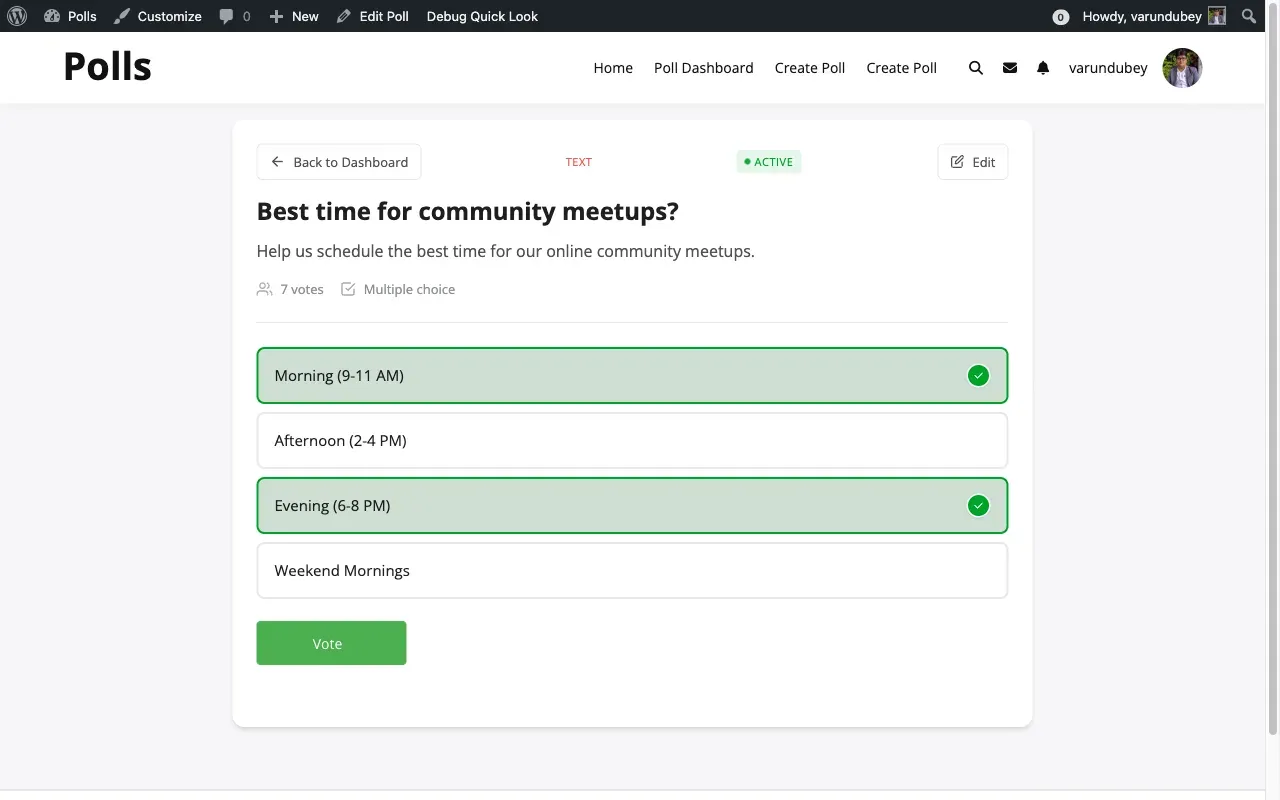
Multi-select is not a poll type but a voting mode that works with any poll type. When enabled, voters can choose multiple options instead of just one.
When to Use Multi-Select
Section titled “When to Use Multi-Select”- “Select all that apply” questions
- Feature prioritization where members pick their top choices
- Interest surveys covering multiple topics
- Availability polls where multiple answers are valid
Enabling Multi-Select
Section titled “Enabling Multi-Select”Activity Polls: Enable “Enable Multi-select” in the Community settings tab.
Standalone Polls: Configure multi-select during poll creation in the advanced settings panel.
Choosing the Right Poll Type
Section titled “Choosing the Right Poll Type”| Scenario | Recommended Type |
|---|---|
| Quick community feedback | Text |
| Design selection between visual options | Image |
| Product demo comparison | Video |
| Music or audio voting | Audio |
| Multiple preferences at once | Text with Multi-select |
| Feature request prioritization | Text |
| Rich formatted options | HTML |
Decision Guide
Section titled “Decision Guide”Use Text when options are straightforward, visual representation adds nothing, and you want the fastest setup with the best mobile experience.
Use Image when visual comparison is important, you have high-quality images ready, and the difference between options is best shown visually.
Use Video when options require demonstration, motion helps understanding, and your audience has sufficient bandwidth for video playback.
Use Audio when sound quality is the deciding factor, you are comparing voice or music samples, and your community focuses on audio content.
Media Settings Summary
Section titled “Media Settings Summary”Activity Polls (Community Tab)
Section titled “Activity Polls (Community Tab)”| Setting | Purpose |
|---|---|
| Enable Images | Allow image attachments on options |
| Enable Video | Allow video attachments on options |
| Enable Audio | Allow audio attachments on options |
| URL Input Only | Disable uploads and use URLs instead |
| Restrict Media Library | Users see only their own uploads |
Standalone Polls (Polls Settings Tab)
Section titled “Standalone Polls (Polls Settings Tab)”| Setting | Purpose |
|---|---|
| Enable Image Polls | Allow image poll type |
| Enable Video Polls | Allow video poll type |
| Enable Audio Polls | Allow audio poll type |
| Enable HTML Polls | Allow rich HTML content |