

Installing WP Career Board Pro
WP Career Board Pro is an add-on plugin. It requires WP Career Board (free) to be installed and activated first.
Prerequisites
Section titled “Prerequisites”Before installing Pro:
- ✅ WP Career Board (free) is installed and activated
- ✅ WordPress 6.9 or higher
- ✅ PHP 8.1 or higher
- ✅ You have a valid Pro license from wbcomdesigns.com
Installation Steps
Section titled “Installation Steps”- Log in to your account at wbcomdesigns.com
- Go to My Account → Downloads
- Download
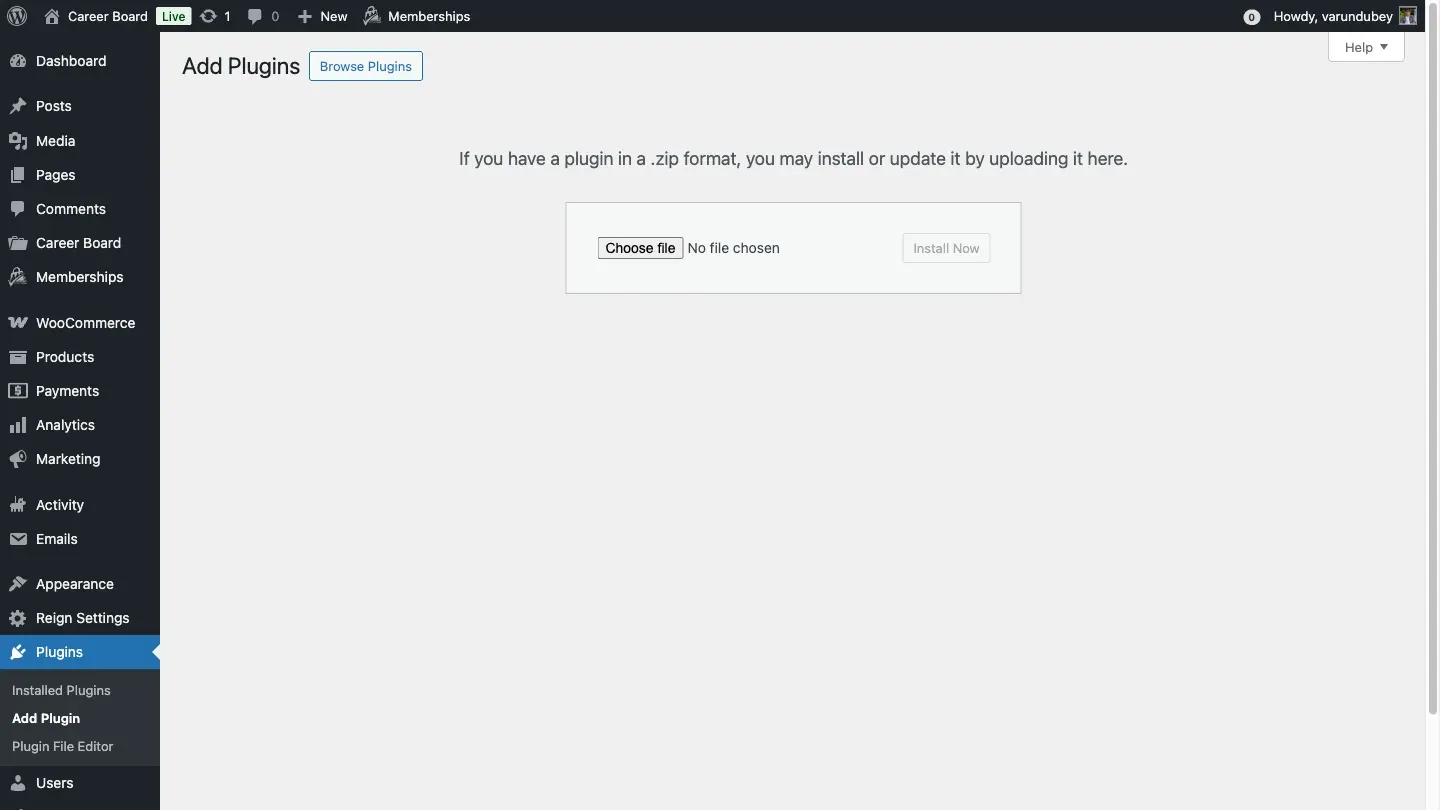
wp-career-board-pro.zip - In your WordPress admin, go to Plugins → Add New → Upload Plugin
- Select the downloaded zip file and click Install Now
- Click Activate Plugin
What Happens on Activation
Section titled “What Happens on Activation”On activation, WP Career Board Pro:
- Checks that WP Career Board (free) is active - if not, activation is blocked with an error message
- Creates the additional Pro database tables (
wcb_credit_ledger,wcb_field_groups,wcb_field_definitions,wcb_field_values,wcb_job_boards,wcb_job_alerts,wcb_application_stages,wcb_ai_vectors,wcb_notifications) - Registers all 16 Pro blocks in the block editor (each with a matching shortcode for page builders)
- Adds Pro settings tabs to WP Career Board → Settings
After Activation
Section titled “After Activation”You will see a notice asking you to activate your license. See License Activation for the next step.
Troubleshooting Installation
Section titled “Troubleshooting Installation”“WP Career Board (Free) must be installed and active” Install and activate the free plugin first, then retry Pro activation.
“License could not be verified” Make sure your site can make outbound HTTP requests. Check with your hosting provider if firewalled.
Pro tabs not appearing in Settings Deactivate and reactivate Pro. If the issue persists, check WP Career Board → Settings → System Status for errors.