

Who Viewed My Profile — Quick Introduction
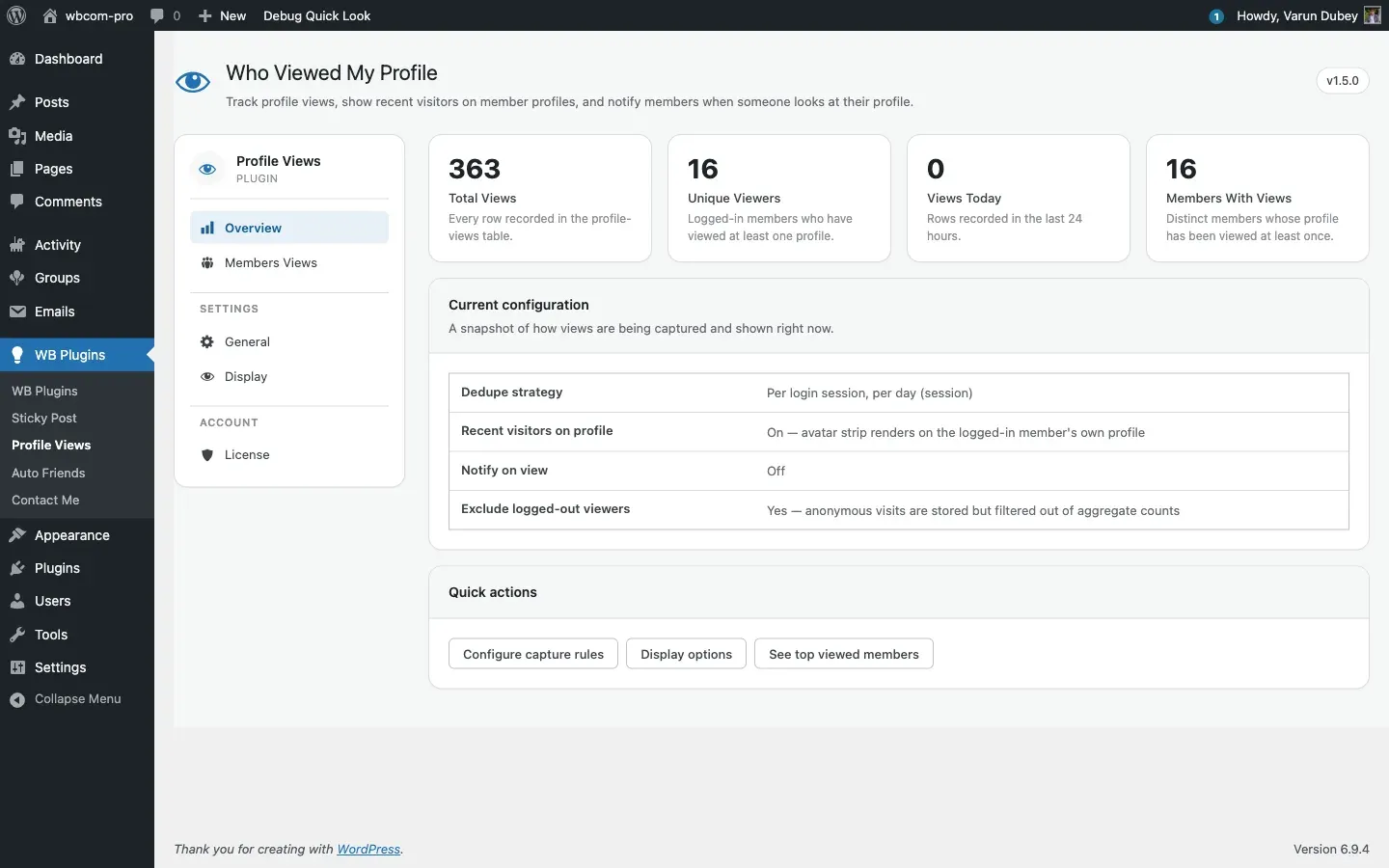
Who Viewed My Profile records every time a logged-in member visits another member’s profile and surfaces that information in three places: a Views sub-tab on the member’s own profile, a Recent Visitors strip on the profile header, and two sidebar widgets. Site administrators get a clean five-tab admin panel to control how visits are captured and shown.
What you get out of the box
Section titled “What you get out of the box”- A custom database table that stores every profile visit with viewer ID, profile owner ID, and timestamp.
- A Views sub-tab on each member’s own profile with a chart (line, bar, or polar-area) and a recent-visitor list with a 4-way filter (Today / 7 days / 30 days / All time).
- An optional avatar strip on the profile header showing the most recent unique visitors — visible only to the profile owner.
- Optional BuddyPress notifications when a new visitor lands on a profile, rate-limited to one notification per (viewer, profile) pair per 24 hours.
- A members-directory badge that prints “N views” on each member card (new in 1.5.0).
- Per-user opt-out so members can stop their own visits from being tracked (new in 1.5.0).
- Two sidebar widgets — Recent Visitors and Most Visited Users.
- A typed sanitiser, a card-panel admin UI, and a top-100 leaderboard cached for one minute.
Requirements
Section titled “Requirements”| Requirement | Minimum |
|---|---|
| WordPress | 6.0 |
| PHP | 7.4 (8.0+ recommended, tested up to 8.4) |
| BuddyPress | active, with the Notifications component enabled if you want the notify-on-view flow to fire |
| Database | MySQL 5.7 / MariaDB 10.4 |
The plugin self-deactivates if BuddyPress is not active. It is compatible with BuddyPress 12.x URL helpers and integrates with the BuddyBoss Platform, the BuddyX Pro theme, and the REIGN theme — no theme-specific configuration needed.
What’s new in 1.5.0
Section titled “What’s new in 1.5.0”- Brand-new card-panel admin UI under WB Plugins → Profile Views.
- Members-directory view-count badge.
- Per-user opt-out toggle for members.
- Bot and crawler User-Agent filter on the capture pipeline.
- Polar-area chart style on the Views sub-tab.
- License tab built into the plugin’s own admin panel.
- The legacy ag-Grid bundle (~800KB) was replaced with a server-rendered top-100 leaderboard.
Where to next
Section titled “Where to next”- Installation — install methods, post-activation checks, multisite, uninstall.
- License activation — paste your key, click activate, start receiving updates.
- Settings — Overview tab — the admin dashboard.