

Views sub-tab on the member profile
Every logged-in member gets a Views sub-tab on their own BuddyPress profile. The sub-tab shows a chart of recent profile-view activity plus a list of recent visitors with avatars and timestamps.
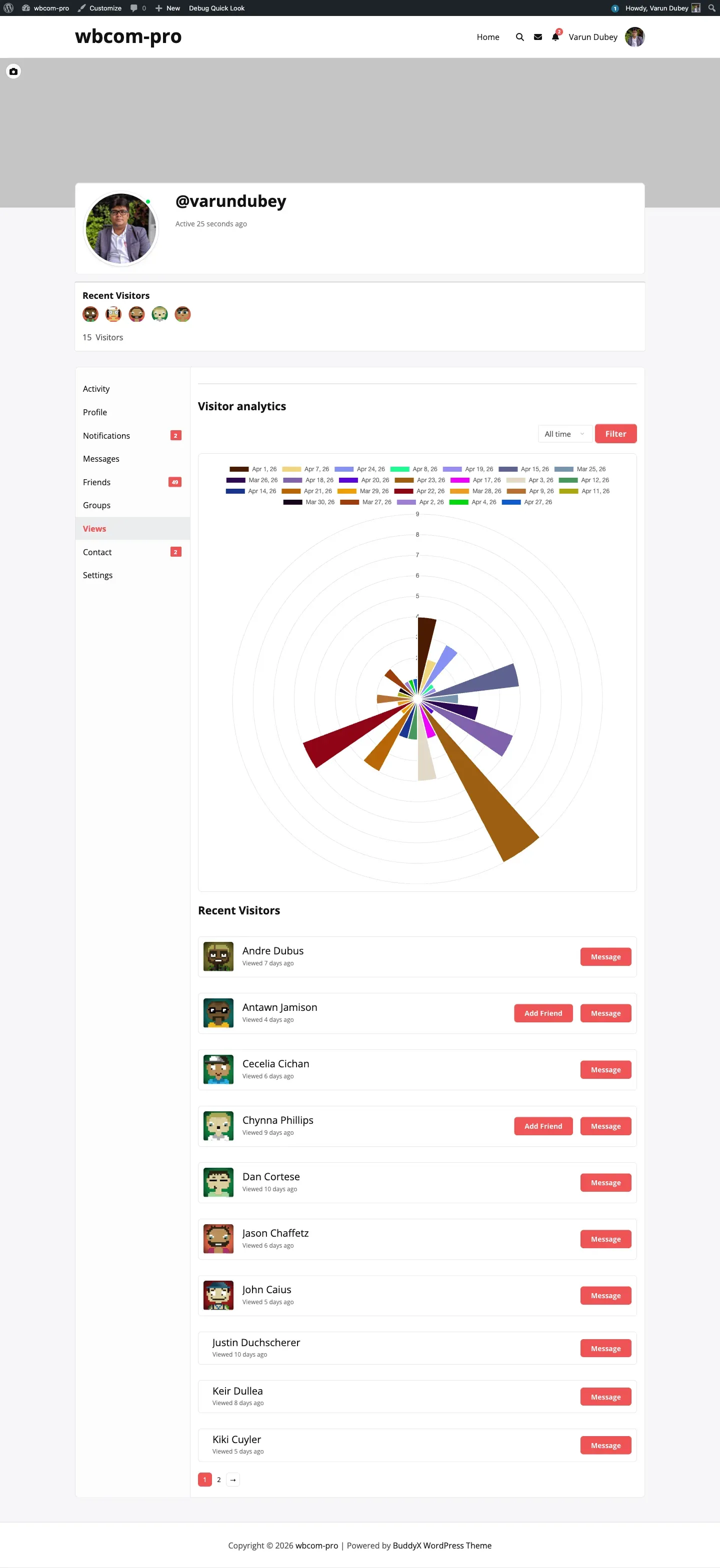
What the member sees
Section titled “What the member sees”- A chart rendered by Chart.js — line, bar, or polar-area, set by the admin under Display → Chart style.
- A filter dropdown above the chart with four options: Today, Last 7 days, Last 30 days, All time.
- A “Recent Visitors” list under the chart with avatar, display name, and a relative timestamp (“Viewed 4 days ago”).
- Quick-action buttons next to each visitor (e.g. Add Friend, Message) when those BuddyPress components are active.
The sub-tab is only visible on the member’s own profile — visitors browsing to someone else’s profile do not see it. The screen function is gated by bp_is_my_profile().
Where it sits
Section titled “Where it sits”Under bp_setup_nav the plugin registers a sub-nav with slug profile-views at position 75. URL pattern:
/members/{slug}/profile-views/How filtering works
Section titled “How filtering works”The dropdown POSTs to wp_ajax_bp_profile_views_load_chart_widget. The PHP handler:
- Verifies the requester is the displayed user.
- Verifies the AJAX nonce
ajax-nonce. - Pulls rows from
{prefix}bp_profile_viewswhereuser_id = displayed_user_idand the date range matches the filter. - Returns a JSON payload of
{ labels, data, totals }consumable by Chart.js.
If the visitor count for the selected window is zero, the area beneath the chart shows a “No views found” message instead of the recent-visitors list.
Per-user opt-out (1.5.0)
Section titled “Per-user opt-out (1.5.0)”If the admin has enabled Allow user settings, the Views tab also exposes a toggle that lets the member decide whether their own visits to other people’s profiles are tracked. See Per-user opt-out.
Theme partials
Section titled “Theme partials”The Views tab content is split into two partials so theme authors can target one without affecting the other:
public/partials/bp-profile-views-nouveau-tab-content.php— when BP Nouveau is active.public/partials/bp-profile-views-legacy-tab-content.php— when BP Legacy or older themes are active.
Override either one by copying it to wp-content/themes/your-theme/buddypress/who-viewed-my-profile/{partial-name}.php. See Theme overrides.