

Sharing Settings
Sharing Settings
Section titled “Sharing Settings”Go to WP Admin → BuddyPress Quotes → Share to configure how members share exported quote images.
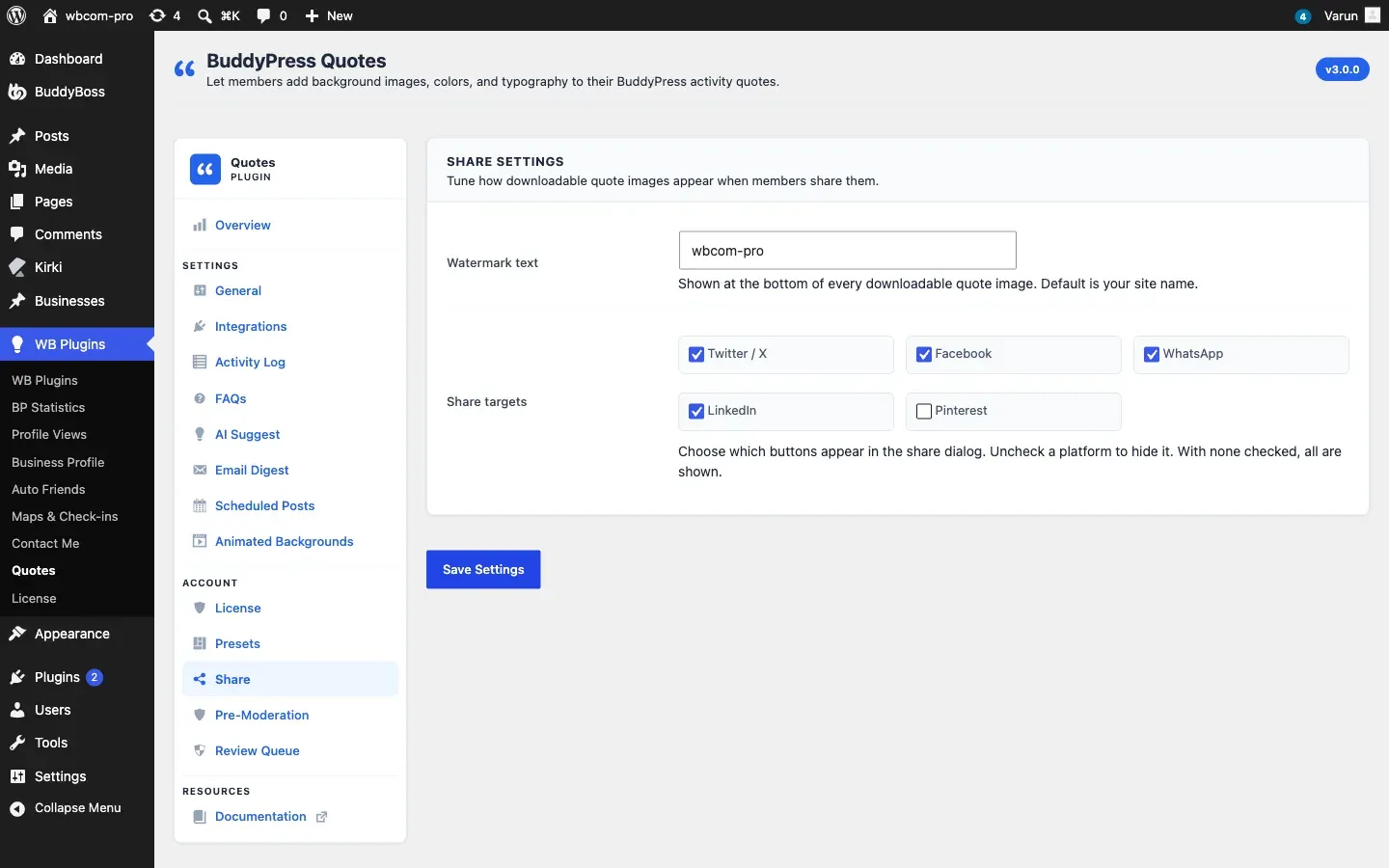
Watermark
Section titled “Watermark”The watermark is a short text string baked into the bottom of every exported PNG. It is useful for adding your site name or brand tagline so shared images always carry attribution.
| Option | Default | Description |
|---|---|---|
| Watermark text | (empty) | Text printed in the lower area of exported PNGs. Leave blank to disable the watermark entirely. |
The watermark text is filterable at runtime with the bpquotes_watermark_text filter — useful if you want to personalise the watermark per activity (for example, include the author’s name). See the Hooks Reference.
Share Targets
Section titled “Share Targets”Share targets are the social network buttons that appear in the share modal when a member clicks the share icon on a quote card.
Enable or disable each network with its toggle:
| Network | Button opens |
|---|---|
| Twitter / X | Twitter Web Intent with pre-filled text and image URL |
| Facebook sharer with the quote page URL | |
| WhatsApp share link with quote text | |
| LinkedIn share dialog | |
| Pinterest pin dialog with the PNG image |
Only the networks you enable appear in the share modal. If you disable all networks, the modal still opens but shows only the download option.
Customising Share Targets in Code
Section titled “Customising Share Targets in Code”You can add custom share targets or remove existing ones using the bpquotes_share_targets filter. The filter receives the full targets array, the PNG URL, the quote page URL, and the quote text as parameters. See the Hooks Reference for the full parameter list and an example.
How the Share Flow Works
Section titled “How the Share Flow Works”- A member clicks the share icon on a quote card.
- The plugin calls the
POST /wp-json/bpquotes/v1/render/{activity_id}REST endpoint, which renders the quote to a PNG and returns the image URL and pre-built share links. - The share modal opens showing the rendered PNG and the enabled social buttons.
- The rendered PNG is cached for one hour. Clicking the share icon within that window reuses the cached image.