

Lifecycle Tab
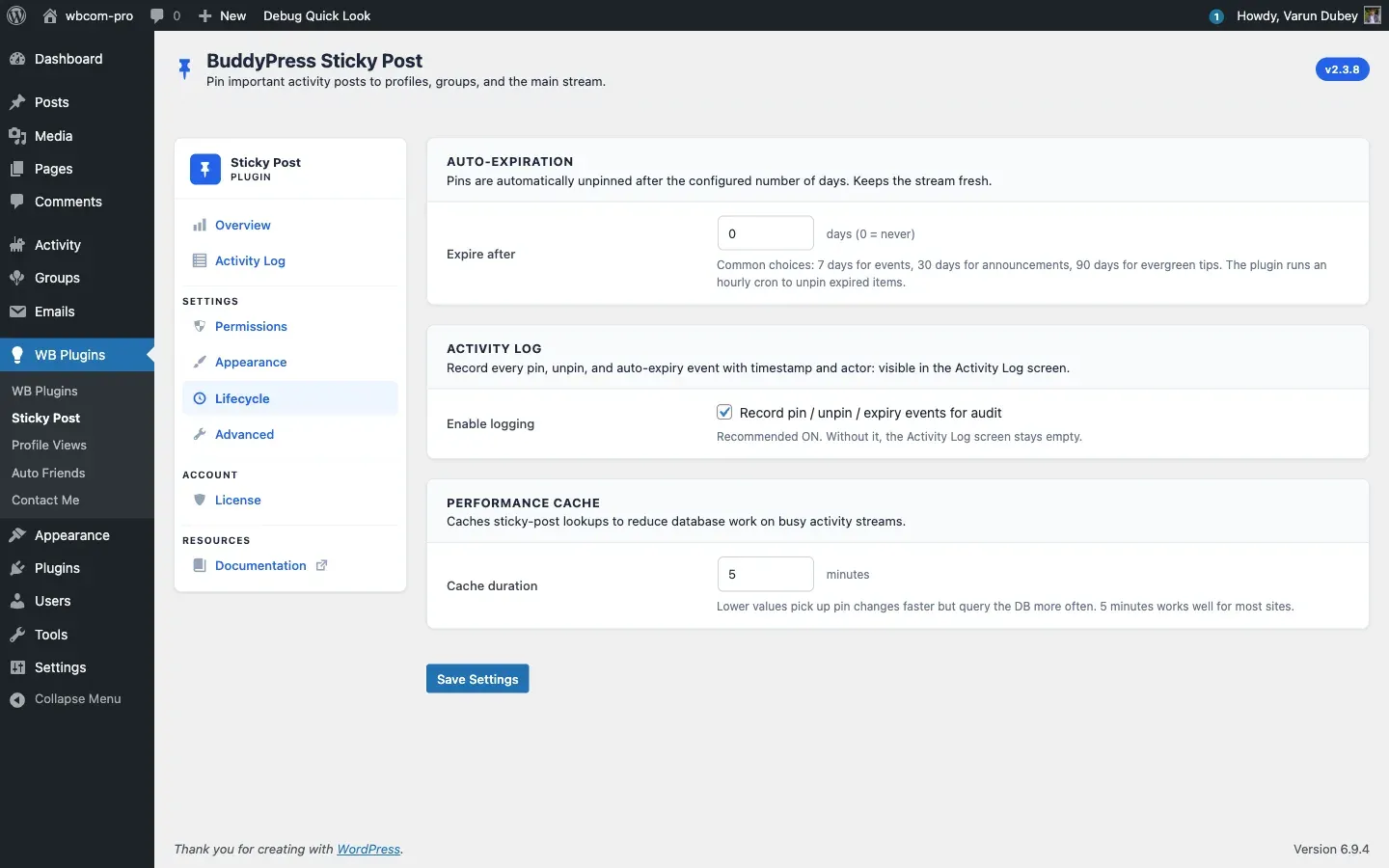
Three cards govern how pins age and how the plugin caches itself: Auto-Expiration, Activity Log, Performance Cache.
Auto-Expiration
Section titled “Auto-Expiration”| Field | Default | Range | Stored as |
|---|---|---|---|
| Expire after (days) | 0 (never) |
0–365 | sticky_expiration_days |
When greater than zero, an hourly WP-Cron event walks {prefix}bpsp_sticky_posts and unpins any row whose expires_at has passed. Each expiry is logged as Auto-expired in the Activity Log.
Common choices:
- 7 days — events, time-sensitive announcements.
- 30 days — month-long campaigns.
- 90 days — slow-rotating evergreen tips.
See Auto-Expiration for the full mechanic.
Activity Log
Section titled “Activity Log”| Field | Default | Stored as |
|---|---|---|
| Enable logging — Record pin / unpin / expiry events for audit | On | enable_activity_log |
On by default. If you untick this, the Activity Log tab becomes empty (it shows an empty-state with a one-click Enable Activity Logging button that links straight back here).
When on, every pin / unpin / auto-expiry is captured in {prefix}bpsp_activity_logs — ready for export from the Activity Log tab. See Activity Log.
Performance Cache
Section titled “Performance Cache”| Field | Default | Range | Stored as |
|---|---|---|---|
| Cache duration (minutes) | 5 |
1–60 | cache_duration |
The plugin caches sticky-post lookups in the bpsp object-cache group (key pattern: bpsp_sticky_{component}_{type}_{group_id}) to keep busy activity streams from hammering the database. Lower values pick up pin changes faster but query the DB more often.
5 minutes is a sensible default for most sites. Drop to 1 minute on very active communities where pins change frequently and you want near-real-time freshness; raise to 30 minutes on sites with stable pins and high traffic.
Pin / unpin actions invalidate the cache automatically — you do not need to wait for the TTL to see your own change.
Sentinel
Section titled “Sentinel”The form uses a hidden bpsp_tab_rendered_keys[] for enable_activity_log so unchecking the toggle persists as “off”. See BPSP_Admin::sanitize_settings() for the full mechanism.
Related
Section titled “Related”- Auto-Expiration
- Activity Log
- Advanced Tab — destructive options + database health.