

Group Media Tab
Included in Free - MediaVerse is the most complete media solution for BuddyPress communities. Integration is optional - the plugin works standalone on any WordPress site, but when BuddyPress is active, it unlocks profile tabs, group media, activity stream, and notifications automatically.
When BuddyPress Groups is active, MediaVerse adds a Media tab to every BuddyPress group.
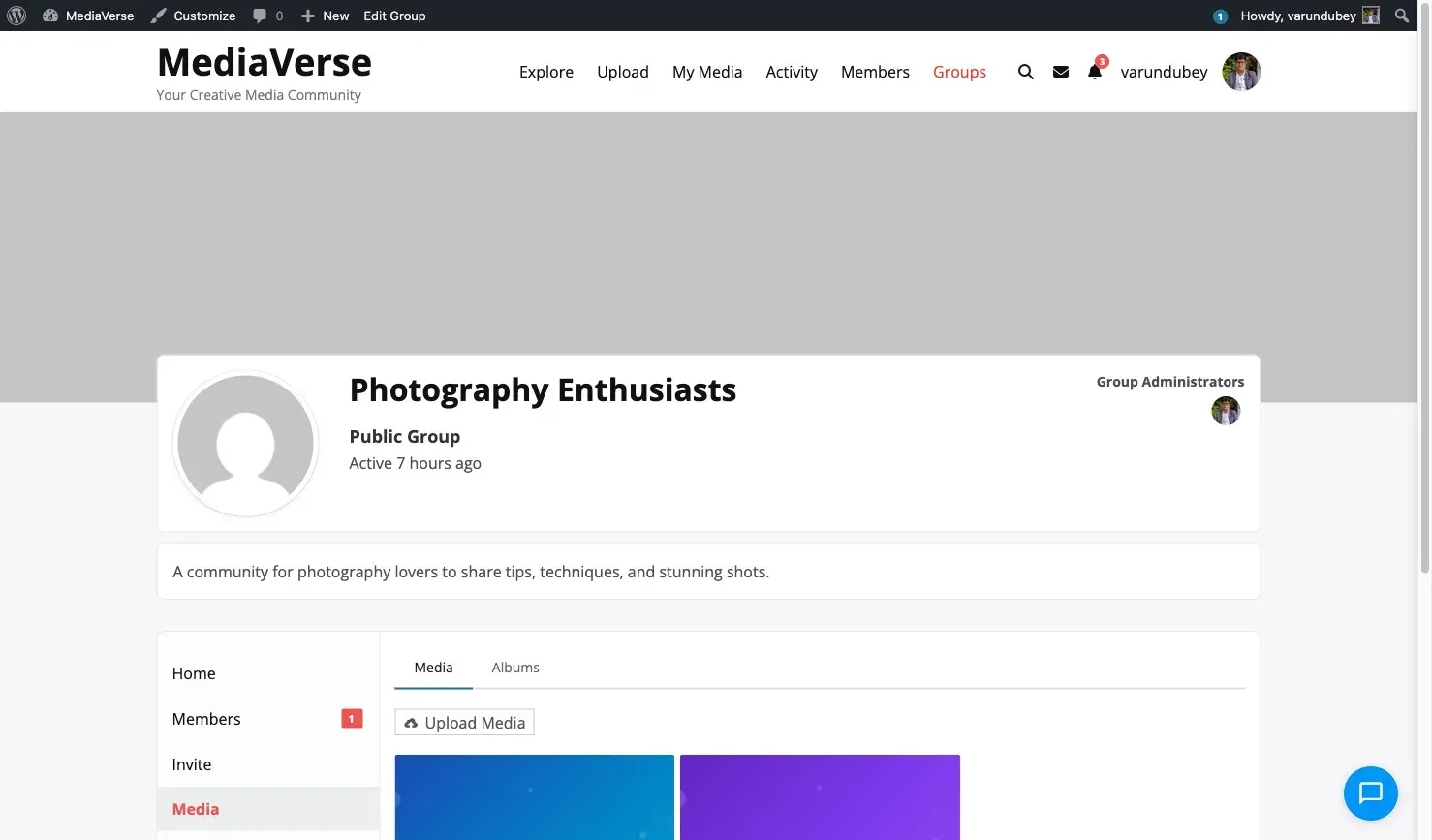
Tab Location
Section titled “Tab Location”The tab appears in the group navigation at:
/groups/{group-slug}/media/It is registered via bp_setup_nav at priority 100, conditional on bp_is_active( 'groups' ).
What the Tab Shows
Section titled “What the Tab Shows”The group media tab displays media that was:
- Uploaded with
privacy=groupandgroup_id={this-group-id}. - Reassigned to the group via the
mvs_media_group_assignedaction.
Privacy applies within the group: only group members can view the tab content.
Assigning Media to a Group
Section titled “Assigning Media to a Group”When uploading, set the privacy to group and provide the group_id:
curl -X POST https://yoursite.com/wp-json/mvs/v1/media \ -H "X-WP-Nonce: NONCE" \ -F "file=@photo.jpg" \ -F "privacy=group" \ -F "group_id=42"This sets the media row’s privacy to group (a column in mvs_media_index) and stores group_id=42 (in mvs_media_meta). Media is tracked in MediaVerse’s custom tables, not as a WordPress post.
Group Activity Integration
Section titled “Group Activity Integration”Media uploaded to a group fires the mvs_media_group_assigned action:
do_action( 'mvs_media_group_assigned', $media_id, $group_id );The BuddyPress integration listens to this action and re-scopes the upload’s activity item from the member component to the groups component, so it appears in the group’s activity stream rather than the member’s personal stream.

Group Activity in the Activity Post Form
Section titled “Group Activity in the Activity Post Form”When a group member uses the BP activity post form inside a group, the Attach Media button (added by MediaVerse) automatically assigns uploaded media to that group.