

Overview Tab
The Overview tab is the landing page for WB Plugins → Sticky Post. It is read-only — no settings here — but gives a one-glance picture of how the plugin is being used and whether the core toggles are configured sensibly.
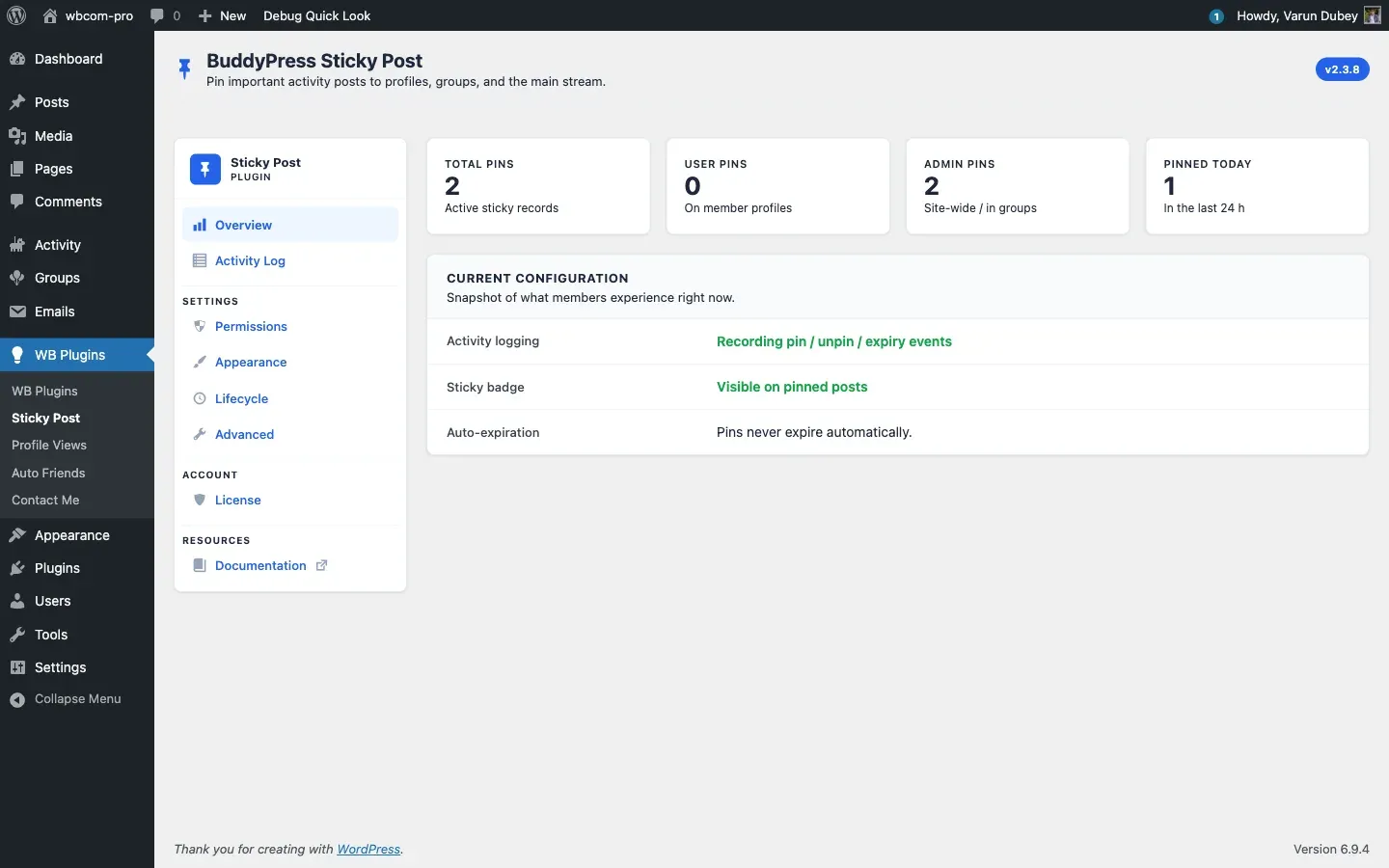
Stats grid
Section titled “Stats grid”Four counters render across the top:
| Counter | Source |
|---|---|
| Total Pins | Total rows in {prefix}bpsp_sticky_posts |
| User Pins | Rows where type = 'user' (personal profile pins) |
| Admin Pins | Rows where type = 'administrator' (sitewide + group admin) |
| Pinned Today | Rows where pinned_date is today |
The numbers update on each page load — no caching here, so the picture is always live.
Current Configuration
Section titled “Current Configuration”Three rows summarise the safety-critical toggles:
- Activity logging — whether the audit trail is recording. Green when on, red with an Enable link when off.
- Sticky badge — whether pinned posts are visually distinguished. Green Visible on pinned posts when the badge is on, red Hidden with a Show link when it isn’t.
- Auto-expiration —
Pins auto-removed after N day(s).when expiration is configured, Pins never expire automatically. otherwise.
Top-of-tab warning banner
Section titled “Top-of-tab warning banner”If both the activity log and the sticky badge are switched off, a warning banner renders above the stats grid pointing out that “A couple of paid features are currently switched off.” — with a deep link straight to Settings. This is a guard rail to stop sites running the plugin invisibly.
Why this tab exists
Section titled “Why this tab exists”The Overview is meant for the moments when a site owner returns to the plugin after a few weeks and wants a single answer to “is this still working the way I set it up?” The four counters confirm activity, the three configuration rows confirm intent. If any row is red, click through and fix it.
Related
Section titled “Related”- Activity Log Tab — see the actual events.
- Lifecycle Tab — toggle the audit trail.
- Appearance Tab — toggle the sticky badge.