

Instructors Listing Page
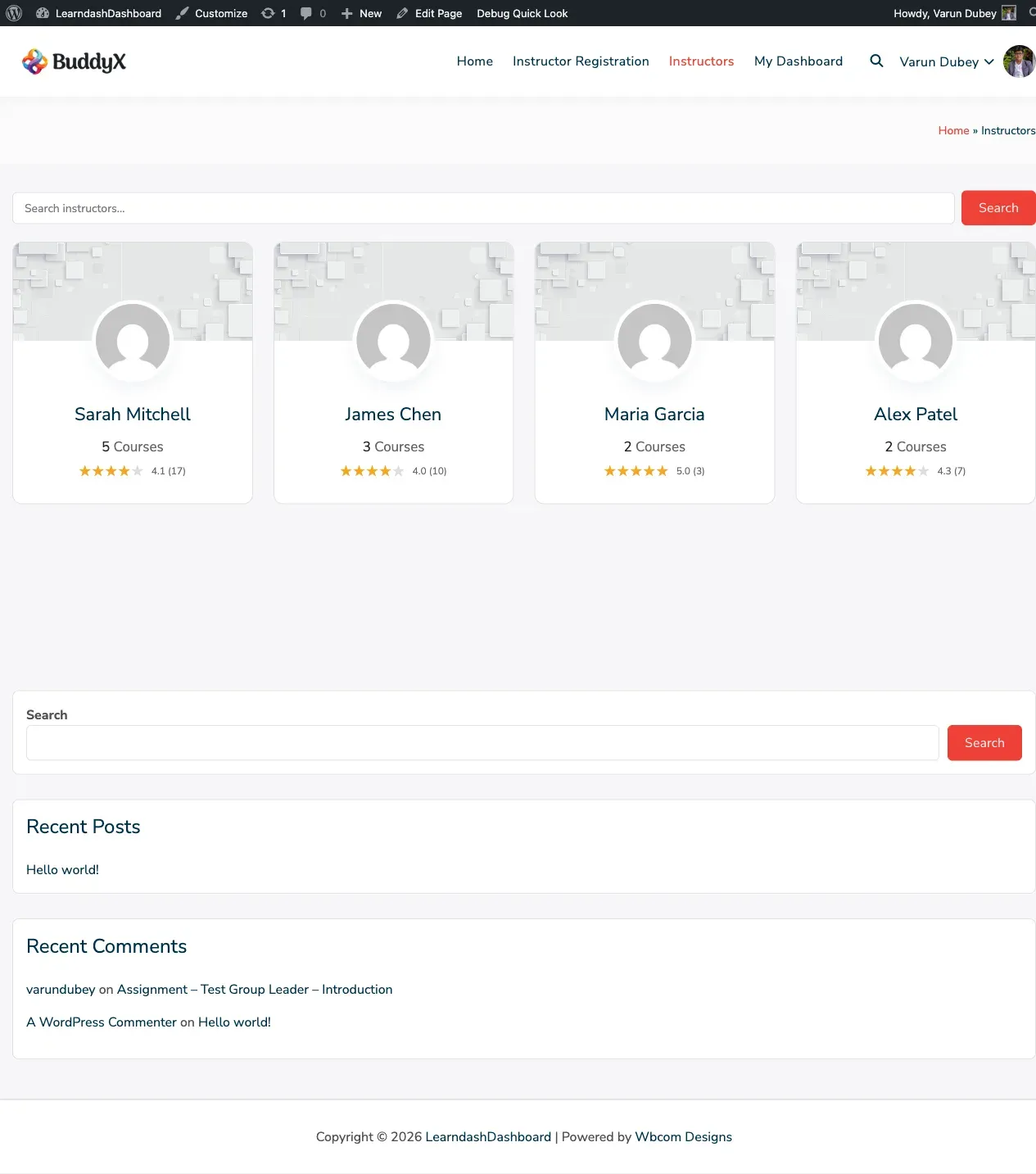
The Instructors Listing page is a public directory of all your approved instructors. Visitors can browse instructors, search by name, and click through to view each instructor’s profile and published courses.
Adding the Directory to a Page
Section titled “Adding the Directory to a Page”Place the instructor directory on any page by adding the following shortcode to the page content:
[ld_dashboard_instructors_list]The directory displays automatically with search, pagination, and instructor cards. No further configuration in the shortcode is needed.
Important: After creating the page, go to WordPress Admin > LearnDash Dashboard > Settings > General Settings > Page Mapping and set the Instructors Page to the page you just created. This ensures instructor profile links work correctly.
What Each Instructor Card Shows
Section titled “What Each Instructor Card Shows”- Profile photo
- Display name
- Number of published courses
- Star rating (if the LearnDash Course Reviews add-on is active)
- A link to their individual profile page
Search
Section titled “Search”Visitors can filter the directory by instructor name:
- Type a name into the search field
- Click Search
- The page reloads showing matching instructors
- Click Clear to reset and show all instructors
Pagination
Section titled “Pagination”The directory shows 12 instructors per page by default. Standard page navigation links appear below the grid when there are more than 12 instructors.
Star Ratings
Section titled “Star Ratings”If you have the LearnDash Course Reviews add-on installed, each instructor card shows an average star rating based on all reviews across their published courses.